How to Build a Lead Scoring Quiz in Framer (Score, Redirect and Route Leads)
Score leads inside a native Framer form with Quiz Score, send the score and result with the submission, redirect high scorers to a booking page and route them to your CRM.

Dong Trinh
Lead Architect at FramerSend
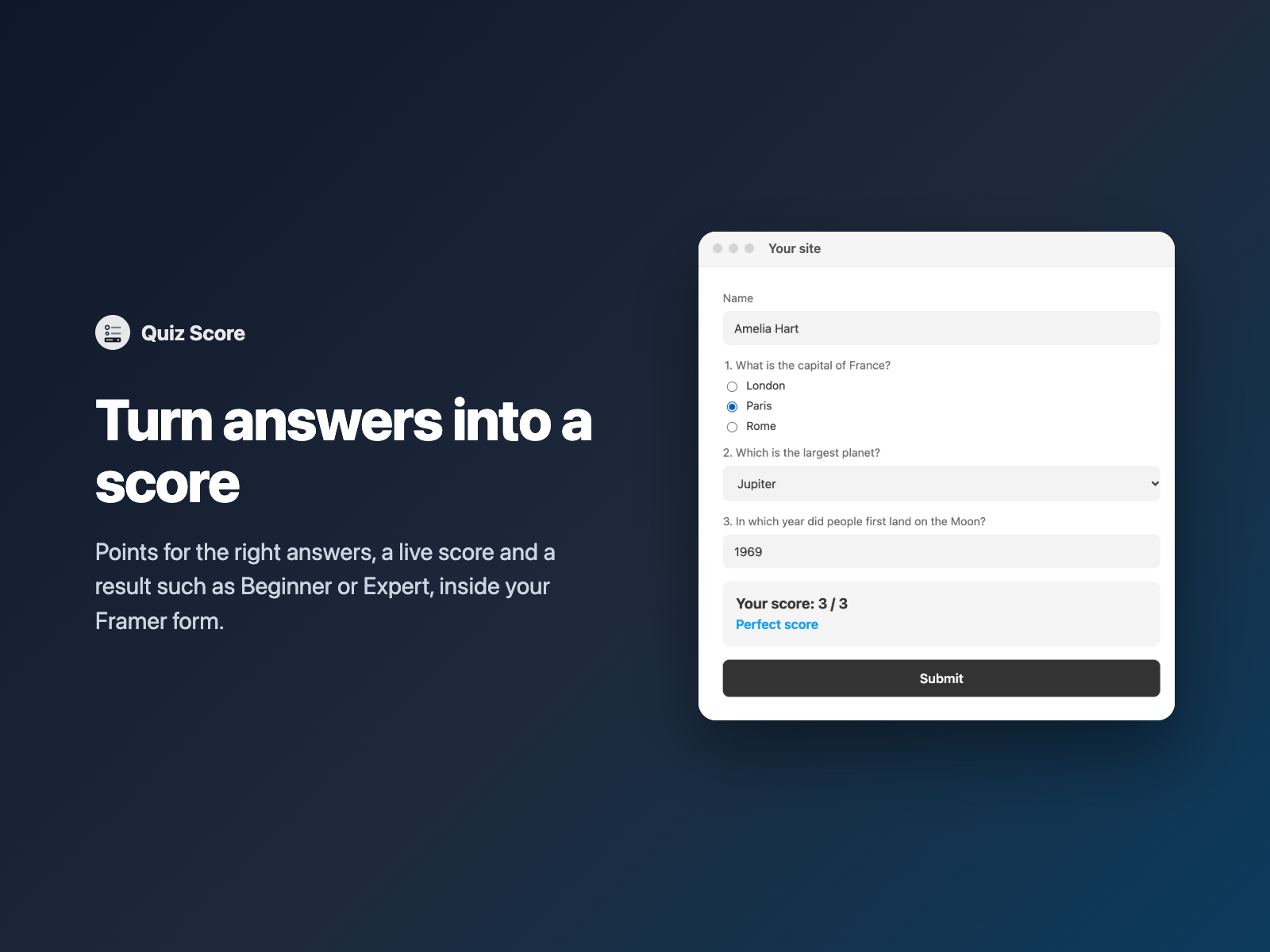
Not every lead is ready to talk to sales. A lead scoring quiz asks a few questions, gives each answer points and tells you right away who is a good fit.
You can build it inside your native Framer form. Quiz Score adds up the points, Conditional Redirect sends the best leads to a booking page, and Flows route them to your CRM. See everything you can build on our quizzes for Framer page.
Why score leads in the form
- You see fit at a glance. A lead with Score 9 and one with Score 2 should not get the same reply.
- The visitor gets a next step at once. A good fit can book a call right after sending the form.
- Your tools get the number. The score is a normal field, so your CRM, sheet or email can sort on it.
Score the answers with Quiz Score
Build your questions with radio buttons, checkboxes, dropdowns or text inputs in the same form. Then list the answers that earn points, one per line:
Team size | 10 or more = 3
Team size | 2 to 9 = 1
Budget | Over $5,000 = 3
Budget | Under $1,000 = -2
Timeline | This month = 2
Each ticked checkbox adds its points. Negative points work, so a bad fit can lower the score. Answers match without case and extra spaces. Questions hidden by Conditional Fields are left out of both the score and the maximum.
- Select your Form on the Framer canvas.
- Open Quiz Score and click Insert quiz score. It is added above the submit button at full width.
- In the right panel, list the answers that earn points and your results.
Turn points into result bands
Results turn a score into a label you can read at a glance. Write them in points or in percent:
0-3 = Not yet
4-7 = Warm
8+ = Hot
You can show the score live, once all questions are answered, after the form is sent, or never. For a lead form, "never" is a good choice: the visitor does not need to see how you rate them.
Send the score with the submission
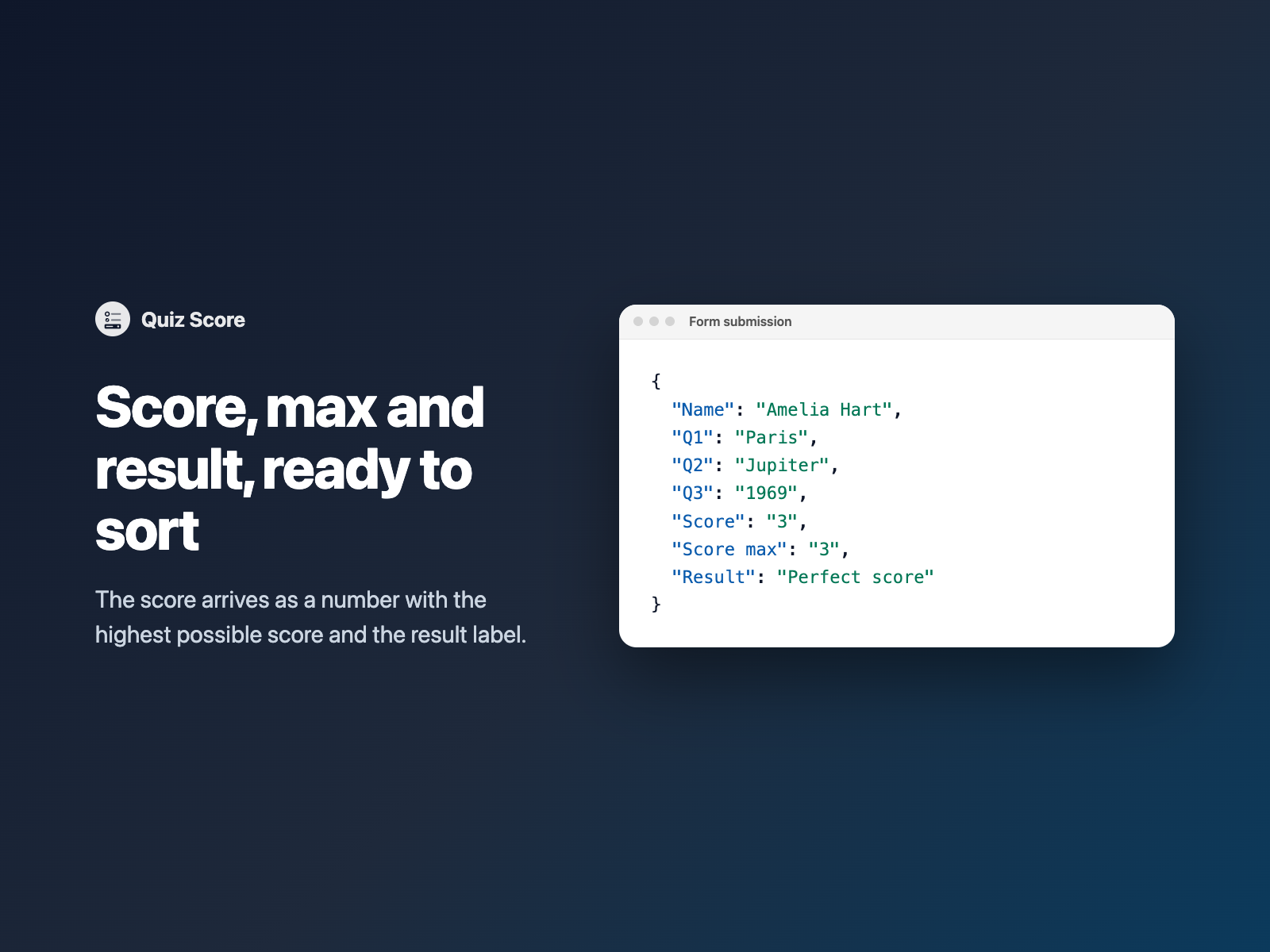
Quiz Score sends the score, the highest possible score and the result, each under its own field name. Leave a name empty to not send it.
| Field | Example |
|---|---|
| Score | 9 |
| Score max | 10 |
| Result | Hot |
They arrive next to the name and email, so they reach your CRM, sheet or email like any other answer. Want to show a personal result card to the visitor too? Add Outcome Card and point it at the Score.
Send high scorers to your booking page
Add a Conditional Redirect to the form. Rules are checked top to bottom and the first match wins:
- If Score is greater than or equal to 8, go to
/book-a-call. - If Score is greater than or equal to 4, go to
/resources. - Otherwise, go to
/thank-you.
The redirect happens only after Framer confirms the submission was saved. If sending fails, the visitor stays on the form and sees Framer's error. By default nothing is added to the link, so personal details do not end up in links or analytics.
Route high scores to your CRM with Flows
The page the visitor sees is one half. The other half is where the lead goes. In Flows you can add a Condition after the form:
- If Score is greater than 7, send to your CRM and a Slack alert.
- Otherwise, send to Google Sheets.
Each destination is logged on its own, and a failing tool never blocks the others. See the Flows page for the canvas and the full list of operators.
Start from a template
You do not have to start from a blank form. The Right fit quiz template has four questions, a hidden Quiz Score, an Outcome Card with Starter, Growth and Custom results, an email field and a consent box. Change the questions and points to match your offer.
Every plan includes all form fields and 120+ connectors, from $5/month after a 14-day free trial.
Frequently asked questions
Can answers take points away?
Yes. Negative points work. For example, "Budget | Under $1,000 = -2" lowers the score for a lead that is not a fit.
What does my form receive?
The score, the highest possible score and the result, each under its own field name. Leave a name empty to not send it.
Do hidden questions count?
No. Questions hidden by Conditional Fields are left out of both the score and the maximum.
Can I send high scorers to a different page?
Yes. Conditional Redirect checks the Score after the form is saved and takes the visitor to the page of the first rule that matches, such as Score 8 or more to /book-a-call.
Can I send only the best leads to my CRM?
Yes. Add a Condition in a flow: if Score is greater than 7, send to your CRM, otherwise send to a sheet. Flows are in your FramerSend dashboard.
Connect Framer to 120+ CRMs in 60 seconds
14-day free trial, no card needed. Copy your Submit URL and paste straight into Framer.
Related Articles
New in FramerSend: Flows, 12 new connectors, 30 form templates and new form fields
FramerSend Flows send one Framer form to many tools at once, with If/Then branches on a visual canvas. Plus 12 new connectors, 30 form templates (10 free) and new form fields.
How to Fill a Framer Form Dropdown from a CMS Collection
Build a dropdown, radio list, buttons or checkboxes in a native Framer form from CMS items such as services or locations, and refresh the options when the CMS changes.
How to Validate an IBAN or VAT Number in a Native Framer Form
Check IBAN check digits and EU VAT numbers as visitors type in a native Framer form, block the submit while the value is wrong and send a clean value.