How to Validate an IBAN or VAT Number in a Native Framer Form
Check IBAN check digits and EU VAT numbers as visitors type in a native Framer form, block the submit while the value is wrong and send a clean value.

Dong Trinh
Lead Architect at FramerSend
Invoices, direct debits, B2B quotes and supplier forms all ask for a bank or tax number. People mistype them. A single wrong digit in an IBAN means a failed payment and an email thread to fix it.
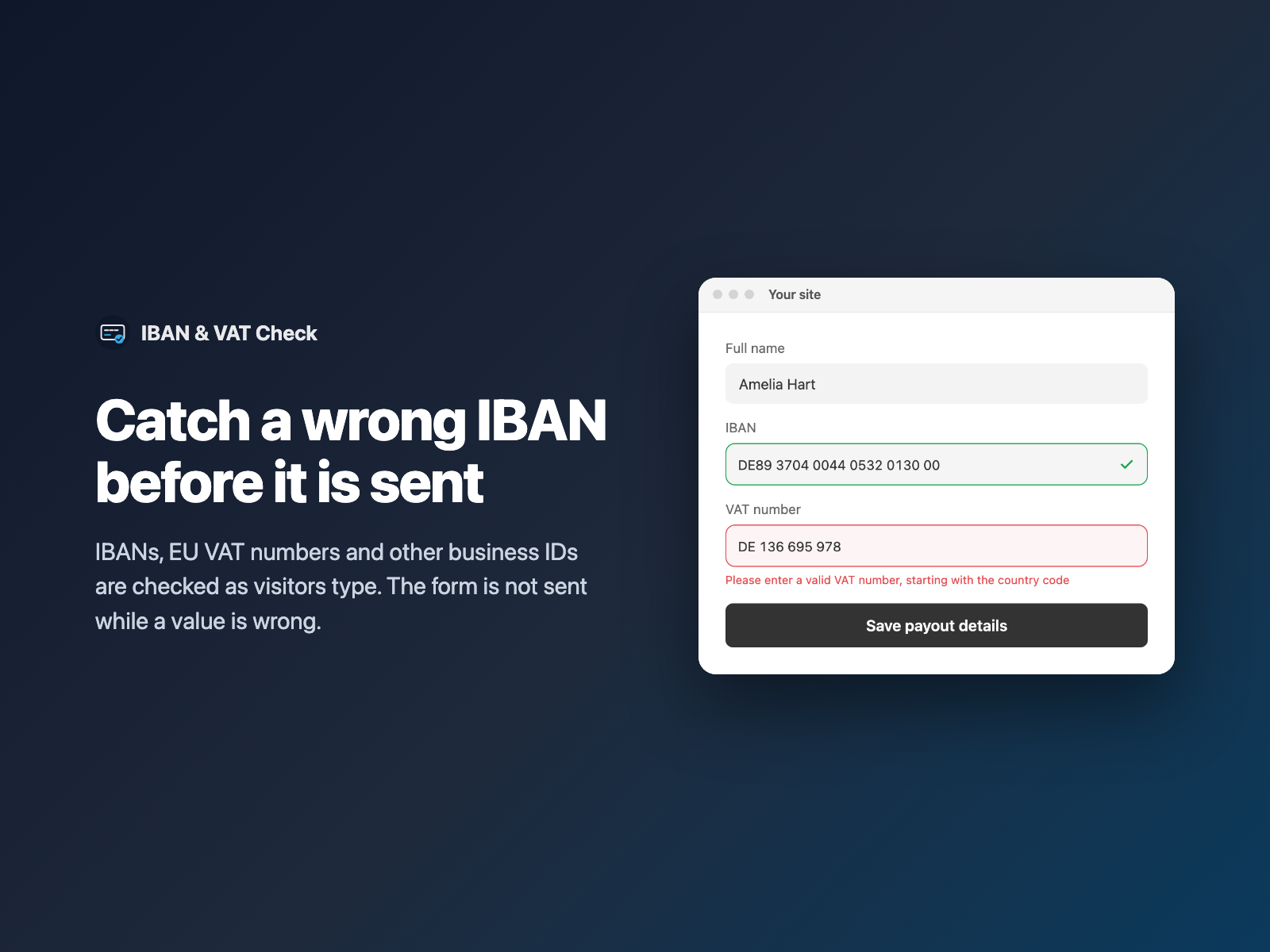
IBAN & VAT Check adds a field to your native Framer form that checks the number while the visitor types. While the value is wrong, the form is not sent, and the field says why.
Why check an IBAN or VAT number in the form
A checked number saves work on both sides:
- No failed payments. An IBAN with a bad check digit is caught before it reaches your finance team.
- Cleaner records. Values arrive without spaces or dots, so they can go straight into your CRM or invoicing tool.
- Faster B2B onboarding. A VAT number with a typo is flagged right away, not three emails later.
The visitor fixes the mistake while they are still looking at the form.
A regex pattern vs IBAN & VAT Check
Many forms only test the shape of the text with a pattern. That catches a missing letter, but not a mistyped digit.
| A text pattern | IBAN & VAT Check |
|---|---|
| Checks that the text looks like an IBAN. | Checks country, length and the IBAN check digits. |
| One pattern per country to maintain. | Country formats are built in. |
| A wrong digit passes. | A wrong check digit blocks the submit. |
| Value is sent as typed, with spaces. | Value is sent clean, for example DE89370400440532013000. |
For a simple custom format such as a coupon code, Validated Input is enough. For work email checks, see work email validation in Framer forms.
How IBAN & VAT Check validates each value
Pick one type when you insert the field:
- IBAN: country, length and check digits, shown in groups of 4 as the visitor types.
- EU VAT number: the format for each country, plus the check digit for AT, BE, DE, DK, ES, FI, FR, GB/XI, IT, LU, NL, PL, PT and SE. Other countries are checked for format only.
- BIC / SWIFT, US EIN and UK company number: checked for format.
You can also:
- accept all countries, or only a list such as DE, FR, NL;
- send the IBAN with or without spaces;
- show a tick in the field when the value is valid;
- add hidden fields for the country and
valid=true; - write your own error texts and make the field required.
Add an IBAN or VAT field in three steps
- Select your native Form on the Framer canvas and open IBAN & VAT Check.
- Pick the type, and limit the countries if you like.
- Click Insert field. It is added above the submit button. Style it in Framer's right-hand panel and publish.
IBAN & VAT Check is coming in FramerSend Fields 1.4.0.
What it does not check
The check runs in the browser. It finds typos, but it does not tell you the number is real:
- A valid IBAN may not belong to an open account.
- There is no live VIES lookup, so a well-formed VAT number may not be registered.
If you must confirm registration, check the number in VIES after the lead arrives. The field removes the typo problem, which is the most common one.
What we tested
In a real Framer test, a wrong check digit showed "Please enter a valid IBAN" and blocked the submit. A valid IBAN typed in lowercase with spaces was sent as DE89370400440532013000, plus IBAN country=DE.
The automated checks passed too: 123 of 123 harness checks and 26 of 26 plugin-panel checks.
Try IBAN & VAT Check in FramerSend Fields 1.4.0. Every FramerSend plan includes it, from $5/month after a 14-day free trial with no card.
Frequently asked questions
How do I validate an IBAN in a Framer form?
Select your native Framer form, open IBAN & VAT Check, pick IBAN and click Insert field. The field checks country, length and check digits as the visitor types. A wrong check digit shows 'Please enter a valid IBAN' and blocks the submit.
How is the IBAN sent to my inbox or CRM?
Clean, without spaces. In our test a lowercase IBAN typed with spaces arrived as DE89370400440532013000, plus an optional IBAN country field with DE. You can choose to send it in groups of 4 instead.
Which VAT numbers get a check digit test?
AT, BE, DE, DK, ES, FI, FR, GB (and XI for Northern Ireland), IT, LU, NL, PL, PT and SE. The other EU countries are checked for format only.
Does it check that a VAT number is registered?
No. It runs in the browser and catches typos. There is no live VIES lookup, so a well-formed number may still not be registered.
Can I accept only some countries?
Yes. Accept all countries or limit the field to a list such as DE, FR, NL.
What does it cost?
IBAN & VAT Check is included in every FramerSend plan, from $5/month, after a 14-day free trial with no card. It is coming in FramerSend Fields 1.4.0.
Connect Framer to 100+ CRMs in 60 seconds
14-day free trial, no card needed. Copy your Submit URL and paste straight into Framer.
Related Articles
How to Fill a Framer Form Dropdown from a CMS Collection
Build a dropdown, radio list, buttons or checkboxes in a native Framer form from CMS items such as services or locations, and refresh the options when the CMS changes.
How to Add a QR Code and Barcode Scanner to a Native Framer Form
Let visitors scan a QR code or barcode into a native Framer form field, or scan from a photo, and send the decoded text with the form.
How to A/B Test a Form in Framer and See Which Variant Won
Run an A/B split test on a native Framer form by tagging layers [A] and [B]. Visitors keep their variant, and each submission says which one they saw.