One Framer form. Many tools.
Flows send each submission to many connections at once, or route it with If/Then branches. Draw it on a visual canvas. No Zapier, no code.
- Send to many at once
- If/Then branches
- Retry only what failed
- All 120+ connectors
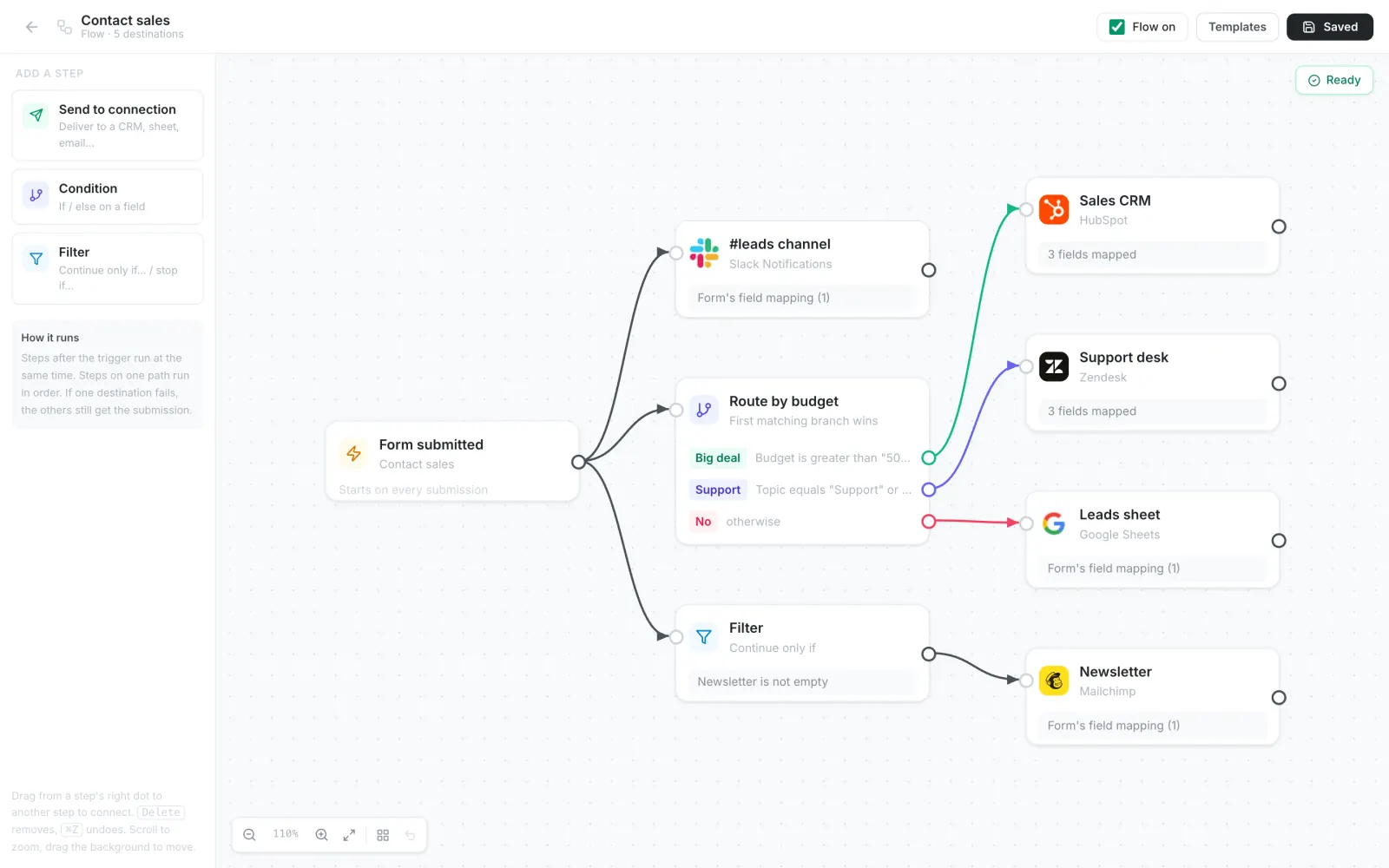
Every tool gets the submission at the same time
Add a Send step for each connection: your CRM, a Google Sheet, Slack, an email tool. Steps after the form run in parallel.
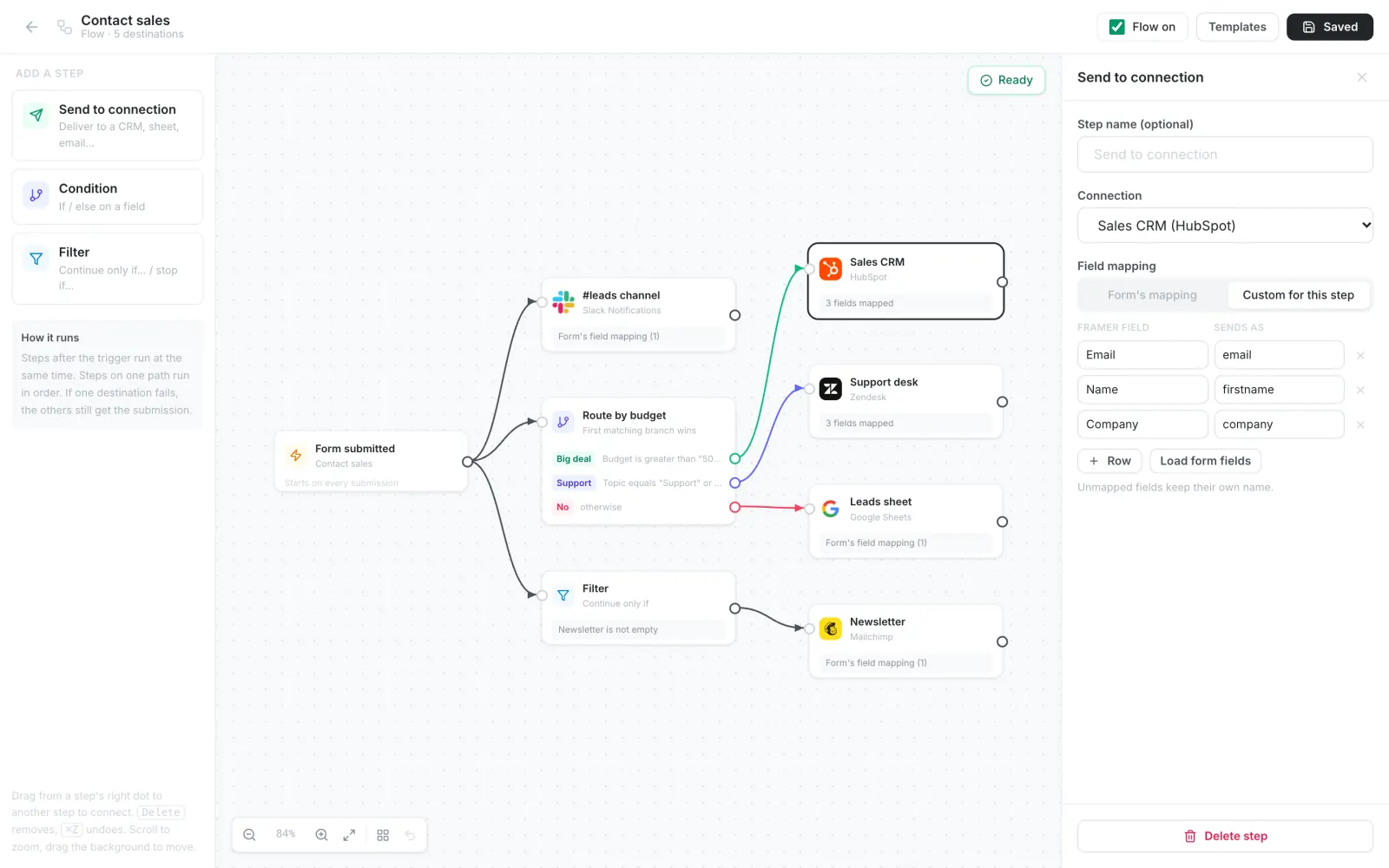
Each Send step has its own field mapping, or uses the form's mapping when you leave it empty.
If/Then branches and filters
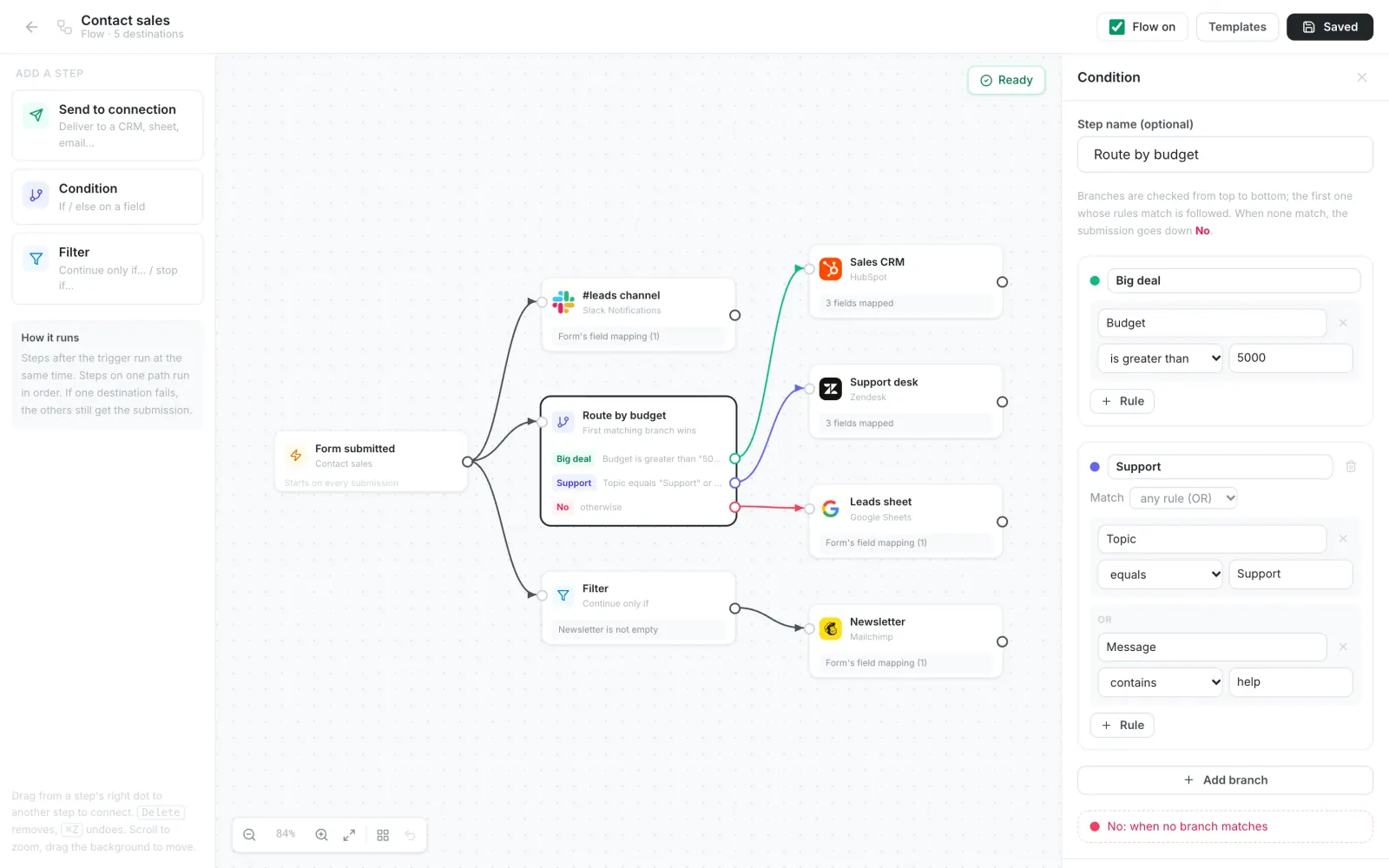
A Condition step checks its branches in order and follows the first one that matches. Nothing matches? The submission takes the “No” path. Up to 6 branches per Condition.
Rules use AND or OR and 8 operators: equals, does not equal, contains, does not contain, is greater than, is less than, is empty, is not empty.
A Filter step lets the path go on only if its rules match, or stops it if they do.
A working flow in one click
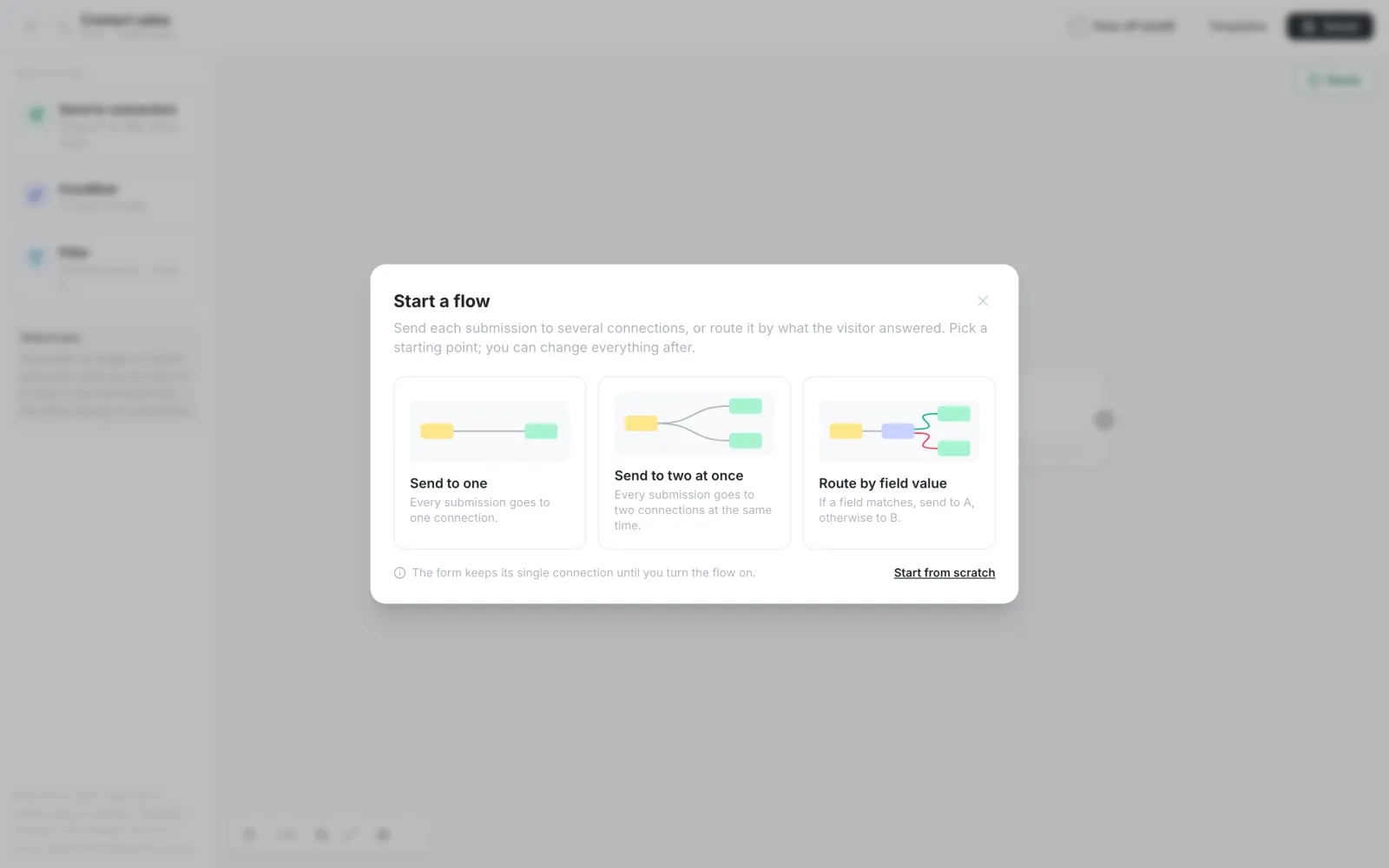
- Send to one. Every submission goes to one connection.
- Send to two at once. Every submission goes to two connections at the same time.
- Route by field value. If a field matches, send to A, otherwise to B.
Reliable delivery
- Each destination is logged on its own, with its status and error.
- One failing tool never blocks the others.
- Retry re-sends only the destinations that failed.
- Test sends show the result for every destination.
Works with all 120+ connectors
- HubSpot, Klaviyo, Salesforce, Google Sheets, Notion, Slack, WhatsApp, Meta Conversions API and more.
- Old single-connection forms keep working unchanged.
- Turn a flow off any time and the form goes back to its single connection.
Flows people build
Budget is greater than 5000 → HubSpot, otherwise → Google Sheets. Always notify Slack.
Topic equals Support → Help Scout, otherwise → your CRM.
Newsletter opt-in is not empty → Mailchimp, otherwise → nothing (Filter stops).
Country equals Germany → rapidmail, otherwise → Klaviyo.
Every submission → Notion + Meta Conversions API + WhatsApp
Questions
Which plan do I need for Flows?
Flows come with every plan and with the 14-day free trial, the same as connectors. There is no extra price for Flows. Plans start at $5/month.
Does a flow slow down my form?
No. The visitor's submit works the same way. FramerSend does one extra lookup to load the form's flow, then sends to your tools.
What happens if one of my tools is down?
The other destinations still get the submission. Each destination is logged on its own, so you see which one failed and why, and Retry re-sends only the failed ones.
Do my existing forms change?
No. A form with one connection keeps working exactly as before. Open Dashboard → Forms → Flow only when you want more than one destination or branches.
Can I edit a flow on my phone?
You can view a flow on a phone. Editing needs a larger screen, since you drag steps and connect them on the canvas.
Can I add a delay or a wait step?
Not yet. Steps run as soon as the form is submitted. Send, Condition and Filter are the steps available today.
See plans: from $5/month after a free 14-day trial.