Outcome Card for Framer forms
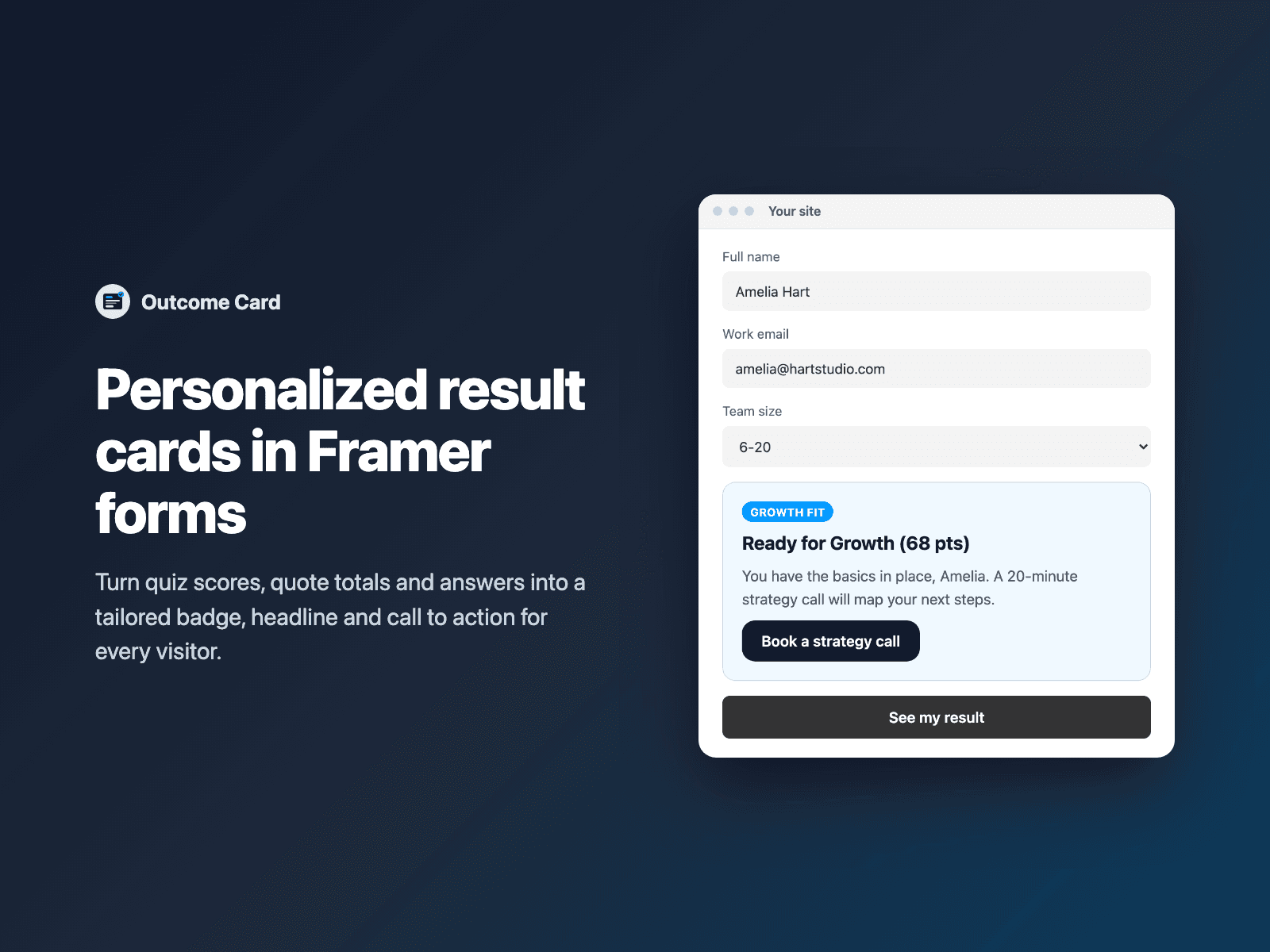
Personalized result cards for quizzes & calculatorsTurn Quiz Score totals, Calculator quotes and qualification dropdowns into rich recommendation cards — showing each visitor a tailored badge, headline, explanation and call-to-action button based on their score or answer.
Supports numeric ranges (0-39, 40-79, 80+), exact or partial text matches, live {Field:first | fallback} interpolation across titles and CTA URLs, live or post-submit reveal modes, and an optional hidden field that sends the matched outcome with the submission.
Available right now inside FramerSend Fields (our all-in-one Marketplace plugin). Free for 14 days, no card, then from $5/month.
What your form receives
The matched outcome title under Outcome (plus an optional Outcome tier field) alongside your form's answers when Send outcome is enabled.
It is part of the native Framer form submission, so it goes wherever your form sends: email, Google Sheets, webhooks, or FramerSend connectors.
{
  "Name": "Amelia Hart",
  "Score": "68",
  "Outcome": "Ready for Growth (68 pts)",
  "Outcome tier": "Growth Fit"
}
How it works
No code, right inside Framer
Select your form
Select your Form (for example next to Quiz Score or Calculator) on the Framer canvas.
Define your outcomes
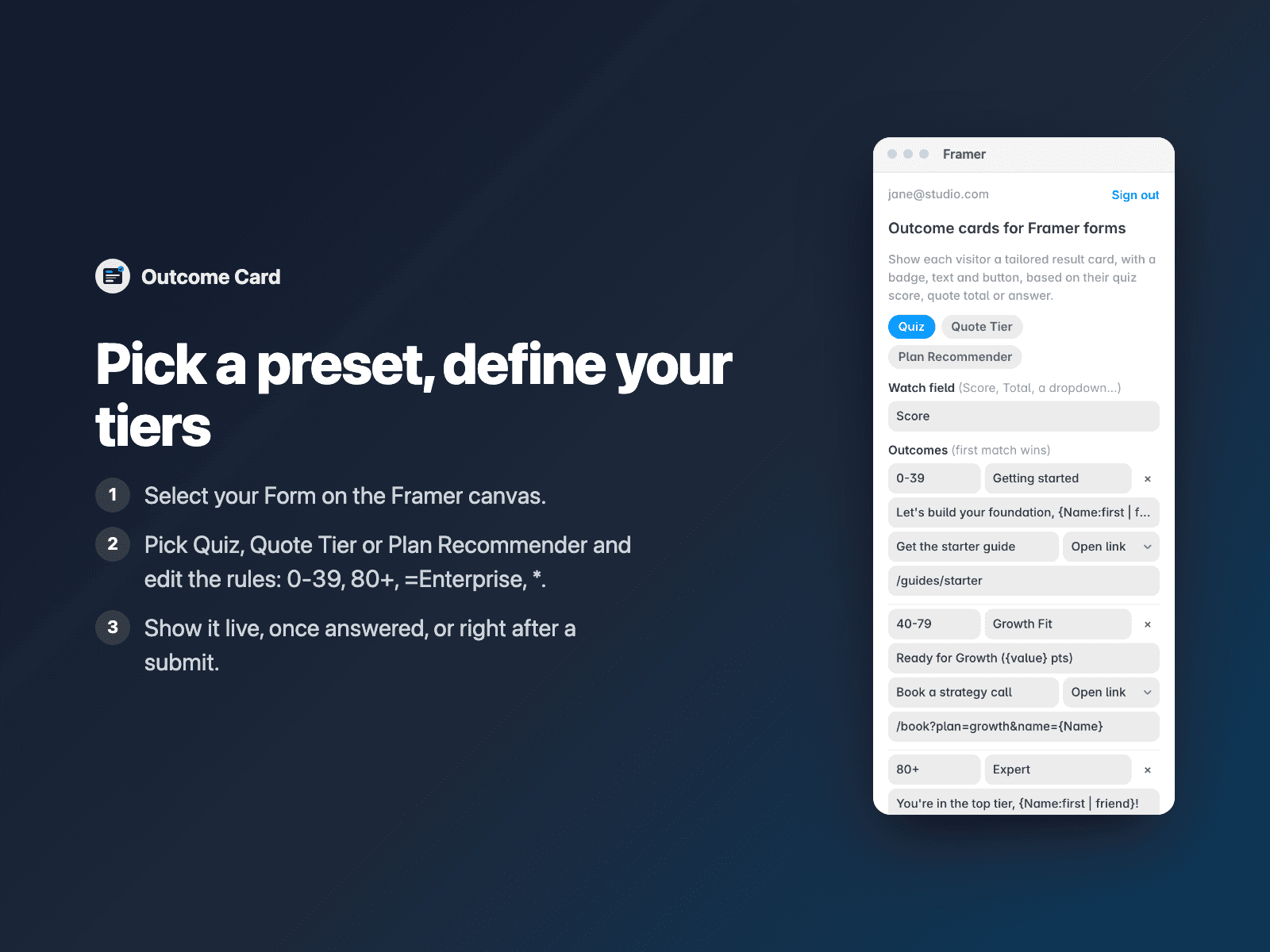
Open Outcome Card, pick a Quiz, Quote Tier or Plan Recommender preset, and customize your score ranges or text rules.
Insert
Click Insert outcome card, preview each tier on the canvas, and publish.
Options
- Watches any numeric or text field: Quiz Score, Calculator Total, NPS Score or dropdowns
- Plain-text outcome rules: numeric ranges (0-39, 80+), text matches (=Enterprise) and wildcard fallbacks
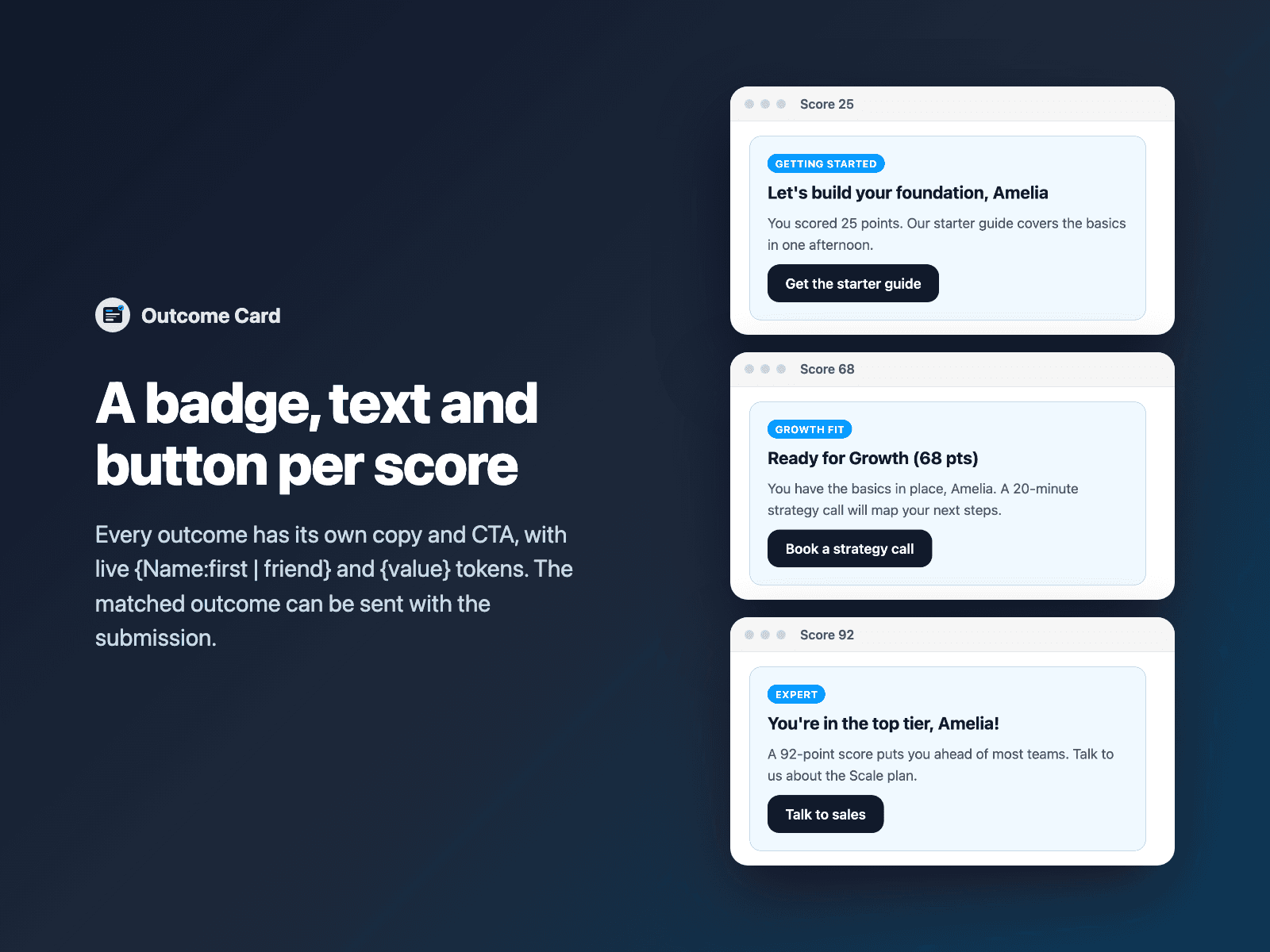
- Live {Field:first | fallback} and {value} interpolation inside badges, titles, descriptions and CTA links
- Three reveal modes: Live as visitors answer, When watched field is filled, or After form submit
- Per-outcome CTA button with optional form submission trigger or new-tab link
- Optional hidden Outcome and Outcome tier fields included in FormData
Written into your project as a code component. No external scripts, no network requests on your site.
Frequently asked questions
Does Outcome Card work with Quiz Score and Calculator?
Yes. Point Watch field at Score (from Quiz Score), Total (from Calculator, even when formatted as $1,250/mo), NPS or any dropdown/radio field in your native Framer form.
Can I show the outcome card only after the visitor submits the form?
Yes. Set Display mode to After form submit. Outcome Card snapshots the visitor's answers and matched tier the moment valid submission fires (before Framer resets the form) and reveals their personalized result card immediately.
Can each outcome have its own CTA button and personalized text?
Yes. Every outcome row supports its own badge, title, description, CTA button label and CTA URL — all with live {Name:first | friend} and {value} token interpolation.
Does it slow down my site?
The field is a code component written into your project. It loads no external scripts and makes no network requests on your site.
How much does Outcome Card cost?
Outcome Card is included in every FramerSend plan, together with the other field plugins and every connector. It is free for 14 days with no card, then from $5/month, $39/year or $89 one-time.
How do I sign in to the plugin?
With your FramerSend account. The plugin opens framersend.com/plugin/connect, you approve, and it signs in by itself.
Add Outcome Card to your Framer form
Included in every FramerSend plan with all 73 field plugins and every connector. Free for 14 days, then from $5/month.