Conditional Redirect for Framer forms
Send visitors to the right page after a Framer formAfter your native Framer form is sent, send each visitor to the page that fits their answers: Score 8 or more to /pro, the Team or Enterprise plan to /team, everyone else to /thank-you.
Rules are checked top to bottom and the first match wins. Each rule can check several fields at once (all must match), with is, is not, contains, is any of, greater or less than, and is empty. Works with any named field, including the Score and Result of Quiz Score and the Total of Calculator.
Available right now inside FramerSend Fields (our all-in-one Marketplace plugin). Free for 14 days, no card, then from $5/month.

What your form receives
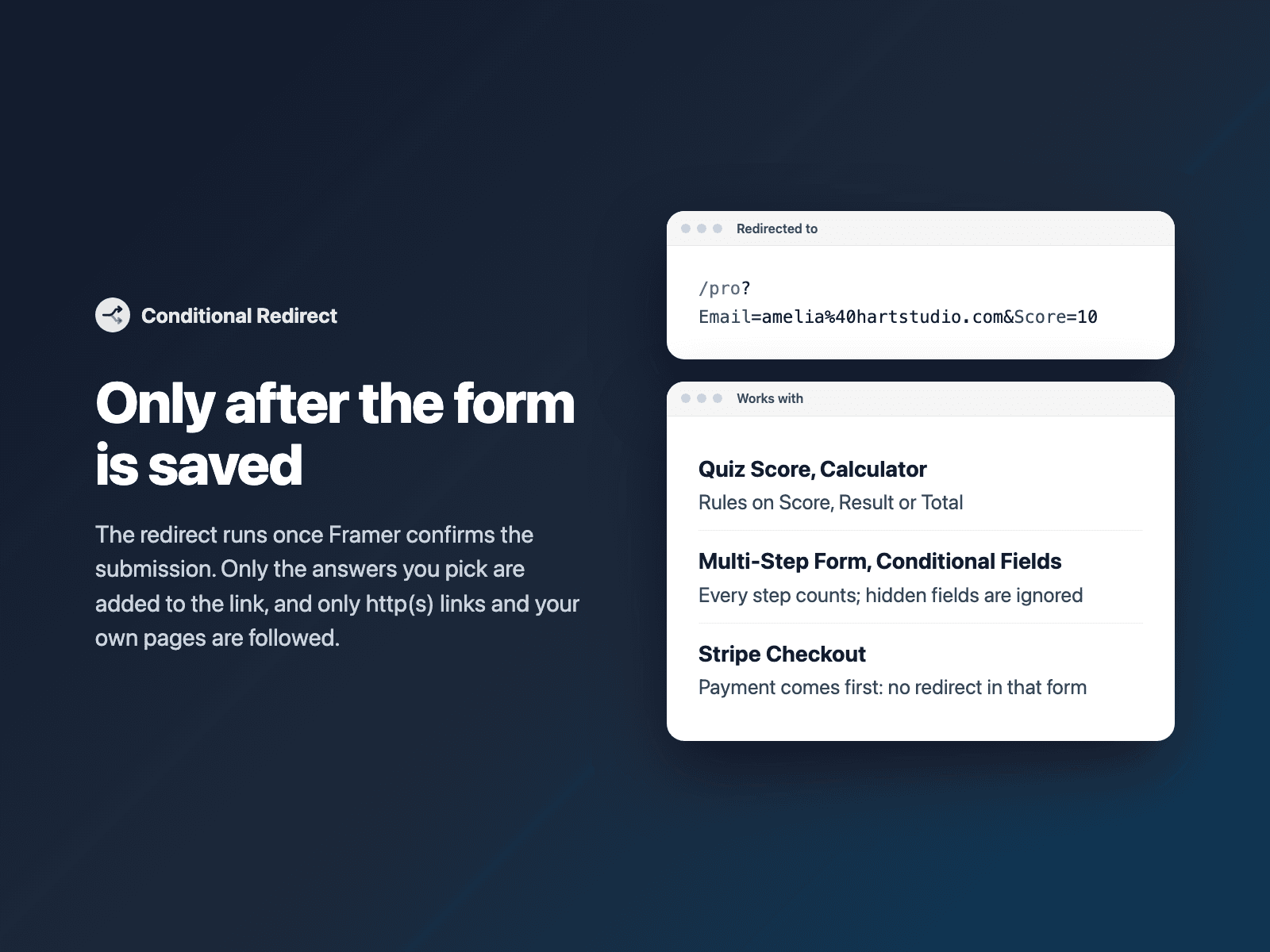
Nothing extra. The submission is sent as usual; the visitor is then taken to the page of the first rule that matches, optionally with the answers you pick added to the link.
{
  "Name": "Amelia Hart",
  "Email": "amelia@studio.co",
  "Score": "9",
  "Result": "Pro"
}
How it works
No code, right inside Framer
Select your form
Select your Form on the Framer canvas.
Add rules
Open Conditional Redirect, pick a field, a condition and the page to go to.
Insert
Click Insert conditional redirect and publish your site.

Options
- Rules with several conditions (AND), first match wins
- is, is not, contains, does not contain, is any of, >, ≥, <, ≤, is empty, is not empty
- Numbers like 1,234.50 or $99 compared as numbers
- Page path or https link, optionally in a new tab
- Add only the answers you choose to the link
- If nothing matches: stay on Framer's success message, or go to a default page
Written into your project as a code component. No external scripts, no network requests on your site.
Frequently asked questions
When does the redirect happen?
Only after Framer confirms the submission was saved. If sending fails, the visitor stays on the form and sees Framer's error.
Does it work with a quiz or a Multi-Step Form?
Yes. Rules can use the Score and Result of Quiz Score, the Total of Calculator and answers from every step of a Multi-Step Form. Fields hidden by Conditional Fields are not sent, so they count as empty.
What about Stripe Checkout?
When the form also has a FramerSend Stripe Checkout, the visitor goes to Stripe to pay and Conditional Redirect does nothing in that form.
Are answers added to the link?
Only the fields you pick for a rule. By default nothing is added, so personal details do not end up in links or analytics.
Does it slow down my site?
No. It is a code component written into your project, invisible on the site. It loads no external scripts and makes no network requests of its own.
How much does Conditional Redirect cost?
Conditional Redirect is included in every FramerSend plan, together with the other field plugins and every connector. It is free for 14 days with no card, then from $5/month, $39/year or $89 one-time.
How do I sign in to the plugin?
With your FramerSend account. The plugin opens framersend.com/plugin/connect, you approve, and it signs in by itself.
Add Conditional Redirect to your Framer form
Included in every FramerSend plan with all 73 field plugins and every connector. Free for 14 days, then from $5/month.