WhatsApp Quote for Framer forms
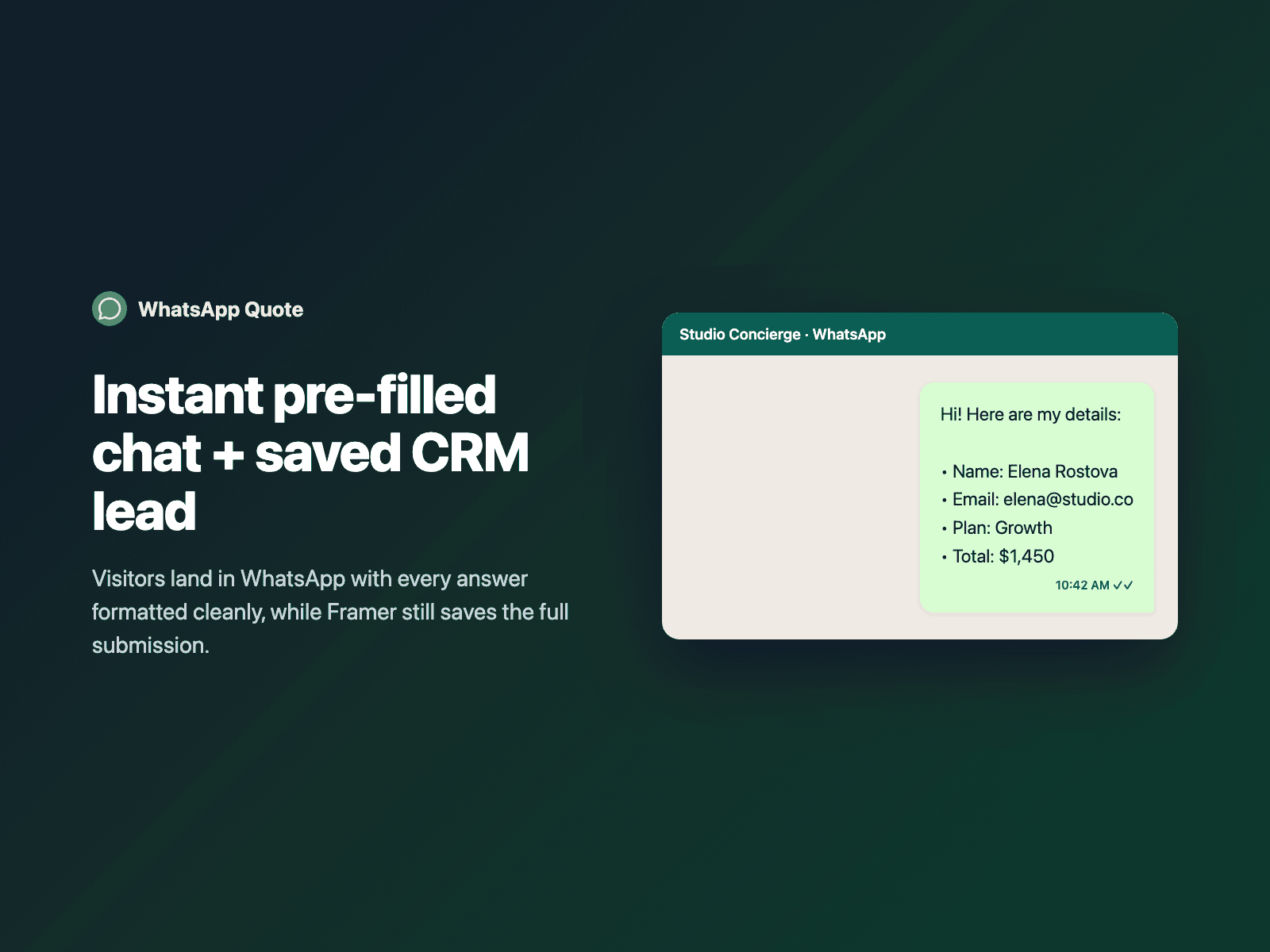
Send Framer form quotes to WhatsAppTurn native Framer forms and price calculators into instant WhatsApp conversations — opening wa.me pre-filled with a clean summary of every answer the visitor entered.
Use it as a dedicated "Send via WhatsApp" button (which validates the form and can still save the lead to Framer and FramerSend), trigger it automatically right after native form submission, or offer both.
Available right now inside FramerSend Fields (our all-in-one Marketplace plugin). Free for 14 days, no card, then from $5/month.
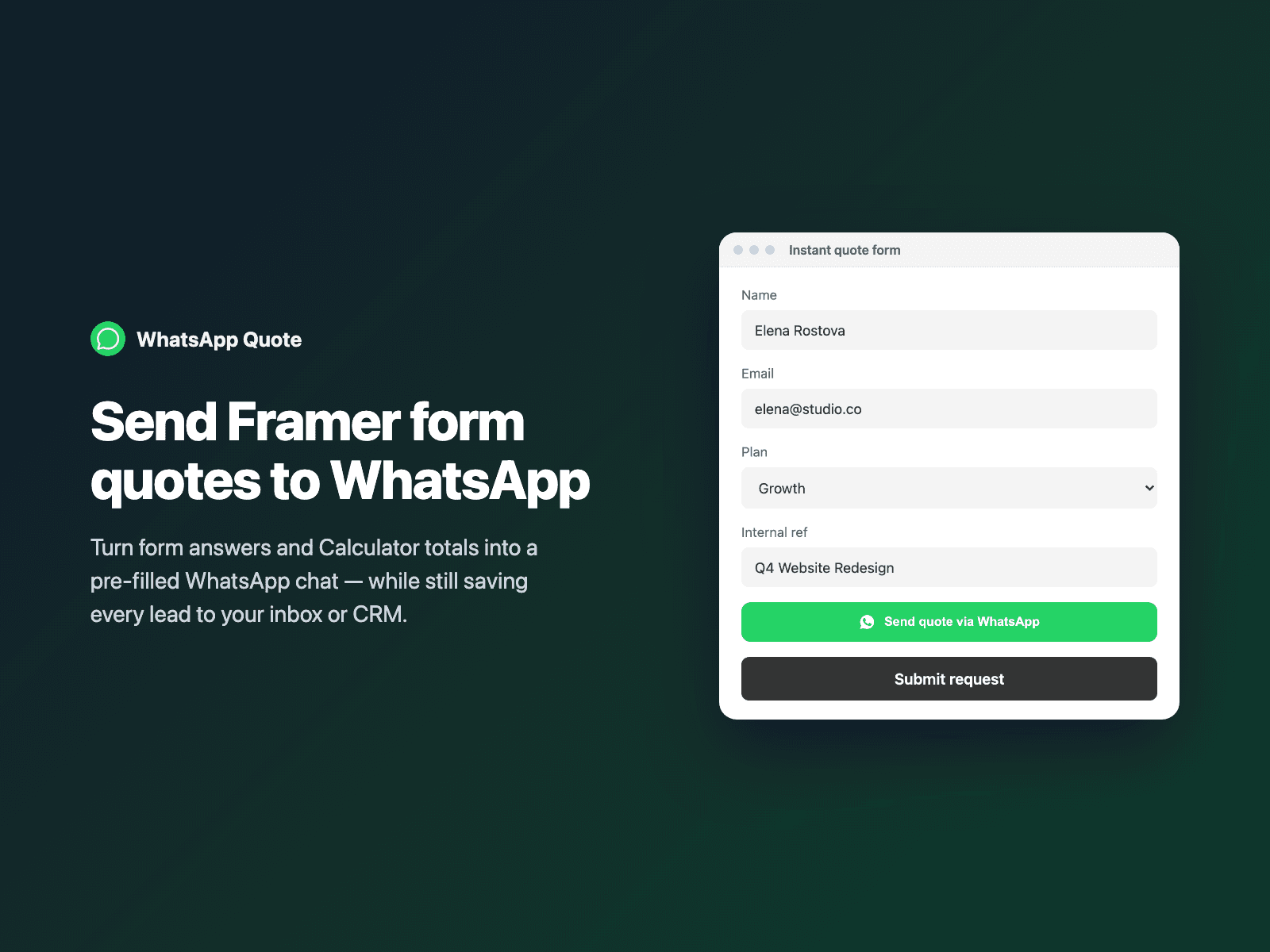
What your form receives
Your form keeps submitting every field as usual. Turn on Send WhatsApp link to also attach the pre-filled wa.me URL to the submission.
{
  "Name": "Amelia Hart",
  "Plan": "Growth",
  "Total": "$595/mo",
  "WhatsApp link": "https://wa.me/14155550199?text=Hi!%20Here%20are%20my%20details..."
}
How it works
No code, right inside Framer
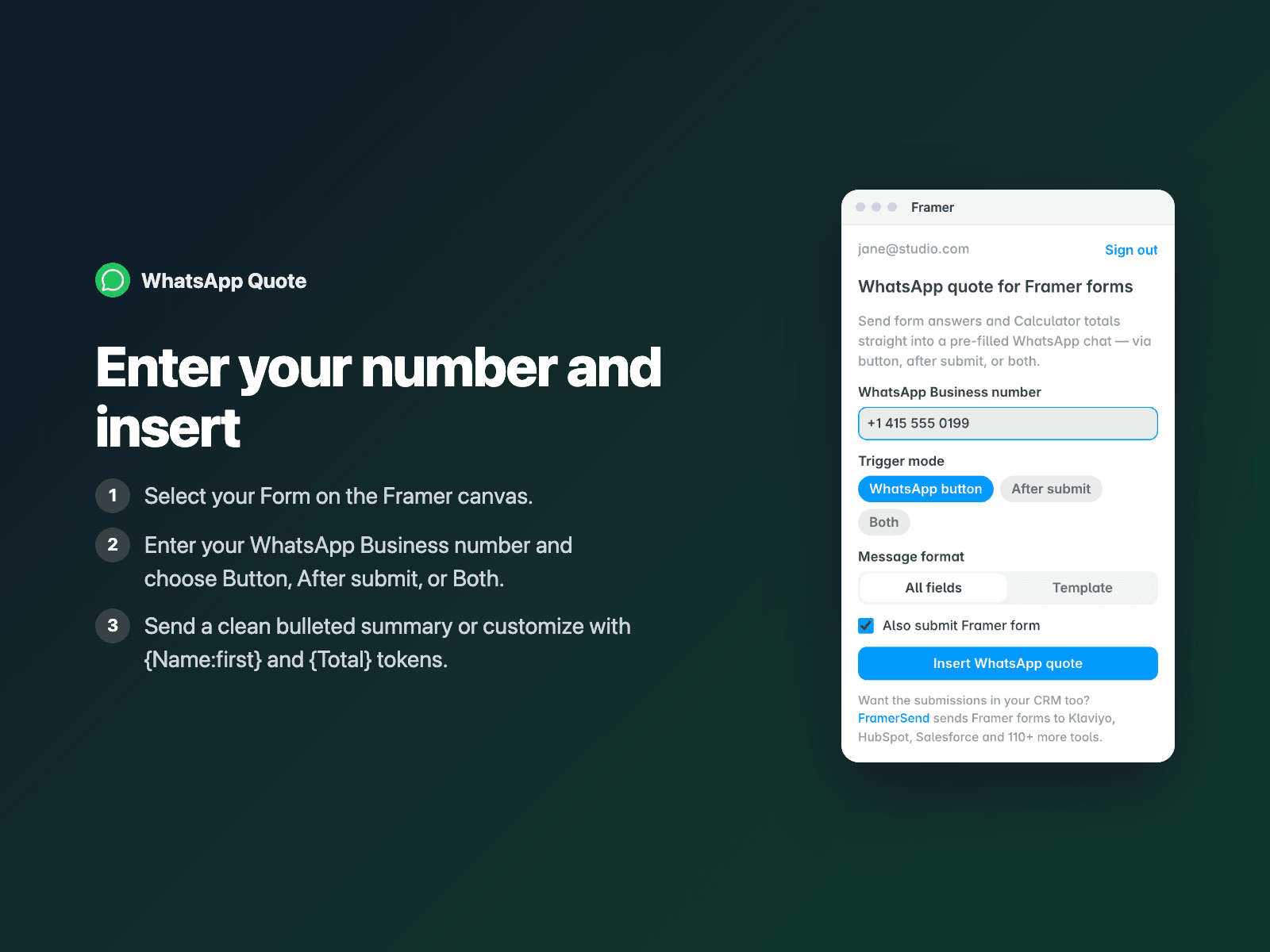
Select your form
Select your Form on the Framer canvas.
Enter your WhatsApp number
Open WhatsApp Quote, enter your WhatsApp Business number with country code, and pick Button or After submit.
Insert
Click Insert WhatsApp quote, customize the button or message template in the right panel, and publish.
Options
- WhatsApp button mode, After form submit mode, or Both
- Auto-formatted bullet summary of visible fields or custom {Field | fallback} message template
- Reads live Calculator totals, dropdowns, radio choices and checkboxes while skipping hidden branches
- Option to validate and submit the native Framer form alongside opening WhatsApp
- Post-submit fallback link so mobile popup blockers never drop a conversation
- Customizable WhatsApp button label, colors, radius, padding and full-width layout
Written into your project as a code component. No external scripts, no network requests on your site.
Frequently asked questions
Does my Framer form still save the lead by email or CRM?
Yes. In After form submit mode, Framer saves the submission first and then opens WhatsApp. In WhatsApp button mode, keep 'Also submit Framer form' turned on so both your CRM/inbox and WhatsApp receive the lead.
Can I include a live Calculator price in the WhatsApp message?
Yes. Both All fields list mode and Custom template mode (for example 'Estimated quote: {Total}') include your Calculator result automatically.
Do I need the WhatsApp Business API or Meta approval?
No. WhatsApp Quote uses official click-to-chat wa.me links that work immediately with any standard WhatsApp or WhatsApp Business number on mobile and desktop.
Does it slow down my site?
The field is a code component written into your project. It loads no external scripts and makes no network requests on your site.
How much does WhatsApp Quote cost?
WhatsApp Quote is included in every FramerSend plan, together with the other field plugins and every connector. It is free for 14 days with no card, then from $5/month, $39/year or $89 one-time.
How do I sign in to the plugin?
With your FramerSend account. The plugin opens framersend.com/plugin/connect, you approve, and it signs in by itself.
Add WhatsApp Quote to your Framer form
Included in every FramerSend plan with all 73 field plugins and every connector. Free for 14 days, then from $5/month.