Form Summary for Framer forms
Review answers before sendingShow a live "Review your answers" list on the last step of your native Framer form, so visitors can check everything before they send.
Each answer has an Edit link that jumps back to the step with that field when you use the FramerSend Multi-Step Form.
Available right now inside FramerSend Fields (our all-in-one Marketplace plugin). Free for 14 days, no card, then from $5/month.

What your form receives
Nothing extra: the summary only shows the answers already in the form.
{
  "Name": "Amelia Hart",
  "Email": "amelia@studio.co",
  "Plan": "Pro"
}
How it works
No code, right inside Framer
Select your form
Select your Form on the Framer canvas.
Insert the summary
Open Form Summary and click Insert form summary, then move it to the last step of your form.
Set it up
Optional: list only some fields, rename labels or turn off the Edit links in the right panel.
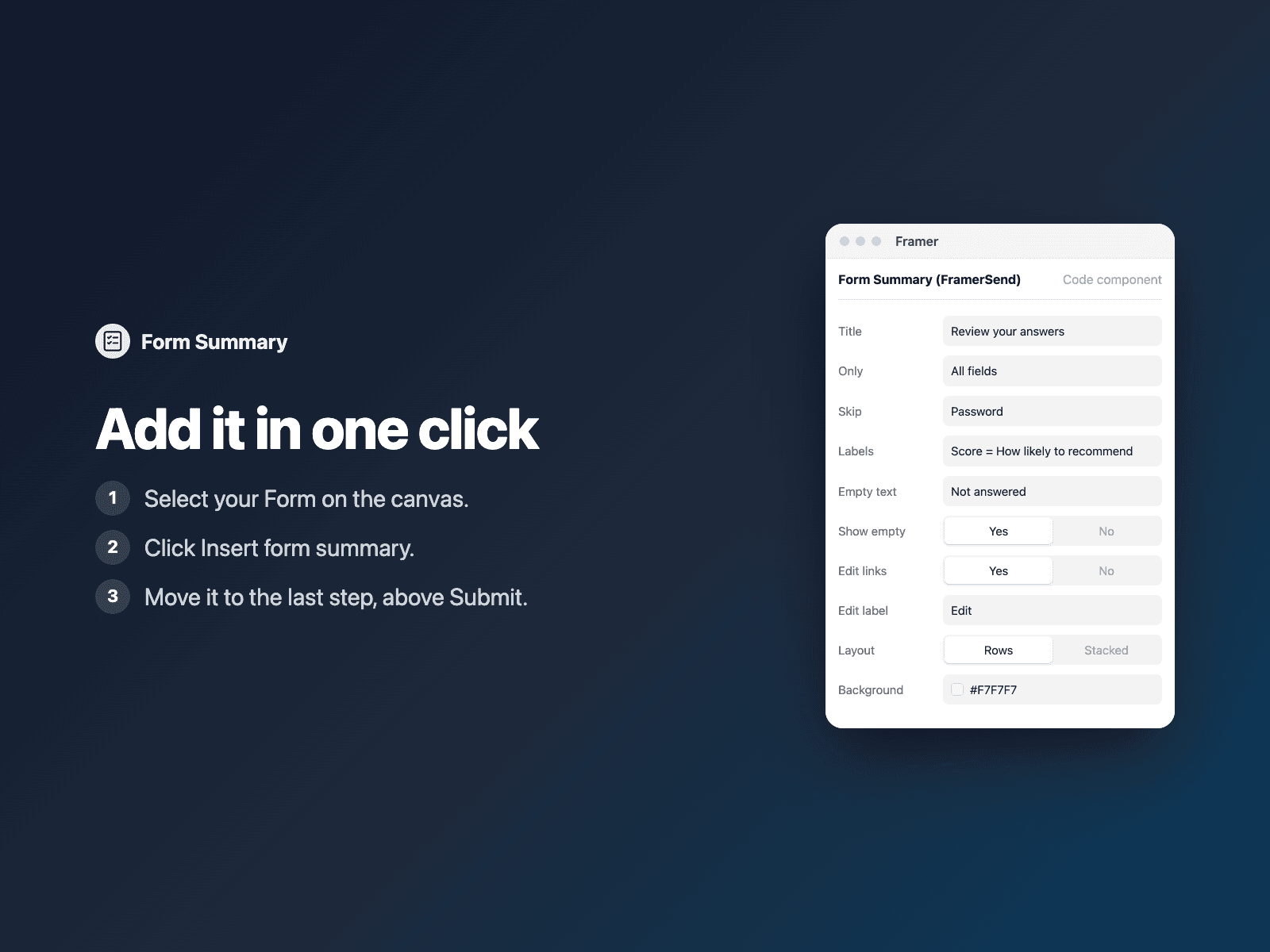

Options
- Show all fields or only the ones you list
- Your own labels ("email = Your email")
- Text for empty answers
- Edit links on or off
- Colors and font
Written into your project as a code component. No external scripts, no network requests on your site.
Frequently asked questions
Does it work without the Multi-Step Form?
Yes. It shows the answers of any Framer form; the Edit links then scroll to the field.
Which fields does it show?
Every named field, including select, radio and checkbox labels and most FramerSend fields. Hidden tracking data such as UTM parameters is left out unless you list it.
Does it slow down my site?
The field is a code component written into your project. It loads no external scripts and makes no network requests on your site.
How much does Form Summary cost?
Form Summary is included in every FramerSend plan, together with the other field plugins and every connector. It is free for 14 days with no card, then from $5/month, $39/year or $89 one-time.
How do I sign in to the plugin?
With your FramerSend account. The plugin opens framersend.com/plugin/connect, you approve, and it signs in by itself.
Add Form Summary to your Framer form
Included in every FramerSend plan with all 73 field plugins and every connector. Free for 14 days, then from $5/month.