Form Autosave for Framer forms
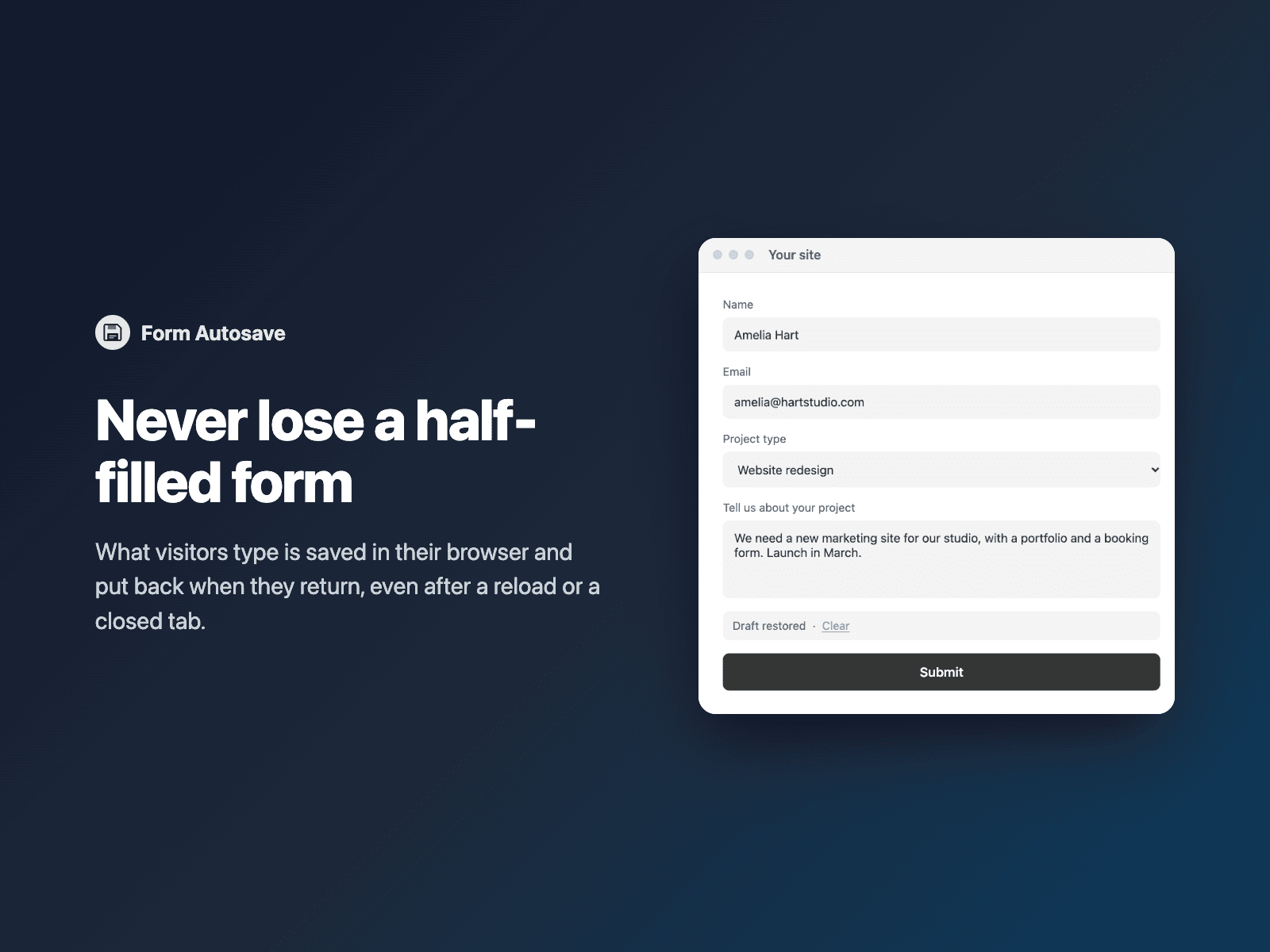
Save form drafts as visitors typeLong forms get abandoned when a tab closes or a page reloads. Form Autosave saves what visitors type in your native Framer form and puts it back when they return.
A small "Draft restored · Clear" notice tells visitors their answers are back. Drafts stay in the visitor's own browser and are deleted when the form is sent.
Available right now inside FramerSend Fields (our all-in-one Marketplace plugin). Free for 14 days, no card, then from $5/month.
What your form receives
Nothing extra: your form receives exactly the same fields as before.
{
  "Name": "Amelia Hart",
  "Email": "amelia@studio.co",
  "Message": "Finished it after lunch"
}
How it works
No code, right inside Framer
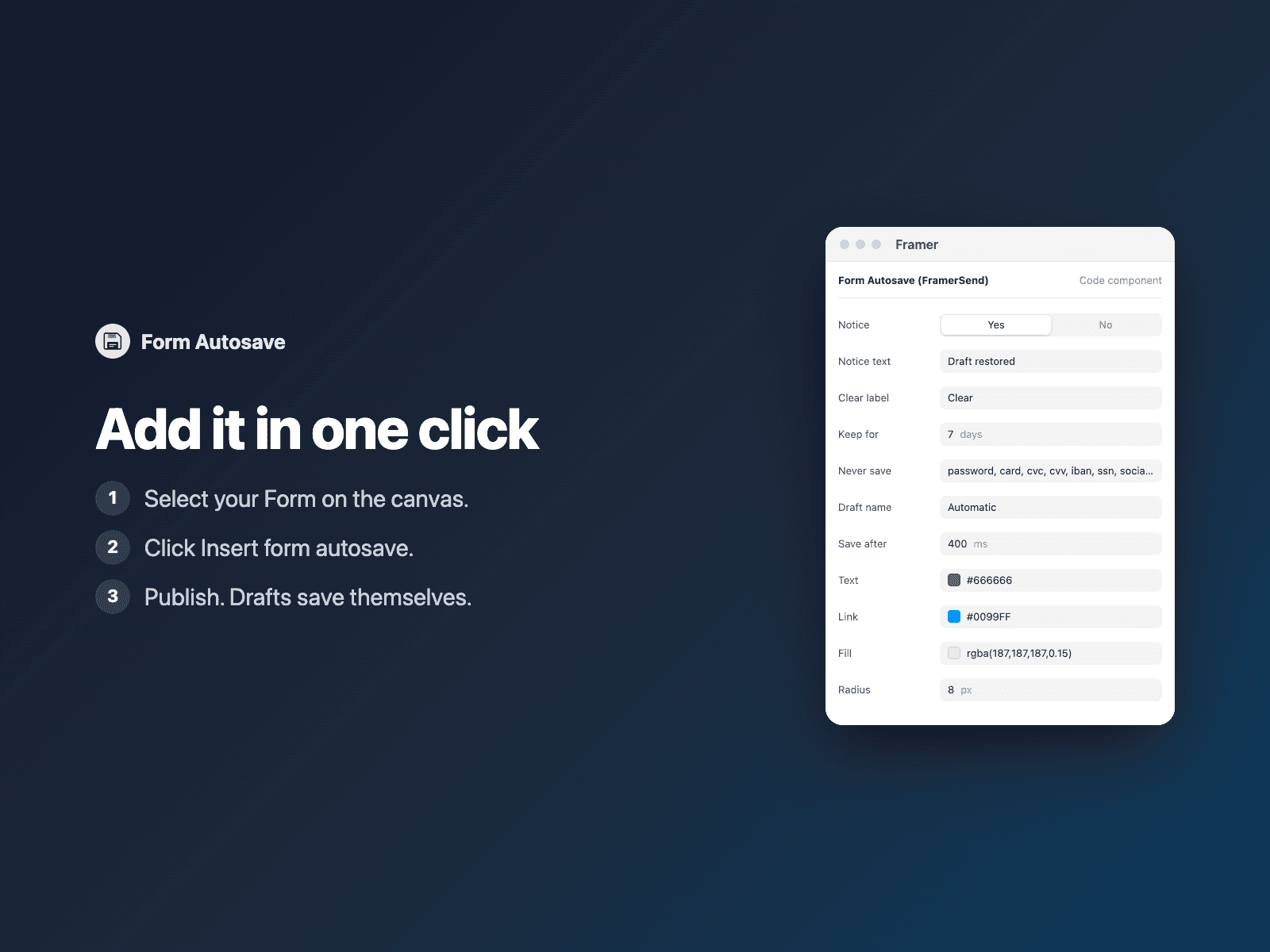
Select your form
Select your Form on the Framer canvas.
Insert the field
Open Form Autosave and click Insert form autosave. It is added above the submit button.
Set it up
Publish. Drafts save and come back by themselves.
Options
- Notice on or off, notice and Clear text
- How many days a draft is kept
- Fields that are never saved
- A draft name to share one draft across pages
- Save delay, colors and font
Written into your project as a code component. No external scripts, no network requests on your site.
Frequently asked questions
What does it never save?
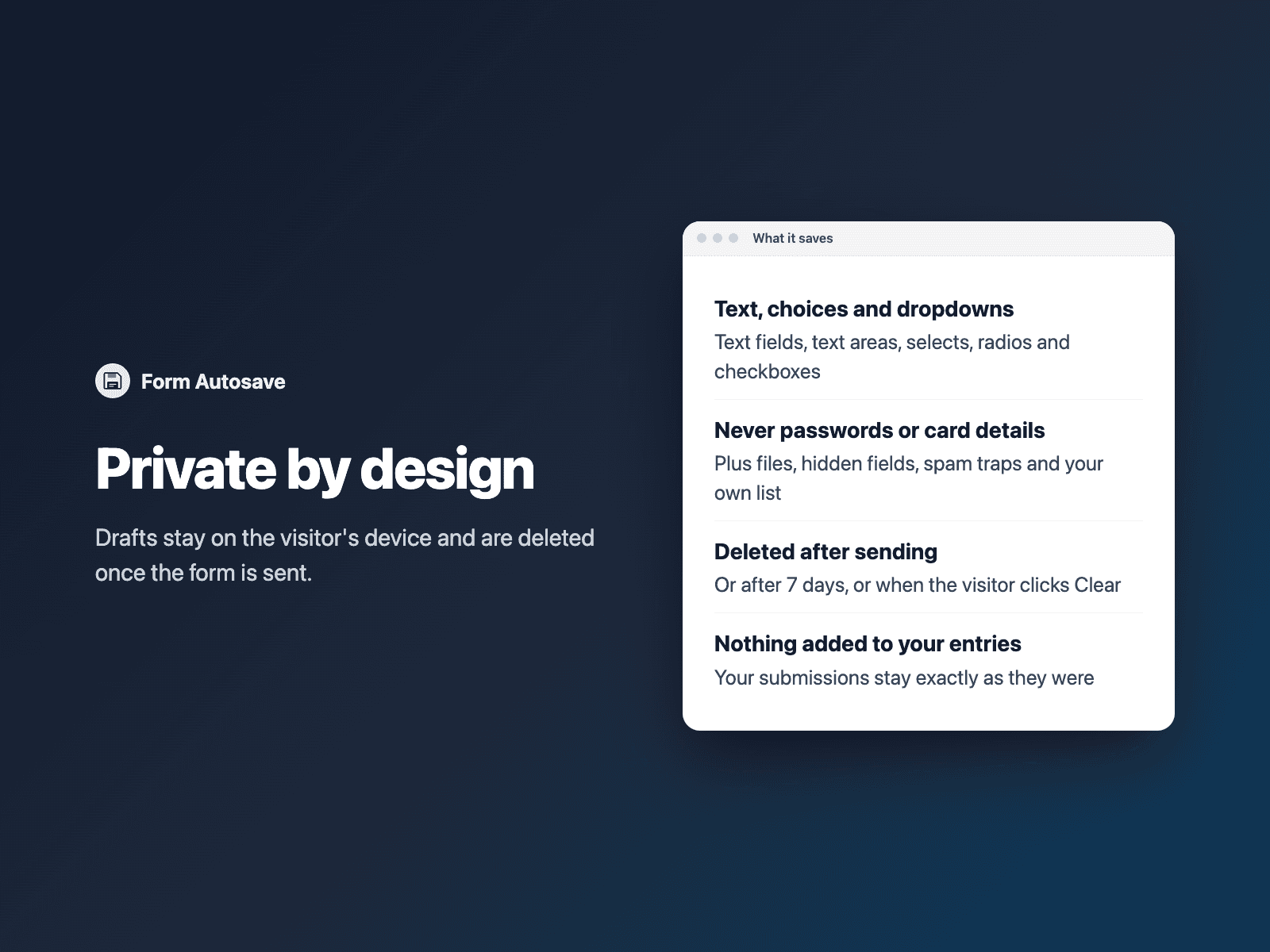
Passwords, card numbers and other card details, bank and social security numbers, file uploads, hidden fields and spam traps. Add your own words to the Never save list to skip more fields.
Where are drafts stored?
Only in the visitor's own browser, never sent anywhere. A draft is deleted when the form is sent, after the number of days you choose, or when the visitor clicks Clear.
Does it slow down my site?
The field is a code component written into your project. It loads no external scripts and makes no network requests on your site.
How much does Form Autosave cost?
Form Autosave is included in every FramerSend plan, together with the other field plugins and every connector. It is free for 14 days with no card, then from $5/month, $39/year or $89 one-time.
How do I sign in to the plugin?
With your FramerSend account. The plugin opens framersend.com/plugin/connect, you approve, and it signs in by itself.
Add Form Autosave to your Framer form
Included in every FramerSend plan with all 73 field plugins and every connector. Free for 14 days, then from $5/month.