Form Scheduler for Framer forms
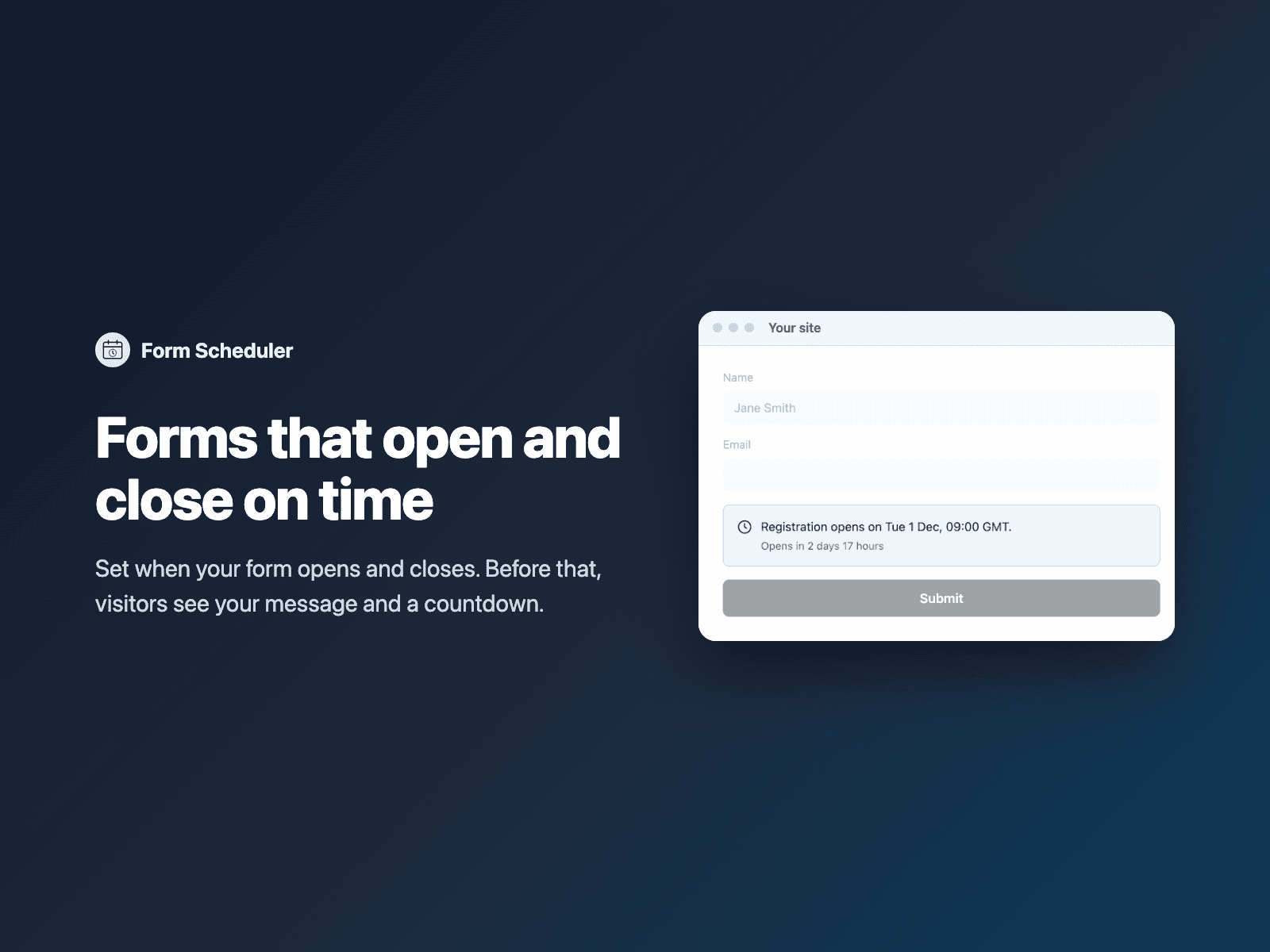
Open and close forms on a scheduleOpen your native Framer form at a date and time, close it at another, or keep it open only during opening hours such as Mon–Fri 09:00–17:00.
Outside the window, visitors see your message, such as "Registration opens on Dec 1", with an optional countdown, and the form cannot be sent.
Available right now inside FramerSend Fields (our all-in-one Marketplace plugin). Free for 14 days, no card, then from $5/month.
What your form receives
Nothing by default. Optionally the submission time in the schedule's time zone.
{
  "Name": "Amelia Hart",
  "Email": "amelia@studio.co"
}
How it works
No code, right inside Framer
Select your form
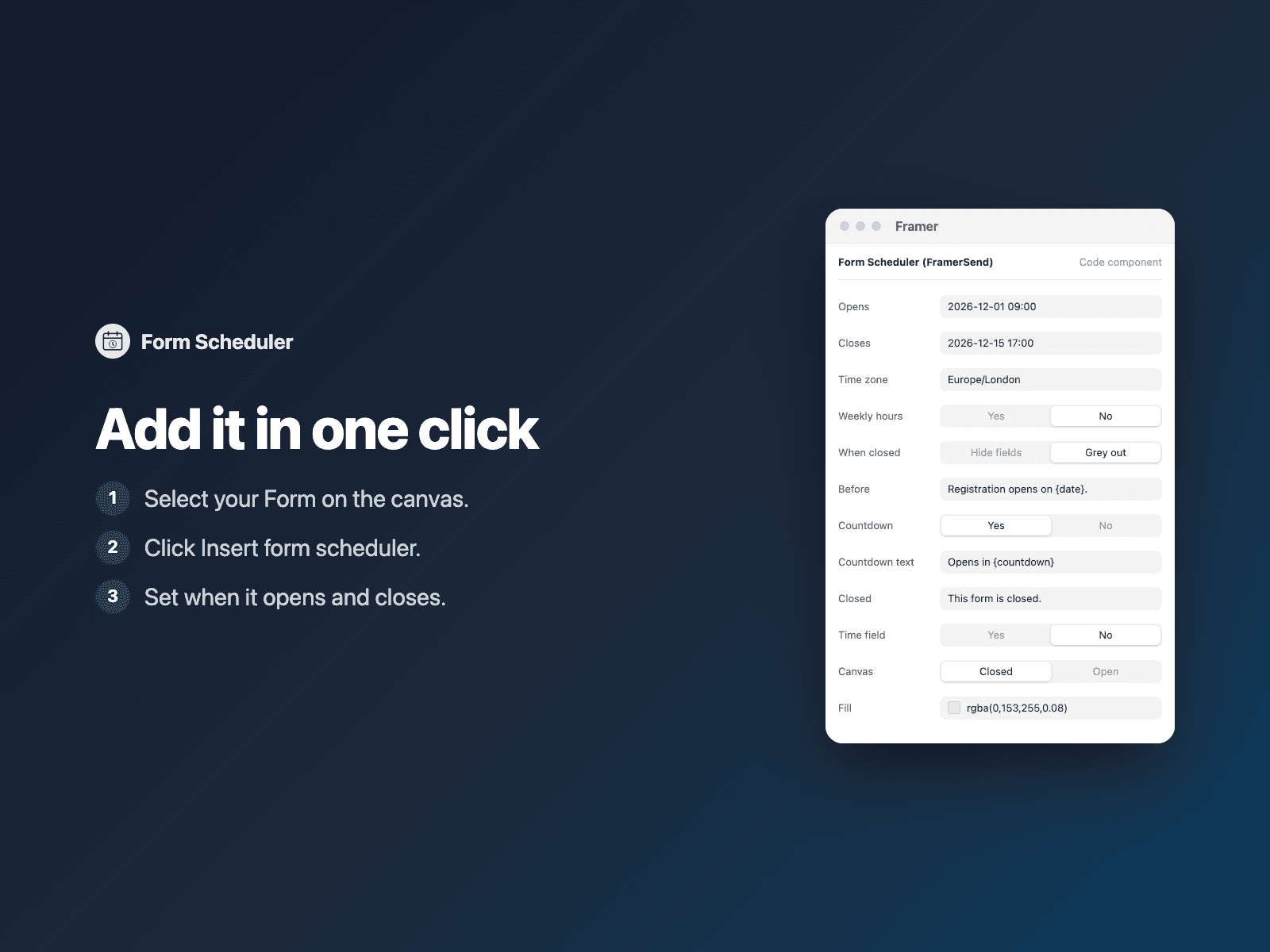
Select your Form on the Framer canvas.
Insert the field
Open Form Scheduler and click Insert form scheduler. It is added at the top of the form.
Set it up
In the right panel, set when the form opens and closes, and your messages.
Options
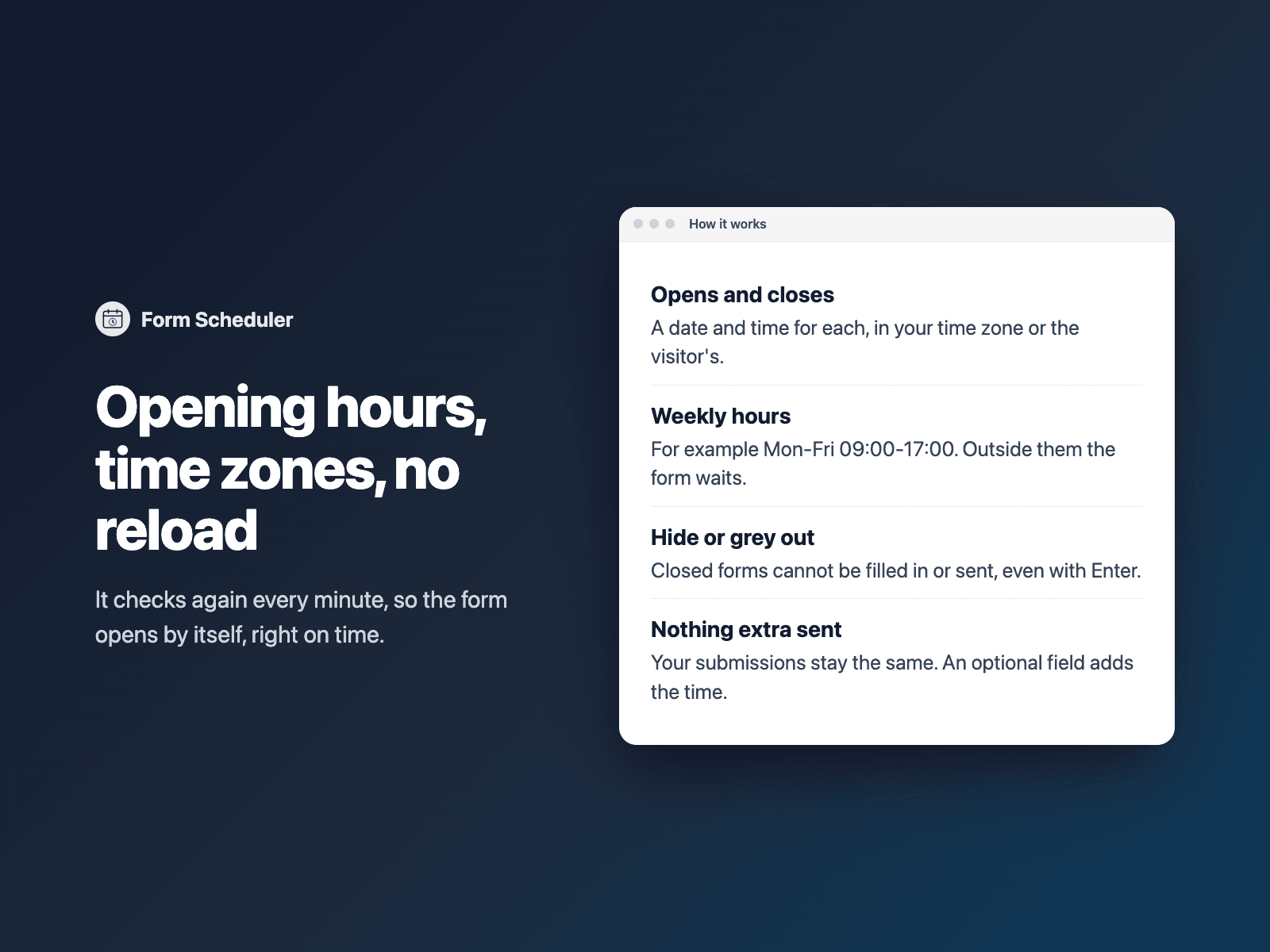
- Opens and closes, date and time
- Time zone
- Weekly hours
- Hide or grey out the fields when closed
- Before, countdown, outside-hours and closed texts
- Colors and font
Written into your project as a code component. No external scripts, no network requests on your site.
Frequently asked questions
Can visitors still send a closed form?
No. While closed, the fields and the submit button are hidden or greyed out and the form fails validation, so Enter cannot send it either. It checks again every minute without a reload.
Is it a security lock?
No. It uses the visitor's device clock, so it is meant for registration windows and opening hours, not for protecting secret content.
Does it slow down my site?
The field is a code component written into your project. It loads no external scripts and makes no network requests on your site.
How much does Form Scheduler cost?
Form Scheduler is included in every FramerSend plan, together with the other field plugins and every connector. It is free for 14 days with no card, then from $5/month, $39/year or $89 one-time.
How do I sign in to the plugin?
With your FramerSend account. The plugin opens framersend.com/plugin/connect, you approve, and it signs in by itself.
Add Form Scheduler to your Framer form
Included in every FramerSend plan with all 73 field plugins and every connector. Free for 14 days, then from $5/month.