Field Tooltip for Framer forms
Info tooltips for Framer formsAdd a small info icon next to any label or field in your Framer form. Visitors hover, focus or tap it to read your help text, for example why you ask for a phone number or what format a date needs.
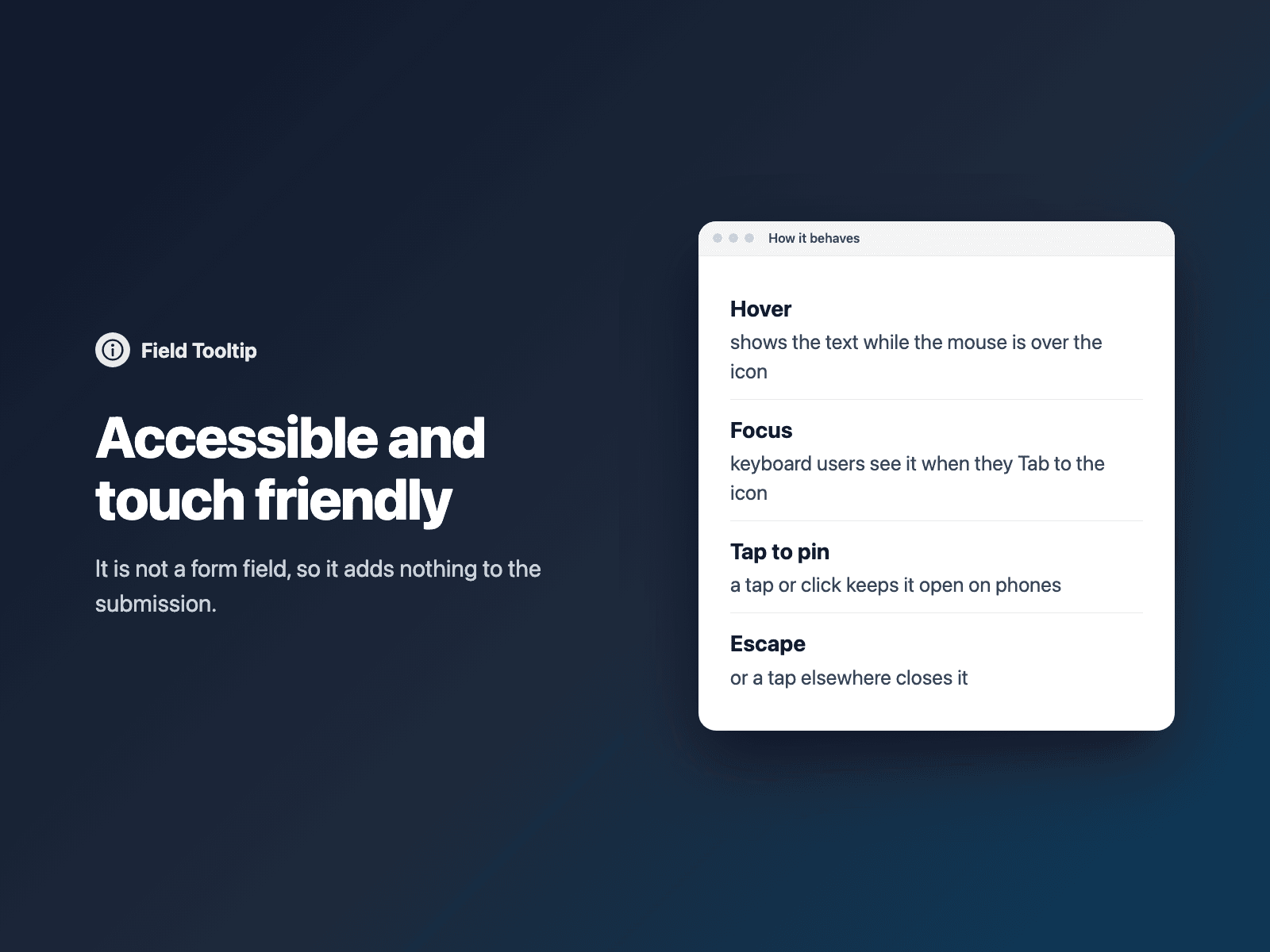
The icon is a real button with an accessible label, linked to the tooltip text for screen readers, and Escape closes it.
Included in every FramerSend plan. Free for 14 days, no card, then from $5/month.
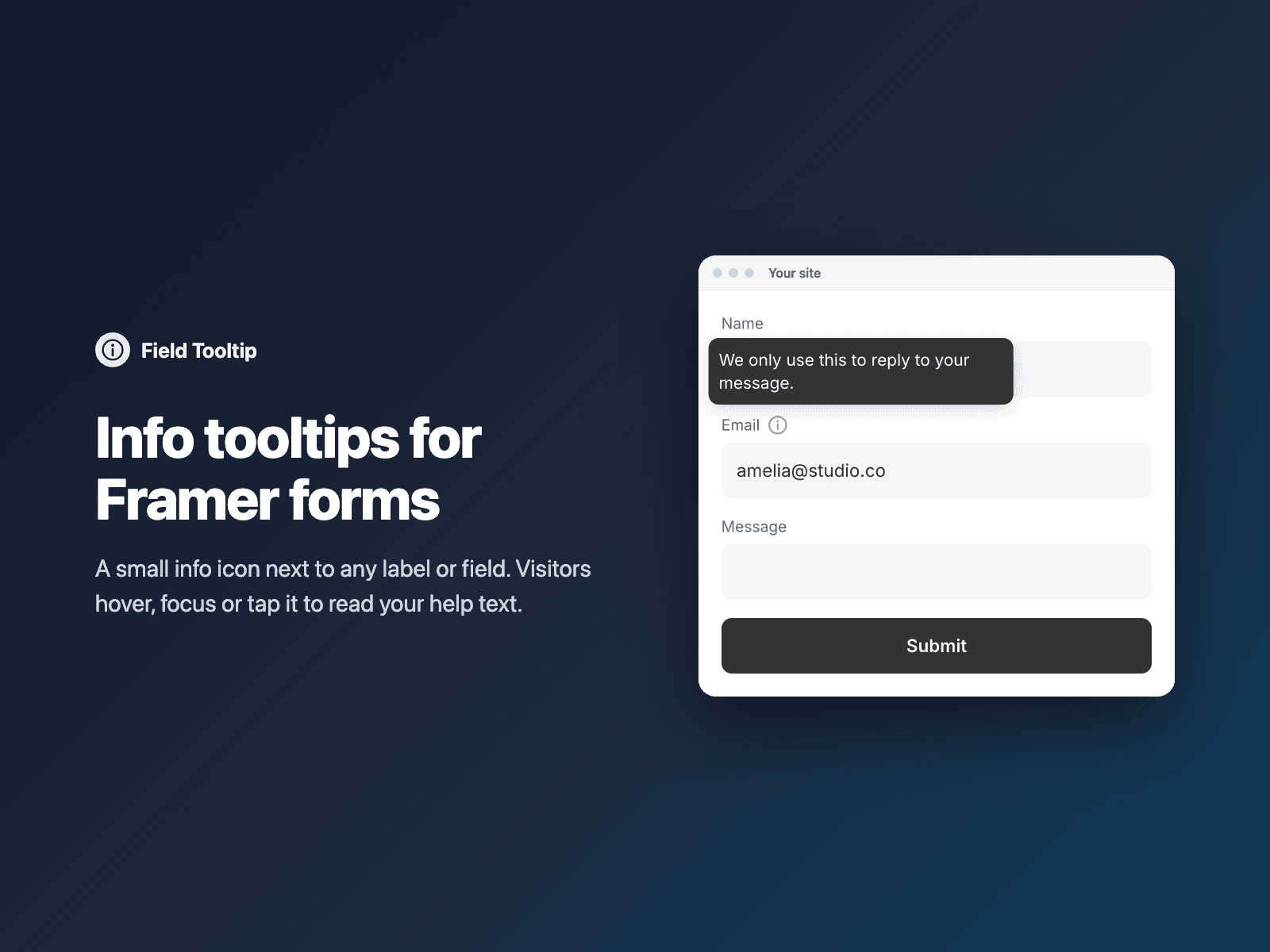
What your form receives
Nothing extra. Field Tooltip is not a form field and adds nothing to the submission, so your submissions stay unchanged.
{
  "Name": "Amelia Hart",
  "Email": "amelia@studio.co",
  "Message": ""
}
How it works
No code, right inside Framer
Select a layer
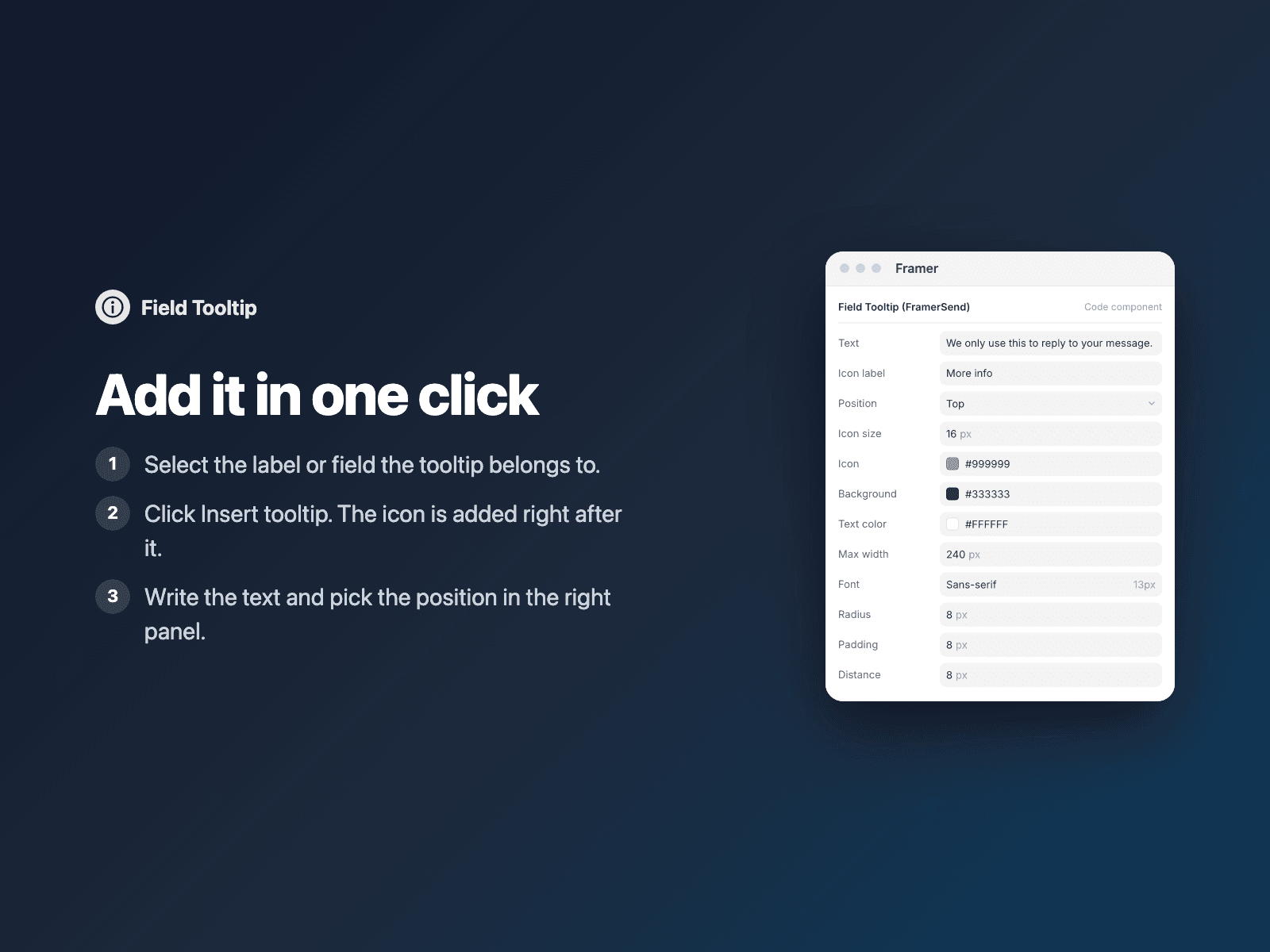
Select the label or field the tooltip belongs to.
Insert the tooltip
Open Field Tooltip and click Insert tooltip. The icon is added right after the selected layer.
Write the text
In the right panel, write the text and pick where the tooltip opens: top, right, bottom or left.
Options
- Tooltip text
- Position: top, right, bottom or left
- Icon size and color
- Tooltip background and text color
- Maximum width, font, radius and padding
- Distance from the icon
Written into your project as a code component. No external scripts, no network requests on your site.
Frequently asked questions
Does the tooltip change my form submissions?
No. It is not a form field and adds nothing to the submission.
Does it work on touch screens and with a keyboard?
Yes. Visitors can hover, focus or tap the icon. It is a real button with an accessible label, linked to the tooltip text for screen readers, and Escape closes it.
Does it load an icon font?
No. The component draws its icon inline, loads no icon fonts or external scripts, and makes no network requests on your site.
How much does Field Tooltip cost?
Field Tooltip is included in every FramerSend plan, together with the other field plugins and every connector. It is free for 14 days with no card, then from $5/month, $39/year or $89 one-time.
How do I sign in to the plugin?
With your FramerSend account. The plugin opens framersend.com/plugin/connect, you approve, and it signs in by itself.
Add Field Tooltip to your Framer form
Included in every FramerSend plan with all 9 field plugins and every connector. Free for 14 days, then from $5/month.