Countdown Timer for Framer forms
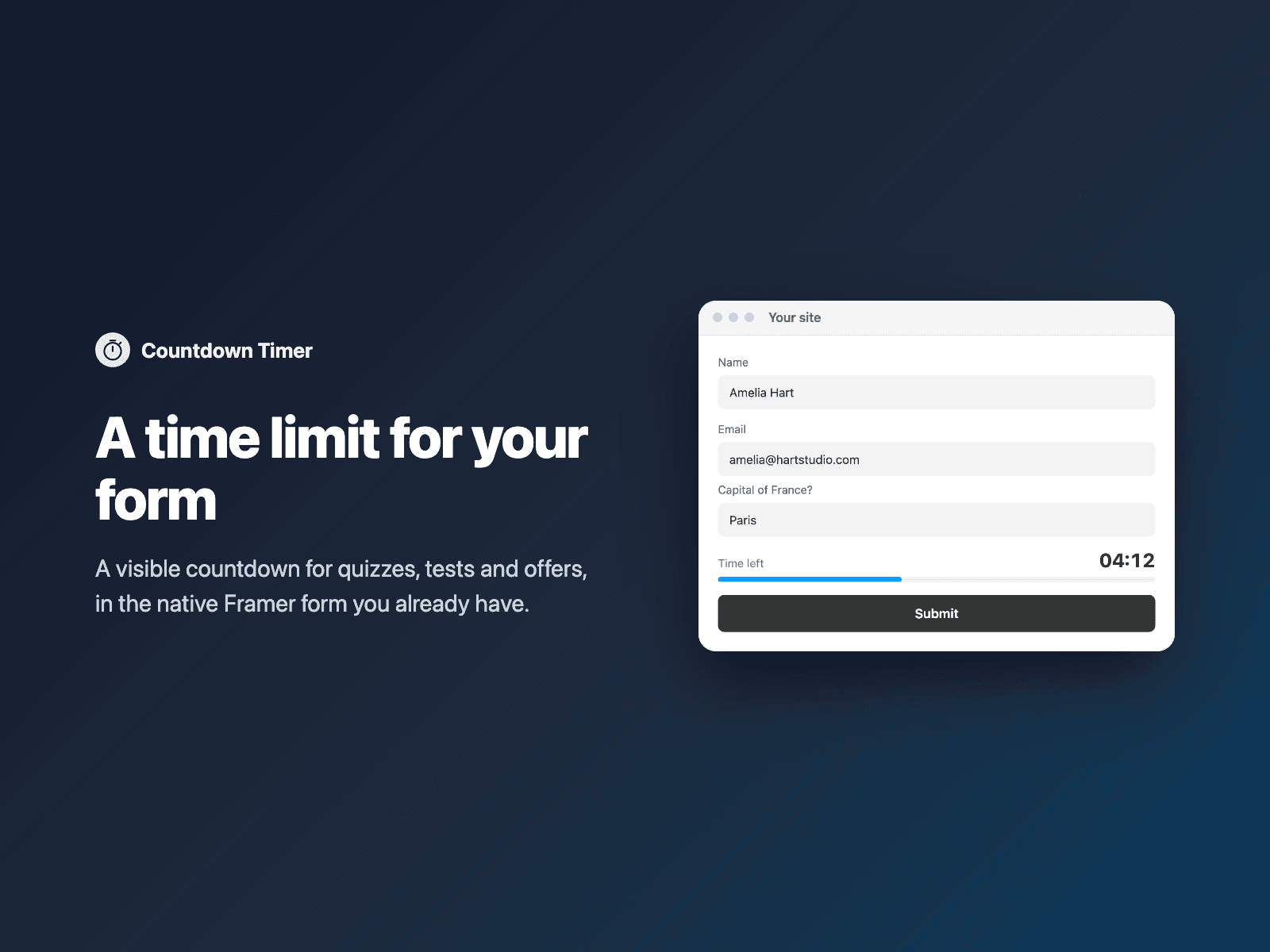
Time limit for quizzes and formsShow a visible time limit (for example 10:00) with a progress bar in your native Framer form, for quizzes, tests or limited offers.
At zero, lock the form, send it automatically or just show a message. Your form also receives how long the visitor took and whether time ran out.
Available right now inside FramerSend Fields (our all-in-one Marketplace plugin). Free for 14 days, no card, then from $5/month.
What your form receives
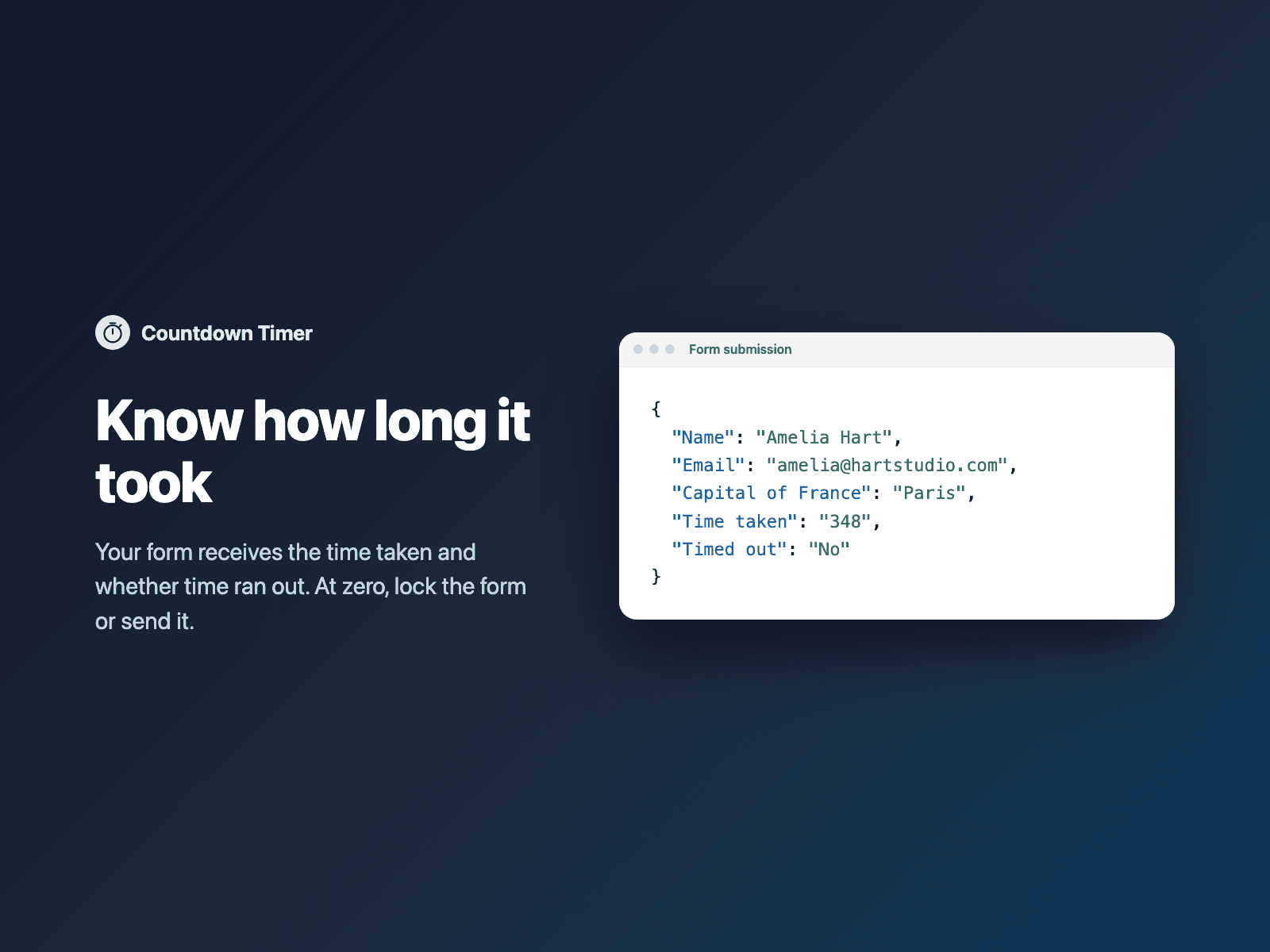
Time taken (seconds or mm:ss) and Timed out (Yes/No).
It is part of the native Framer form submission, so it goes wherever your form sends: email, Google Sheets, webhooks, or FramerSend connectors.
{
  "Name": "Amelia Hart",
  "Score": "8",
  "Time taken": "138",
  "Timed out": "No"
}
How it works
No code, right inside Framer
Select your form
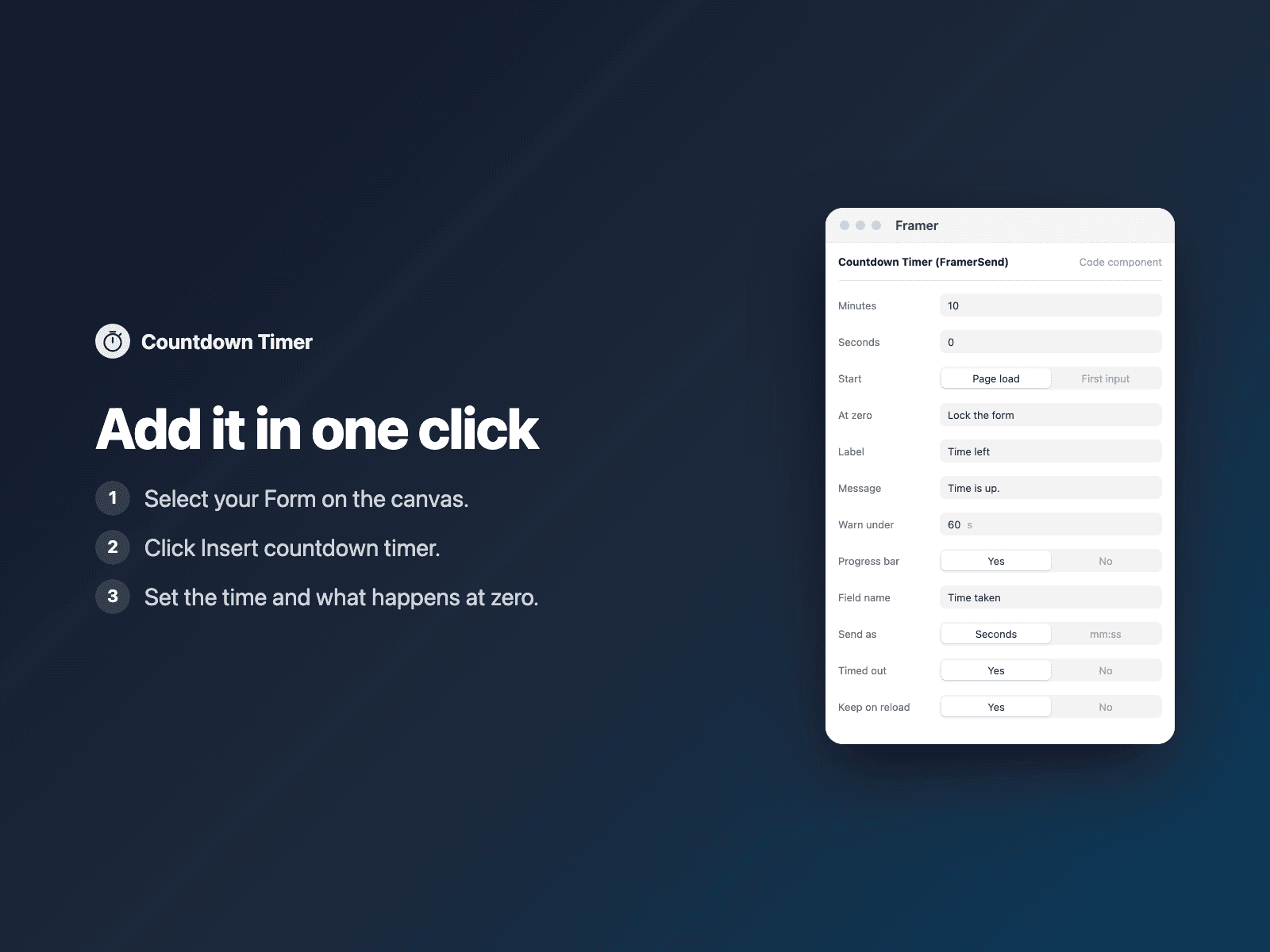
Select your Form on the Framer canvas.
Insert the timer
Open Countdown Timer and click Insert countdown timer.
Set it up
Set the time limit and what happens at zero in the right panel.
Options
- Minutes and seconds
- Start on page load or on first input
- At zero: lock, send or message
- Warning color near the end
- Keep counting after a reload
- Colors and font
Written into your project as a code component. No external scripts, no network requests on your site.
Frequently asked questions
Is it a secure exam lock?
It runs in the visitor's browser, so it is a soft limit for quizzes and offers, not a proctored exam. The time taken is always sent so you can check it.
Works with Quiz Score?
Yes. Use them together for a timed quiz: the score and the time taken arrive in the same submission.
Does it slow down my site?
The field is a code component written into your project. It loads no external scripts and makes no network requests on your site.
How much does Countdown Timer cost?
Countdown Timer is included in every FramerSend plan, together with the other field plugins and every connector. It is free for 14 days with no card, then from $5/month, $39/year or $89 one-time.
How do I sign in to the plugin?
With your FramerSend account. The plugin opens framersend.com/plugin/connect, you approve, and it signs in by itself.
Add Countdown Timer to your Framer form
Included in every FramerSend plan with all 73 field plugins and every connector. Free for 14 days, then from $5/month.