Copy Field for Framer forms
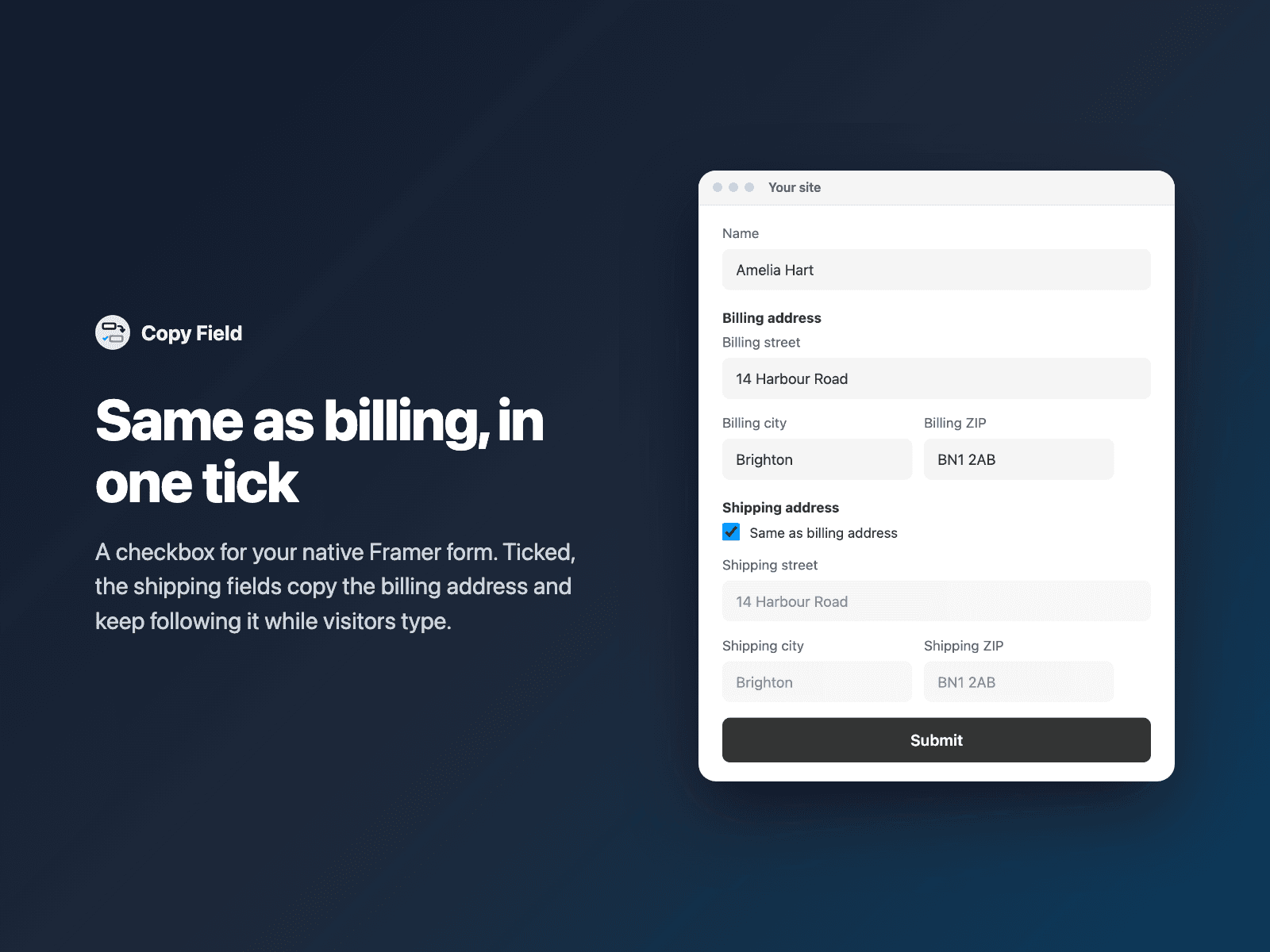
Same as billing address, in one tickAdd a "Same as billing address" checkbox to your native Framer form. When visitors tick it, the shipping fields copy the billing address and keep following it while they type.
Lock or hide the copied fields (they are still sent), and choose what unticking does: bring back what the visitor had typed, clear the fields, or keep the copy. Without a checkbox, Always copy mirrors a field all the time, like Email into a hidden Reply-to field.
Available right now inside FramerSend Fields (our all-in-one Marketplace plugin). Free for 14 days, no card, then from $5/month.
What your form receives
The copied fields arrive like any other answer. Turn on Send value to also receive the checkbox as Yes or No.
It is part of the native Framer form submission, so it goes wherever your form sends: email, Google Sheets, webhooks, or FramerSend connectors.
{
  "Billing street": "14 Harbour Road",
  "Shipping street": "14 Harbour Road",
  "Shipping same as billing": "Yes"
}
How it works
No code, right inside Framer
Select your form
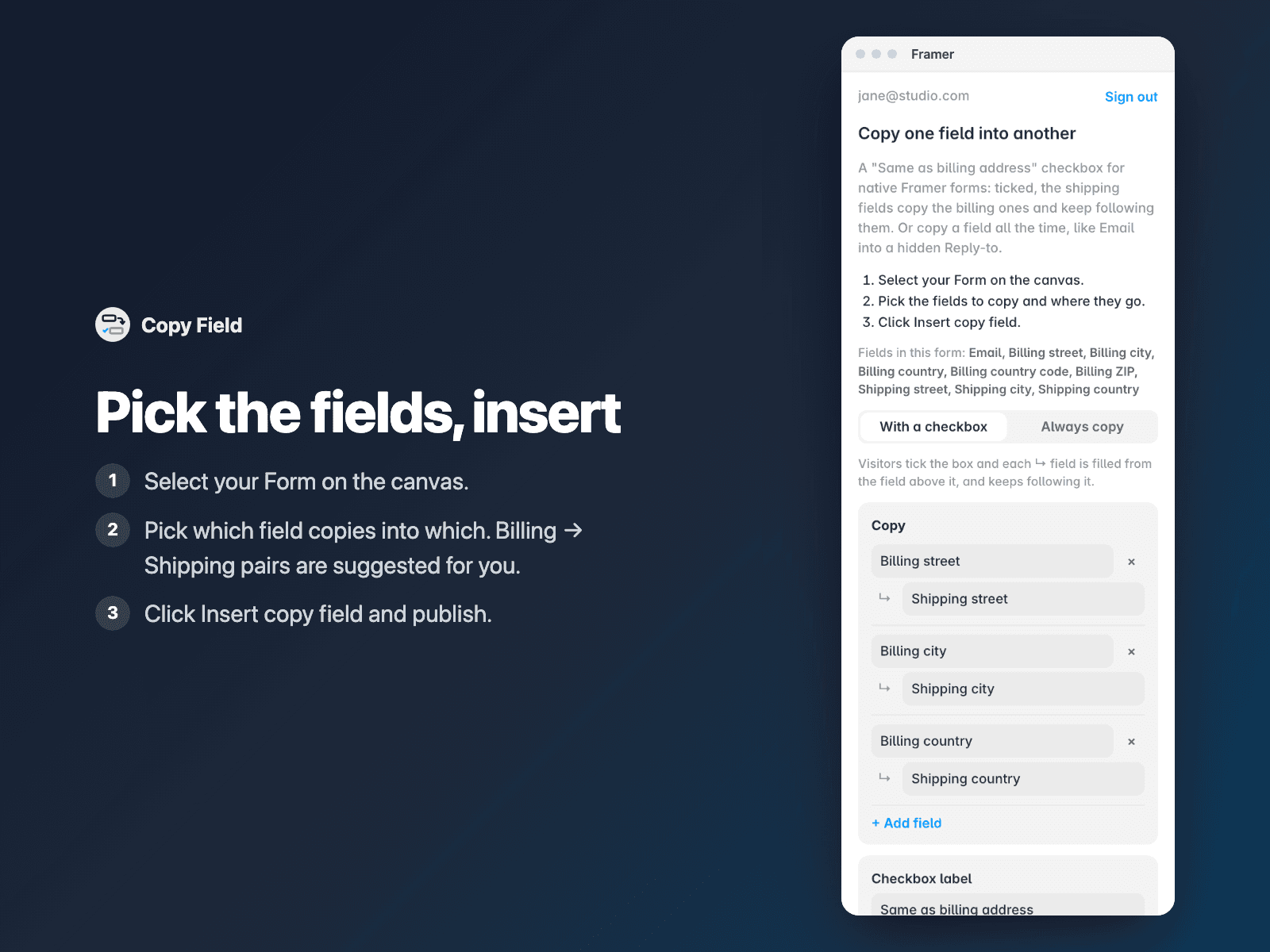
Select your Form on the Framer canvas.
Pick the fields
Open Copy Field and pick which field copies into which. Billing → Shipping pairs are suggested from your field names.
Insert
Click Insert copy field. The checkbox goes right above the first field it fills. Publish your site.
Options
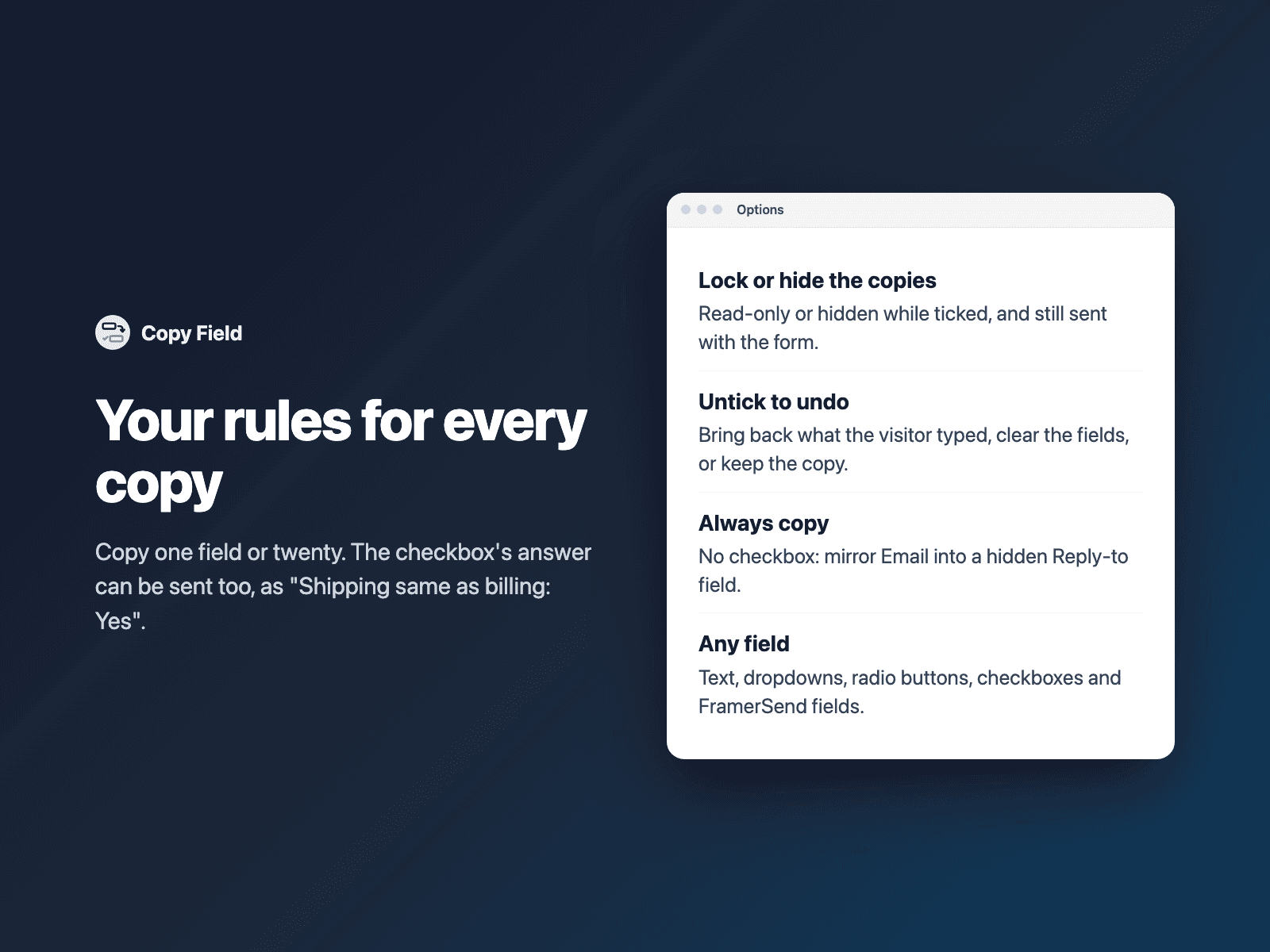
- Field pairs, picked from your form (Billing → Shipping suggested)
- With a checkbox, or always copy
- Lock or hide the copied fields while ticked
- When unticked: restore, clear or keep
- Send the checkbox as a field (Yes / No)
- Text, dropdowns, radio buttons, checkboxes and hidden fields
Written into your project as a code component. No external scripts, no network requests on your site.
Frequently asked questions
Are locked or hidden fields still sent?
Yes. Locked fields are read-only, not disabled, and hidden fields stay in the form, so both are sent with the copied values.
What happens when the box is unticked?
You choose: the fields get back what the visitor had typed before ticking, they are cleared, or the copy stays and can be edited.
Which fields can it copy?
Text fields, text areas, hidden fields, dropdowns, radio buttons and checkboxes, matched by field name. FramerSend fields such as Country Select work as sources too.
Does it slow down my site?
The field is a code component written into your project. It loads no external scripts and makes no network requests on your site.
How much does Copy Field cost?
Copy Field is included in every FramerSend plan, together with the other field plugins and every connector. It is free for 14 days with no card, then from $5/month, $39/year or $89 one-time.
How do I sign in to the plugin?
With your FramerSend account. The plugin opens framersend.com/plugin/connect, you approve, and it signs in by itself.
Add Copy Field to your Framer form
Included in every FramerSend plan with all 73 field plugins and every connector. Free for 14 days, then from $5/month.