Answer Piping for Framer forms
Live {Field} text inside Framer formsPersonalize headings, callouts and step summaries inside your native Framer form in real time using earlier answers — such as "Hi {Name:first | there}, here is your {Plan | Growth} quote for {Total | $0}".
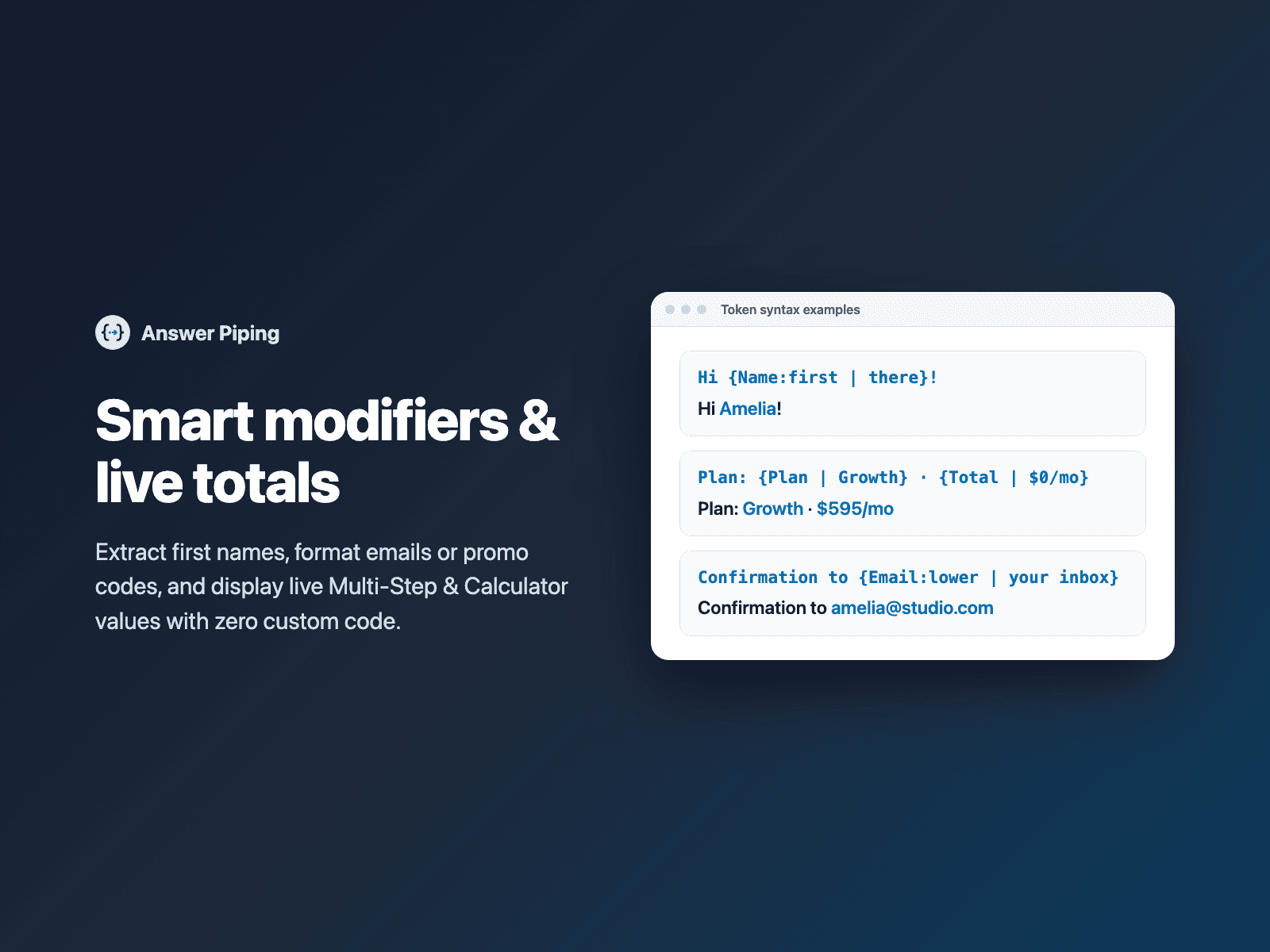
Supports fallbacks when a field is still empty, text modifiers (:first for first name, :upper, :lower, :title), plain headings or styled callout cards, accent highlights on piped values, and an optional hidden field that sends the rendered summary text with the submission.
Available right now inside FramerSend Fields (our all-in-one Marketplace plugin). Free for 14 days, no card, then from $5/month.
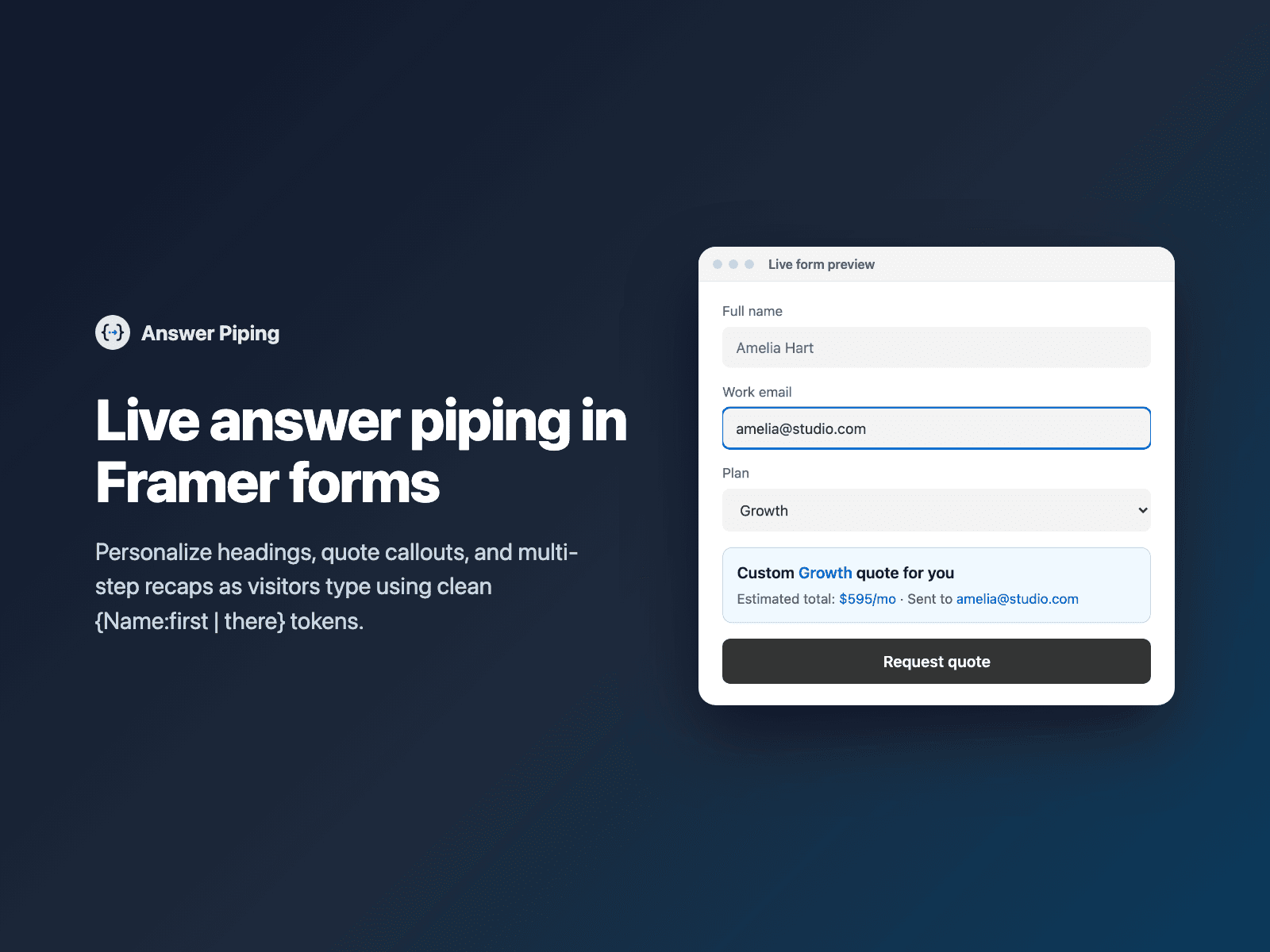
What your form receives
Nothing extra by default. Turn on Send rendered text to receive the personalized summary string in a hidden field alongside the visitor's answers.
{
  "Name": "Amelia Hart",
  "Plan": "Growth",
  "Total": "595",
  "Summary text": "Custom Growth quote for Amelia — Estimated total: $595/mo"
}
How it works
No code, right inside Framer
Select your form
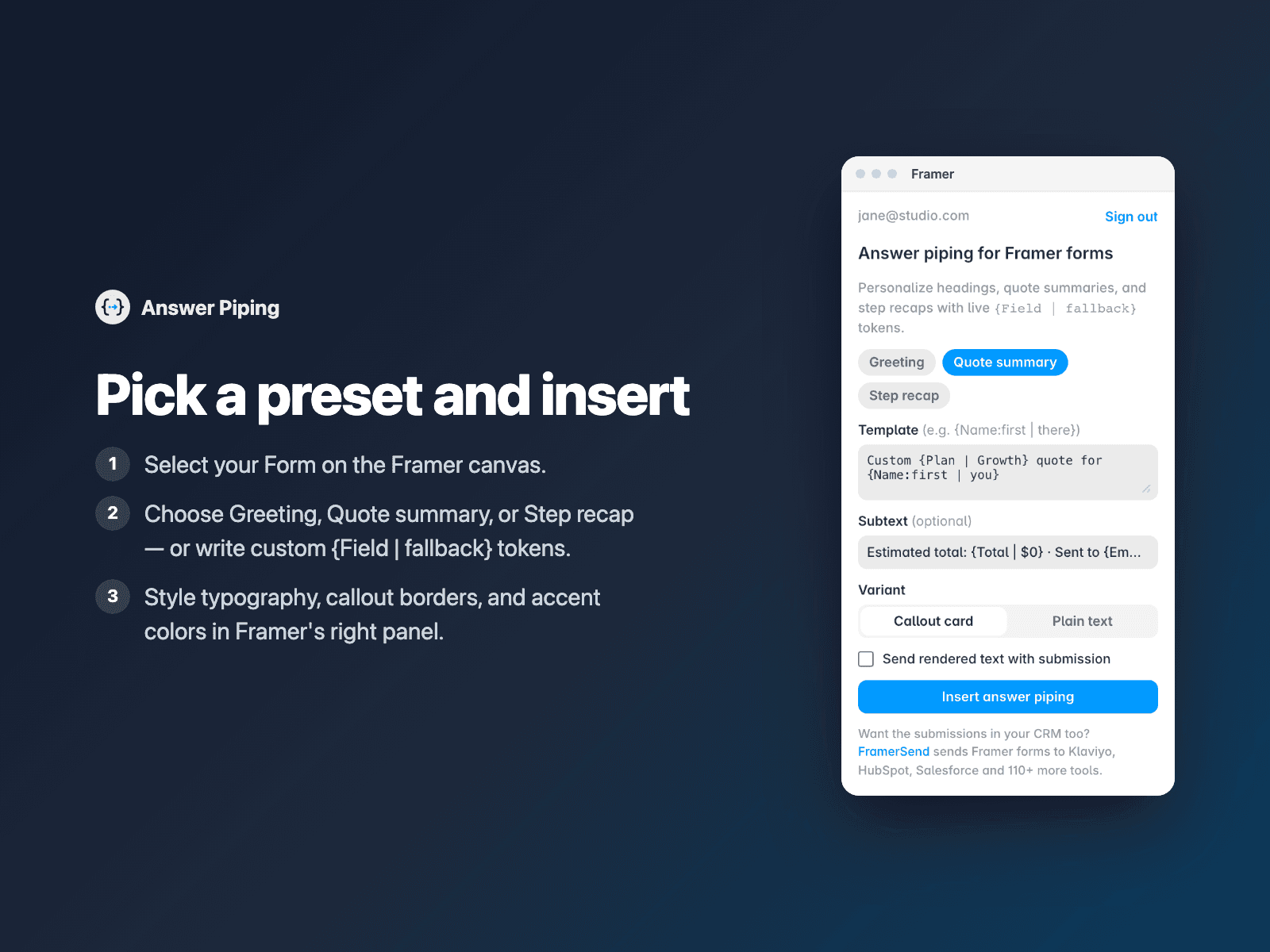
Select your Form (or a step inside your form) on the Framer canvas.
Write your template
Open Answer Piping, pick a Greeting, Quote summary or Step recap preset, or type {Field | fallback} placeholders.
Insert
Click Insert answer piping, style typography and colors on the canvas, and publish.
Options
- Live {Field} and {Field | fallback} interpolation across all form inputs
- Modifiers: :first (first name), :upper, :lower and :title
- Works across Multi-Step Form steps, Calculator totals and Quiz Score results
- Plain text (p, h2, h3, div) or styled Callout card with optional accent highlights
- Hide until required referenced fields are filled, or show fallback text immediately
- Optional hidden field to submit the rendered summary text
Written into your project as a code component. No external scripts, no network requests on your site.
Frequently asked questions
What happens before the visitor fills in a field?
Add a pipe fallback like {Name:first | there} to display 'there' until Name is typed, or turn on Hide when missing to reveal the block only once the referenced fields have values.
Does it work across Multi-Step Form steps and Calculator?
Yes. Answer Piping reads answers from earlier steps as well as live values from Calculator, Quiz Score, Coupon Code and dropdowns or radio buttons.
What if Conditional Fields hides a referenced input?
Fields hidden by Conditional Fields are treated as empty so stale answers from a hidden branch never appear in your summary.
Does it slow down my site?
The field is a code component written into your project. It loads no external scripts and makes no network requests on your site.
How much does Answer Piping cost?
Answer Piping is included in every FramerSend plan, together with the other field plugins and every connector. It is free for 14 days with no card, then from $5/month, $39/year or $89 one-time.
How do I sign in to the plugin?
With your FramerSend account. The plugin opens framersend.com/plugin/connect, you approve, and it signs in by itself.
Add Answer Piping to your Framer form
Included in every FramerSend plan with all 73 field plugins and every connector. Free for 14 days, then from $5/month.