A/B Split Test for Framer forms
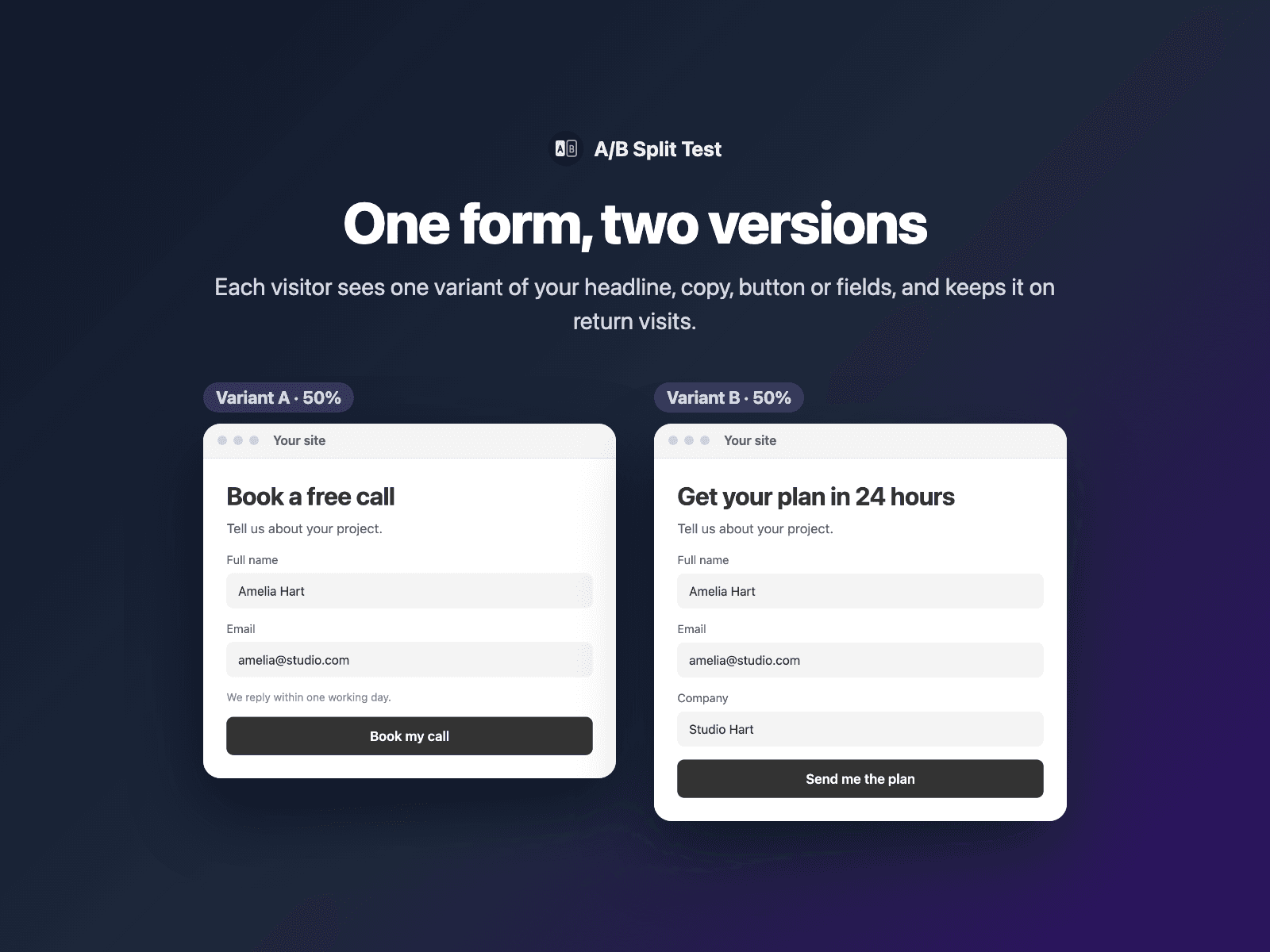
A/B test your Framer formsTest two to four versions of your form page. Each visitor sees one variant, picked by the weights you set, and keeps it on return visits. The form sends the variant in a hidden field, so every submission says which version the visitor saw.
Test a headline, intro copy, button text, extra fields or a whole form. Tag layers by name, like "Headline [B]". Layers without a tag always show, and the right variant is there when the page first shows.
Available right now inside FramerSend Fields (our all-in-one Marketplace plugin). Free forever with a free FramerSend account, no card. Connectors from $5/month.
What your form receives
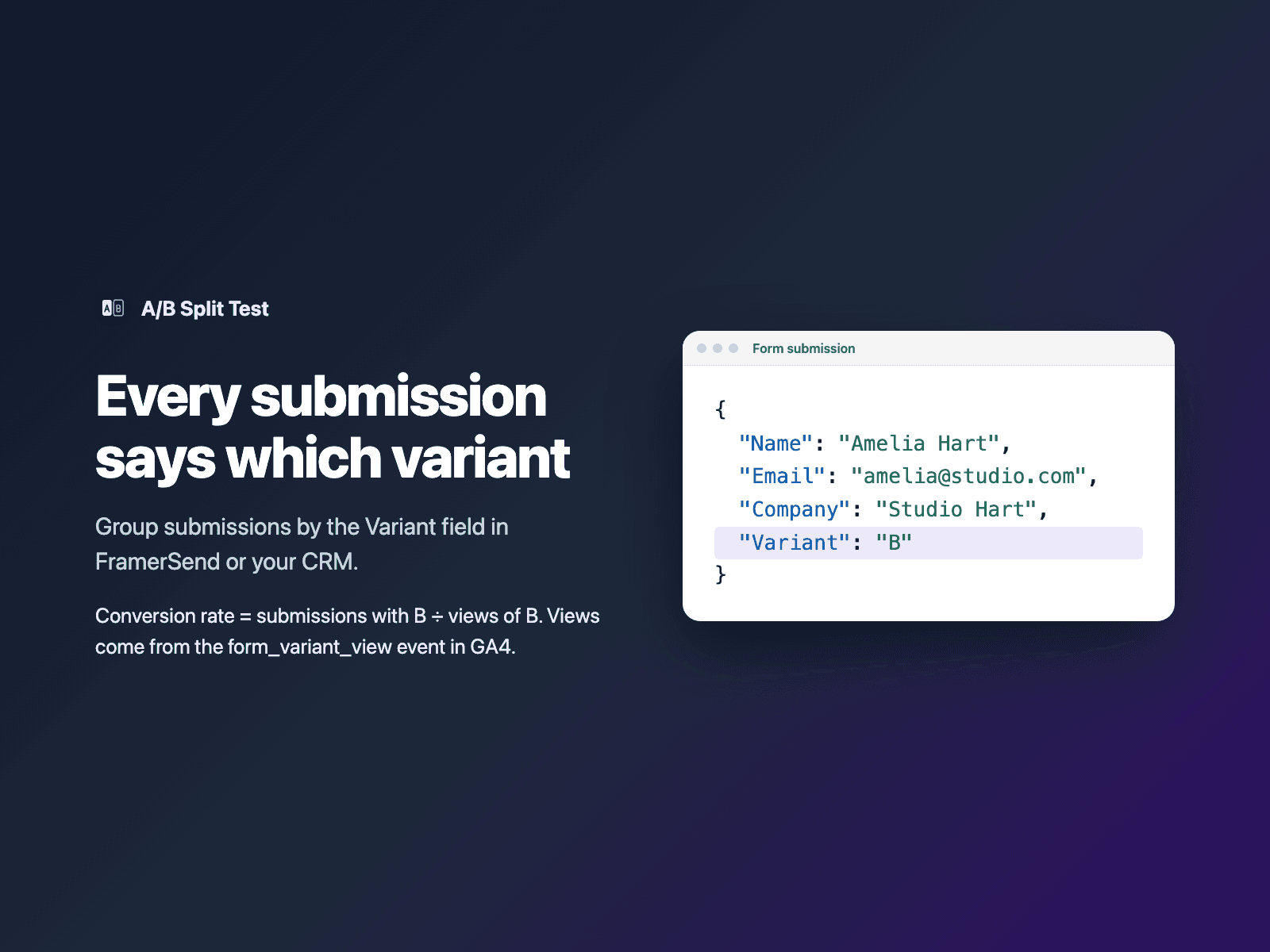
The variant the visitor saw, under the field name you choose (default "Variant"). Group submissions by it, then divide by views per variant from the form_variant_view event in GA4.
It is part of the native Framer form submission, so it goes wherever your form sends: email, Google Sheets, webhooks, or FramerSend connectors.
{
  "Name": "Amelia Hart",
  "Email": "amelia@studio.com",
  "Company": "Studio Hart",
  "Variant": "B"
}
How it works
No code, right inside Framer
Tag your layers
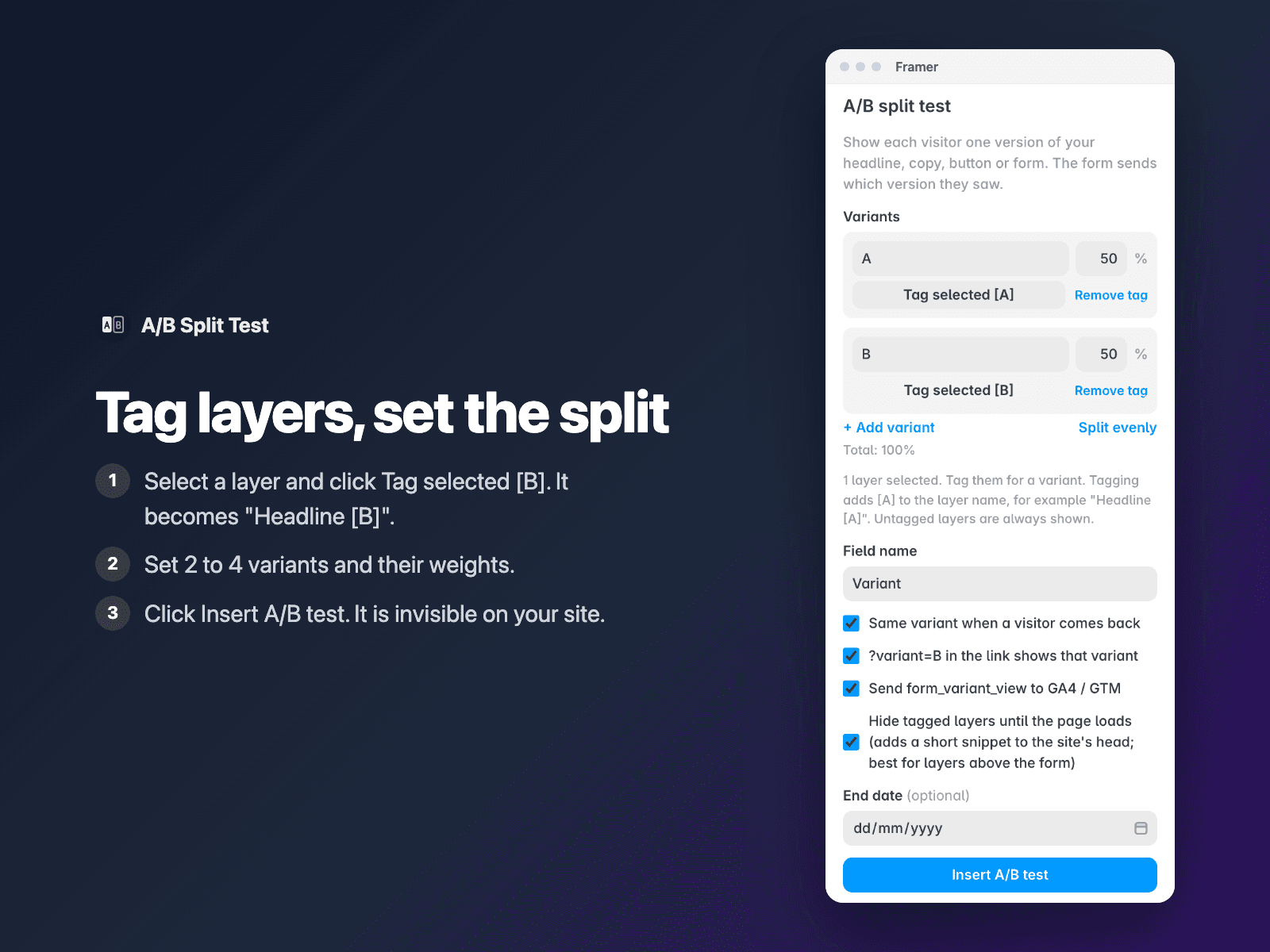
Select a layer and click Tag selected [B] in A/B Split Test. Its name becomes "Headline [B]". Do the same for [A].
Set the split
Set two to four variants and their weights, for example A 50% and B 50%.
Insert
Select your Form and click Insert A/B test. It is invisible on your site. Publish, then check each version with ?variant=A and ?variant=B.
Options
- 2 to 4 variants with names and weights
- Tag selected layers from the panel
- Same variant when a visitor comes back
- ?variant=B links to check each version
- form_variant_view event to GA4 or Google Tag Manager
- End date, then everyone sees the winner
- Fields in a hidden variant are not required or sent
- Optional head snippet for layers above the form
The test is a code component written into your project. It adds a small style tag and inline script to the page, so the variant is picked before the page shows. It loads no external scripts and makes no network requests. The visitor's variant is kept in their browser. The optional head snippet is a few lines in your site's custom code.
Frequently asked questions
How do I see which variant wins?
Every submission has the Variant field. Count submissions per variant in FramerSend or your CRM, and divide by the views per variant from the form_variant_view event in GA4. The variant with the higher rate wins.
Will visitors see the other version flash?
No. Tagged layers stay hidden until the variant is picked, which happens while the page loads. For layers above the form on slow pages, keep the head snippet option on.
Can I test a whole different form?
Yes. Tag one form [A] and the other [B], and put an A/B Split Test with the same field name in each form.
What happens when the test ends?
Set an end date and a winner. From that day everyone sees the winner. You can still check the other version with ?variant=A.
How much does A/B Split Test cost?
A/B Split Test is free forever with a free FramerSend account, together with the other field plugins. No card needed. Plans add the connectors (CRMs, Sheets, Zapier and 100+ more): free for 14 days, then from $5/month, $39/year or $69 one-time.
How do I sign in to the plugin?
With your FramerSend account. The plugin opens framersend.com/plugin/connect, you approve, and it signs in by itself.
Add A/B Split Test to your Framer form
Free forever with a free FramerSend account, no card. Connectors from $5/month.