CMS Hidden Field for Framer forms
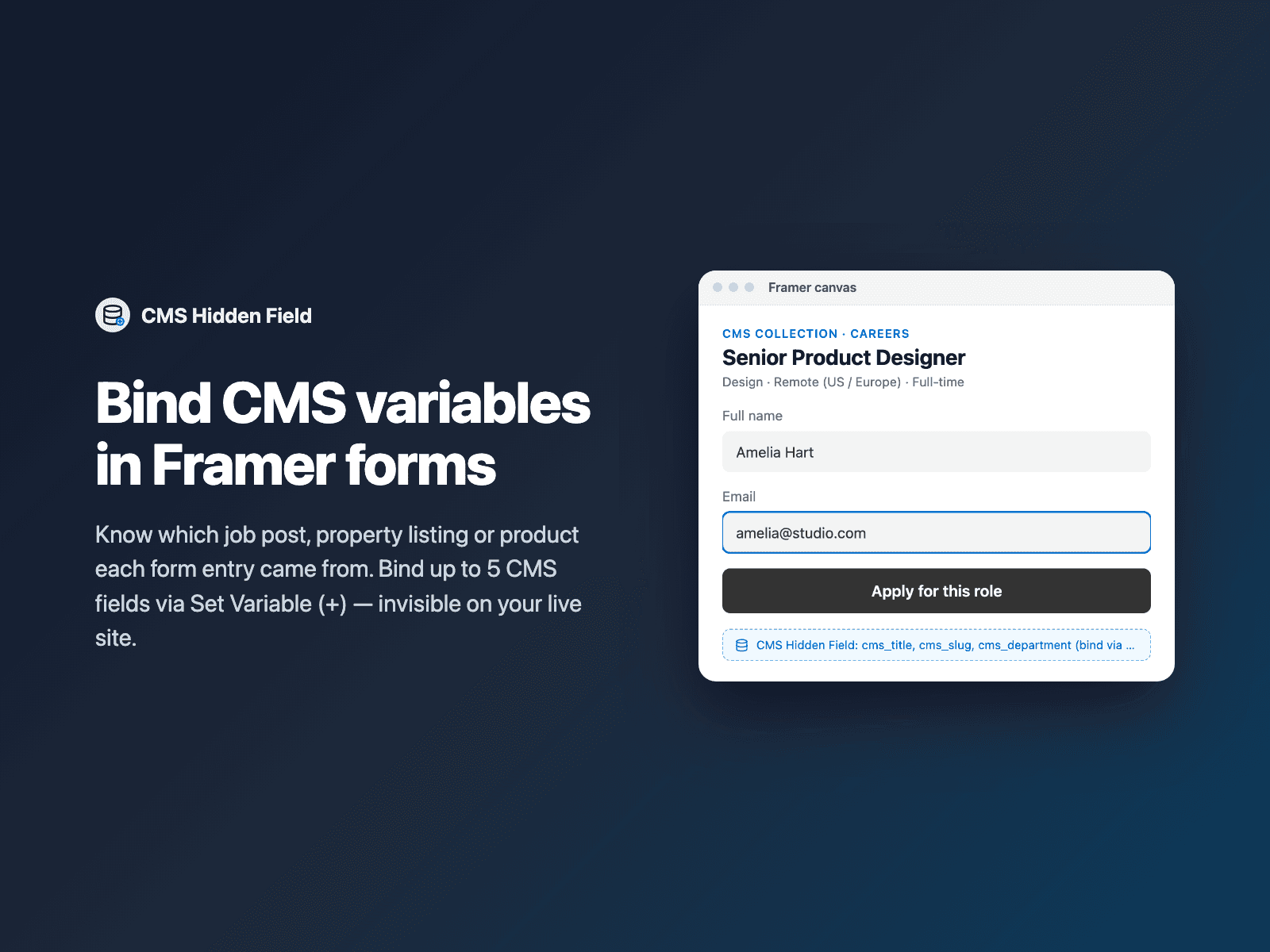
Bind CMS fields in Framer formsPass Framer CMS Collection data — job titles, property slugs, product SKUs, prices or event dates — straight into your native Framer form submissions.
Exposes up to 5 top-level hidden field slots so Framer's native + → Set Variable button appears right on each Field value in the right panel on CMS detail pages. Invisible on your live site, with optional fallbacks to the page's <h1> heading or URL slug.
Available right now inside FramerSend Fields (our all-in-one Marketplace plugin). Free for 14 days, no card, then from $5/month.
What your form receives
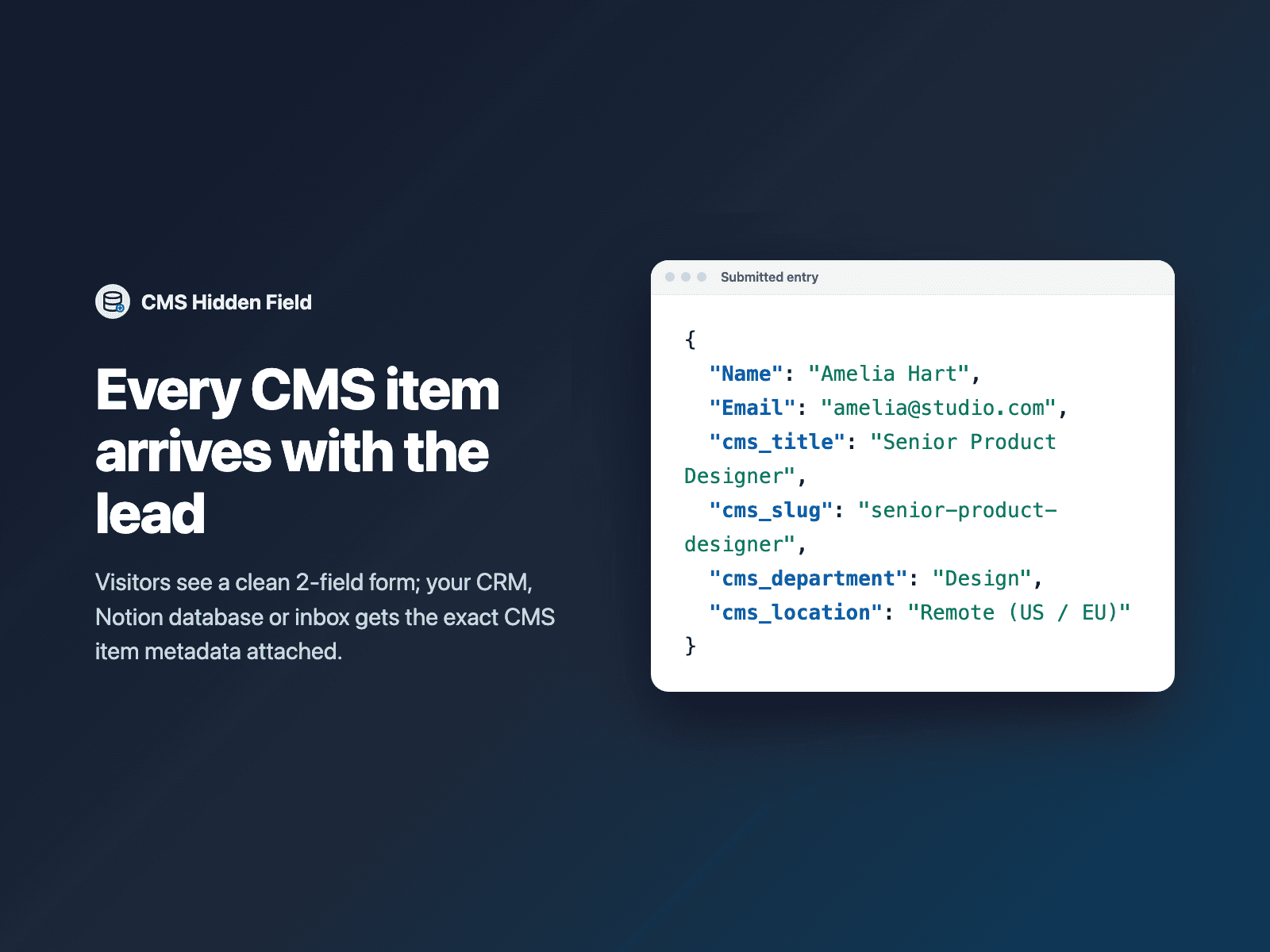
Up to 5 hidden fields named by you, populated with the bound CMS item variables of the page the visitor submitted from.
It is part of the native Framer form submission, so it goes wherever your form sends: email, Google Sheets, webhooks, or FramerSend connectors.
{
  "Name": "Amelia Hart",
  "Email": "amelia@studio.com",
  "cms_title": "Senior Product Designer",
  "cms_slug": "senior-product-designer",
  "cms_department": "Design"
}
How it works
No code, right inside Framer
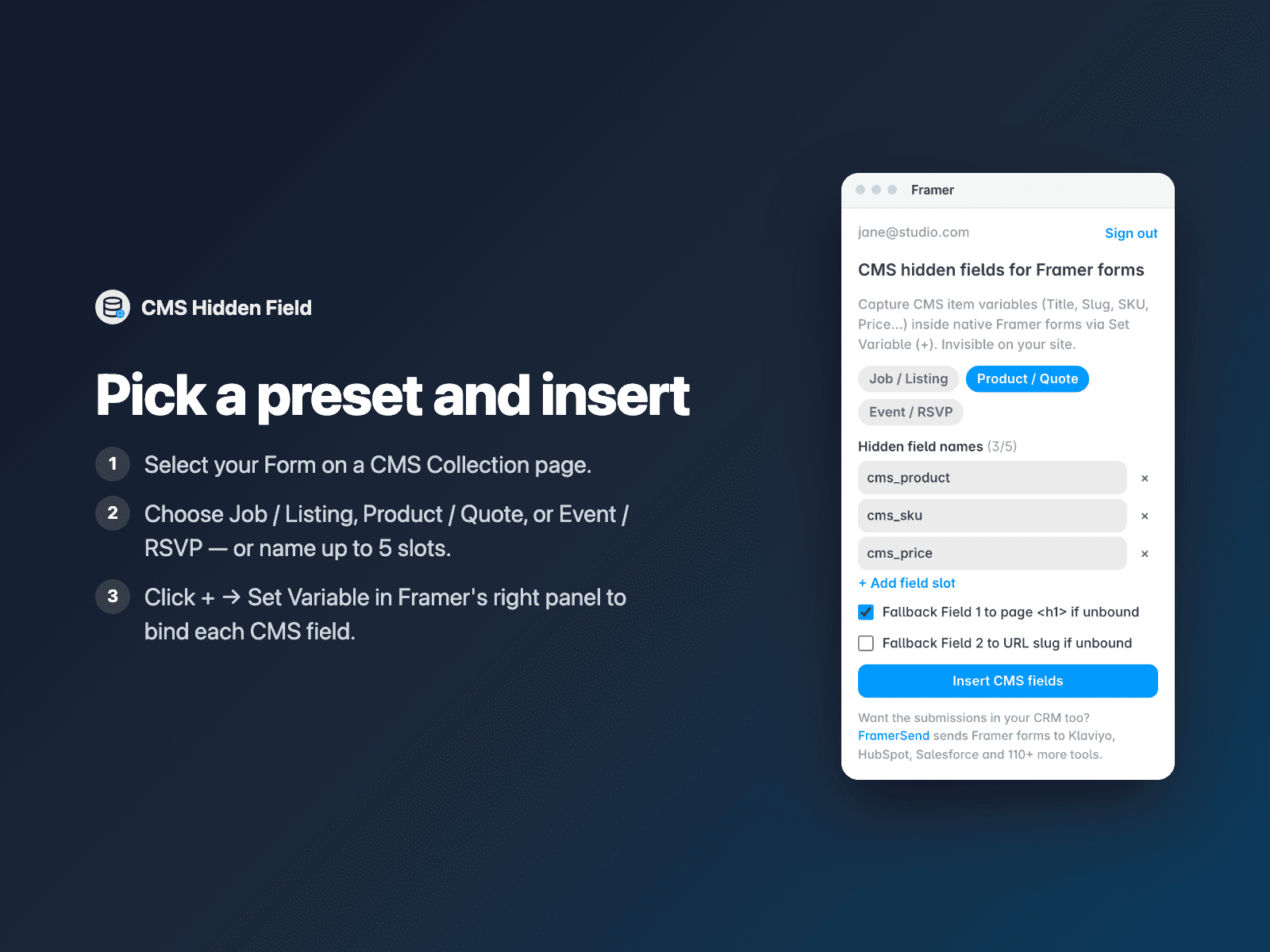
Select your form on a CMS page
Open your CMS Collection template in Framer and select your Form.
Pick a preset and insert
Open CMS Hidden Field, choose a preset or name up to 5 fields, and click Insert CMS fields.
Bind CMS variables
In Framer's right panel, click + → Set Variable next to each Field value to bind Title, Slug, SKU or Price.
Options
- 1 to 5 hidden field slots with native Framer Set Variable (+) binding
- Quick presets for Job / Listing, Product / Quote, and Event / RSVP
- Optional H1 heading fallback and URL slug fallback when unbound
- Skip empty fields toggle
- Honeypot-safe naming (prefixes Framer trap names like title → cms_title)
- Canvas summary badge colors, border and font
Written into your project as a code component. No external scripts, no network requests on your site.
Frequently asked questions
How do I connect a CMS variable?
Select the CMS Hidden Field badge inside your form on a CMS Collection page. In Framer's right-hand panel, click the small + button next to Field 1 value → Set Variable, and pick any field from your CMS Collection (such as Title, Slug or Price).
Do visitors see anything on the page?
No. The dashed badge only shows on the Framer canvas so you can select and configure it; on your published site it renders hidden inputs that take zero space.
Why does it rename 'title' to 'cms_title'?
Framer's native forms include invisible spam-trap inputs named title, description, company and website. Prefixing cms_ ensures Framer never strips your CMS data from the submission.
Does it slow down my site?
The field is a code component written into your project. It loads no external scripts and makes no network requests on your site.
How much does CMS Hidden Field cost?
CMS Hidden Field is included in every FramerSend plan, together with the other field plugins and every connector. It is free for 14 days with no card, then from $5/month, $39/year or $89 one-time.
How do I sign in to the plugin?
With your FramerSend account. The plugin opens framersend.com/plugin/connect, you approve, and it signs in by itself.
Add CMS Hidden Field to your Framer form
Included in every FramerSend plan with all 73 field plugins and every connector. Free for 14 days, then from $5/month.