Form Analytics for Framer forms
GA4, GTM & ad pixel form eventsTrack every step of your native Framer form funnel and fire accurate ad conversion events — without custom code or exposing personal data.
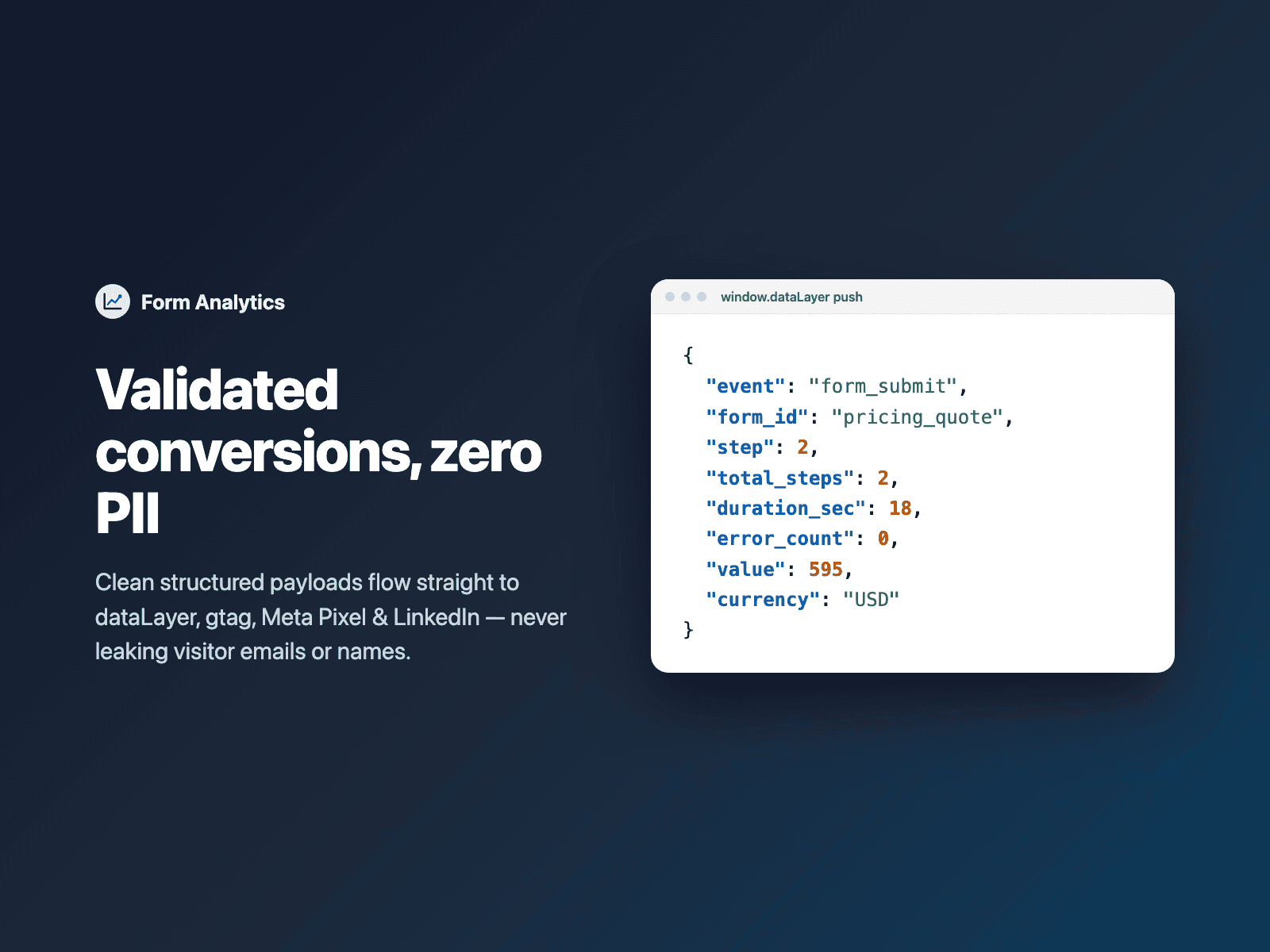
Automatically dispatches form_start, form_step_view, form_step_complete, form_field_error, form_abandon and form_submit to Google Tag Manager (dataLayer), Google Analytics 4 / Google Ads (gtag), Meta Pixel (fbq), LinkedIn Insight Tag (lintrk) and TikTok Pixel (ttq), with optional dynamic quote value from Calculator.
Available right now inside FramerSend Fields (our all-in-one Marketplace plugin). Free for 14 days, no card, then from $5/month.
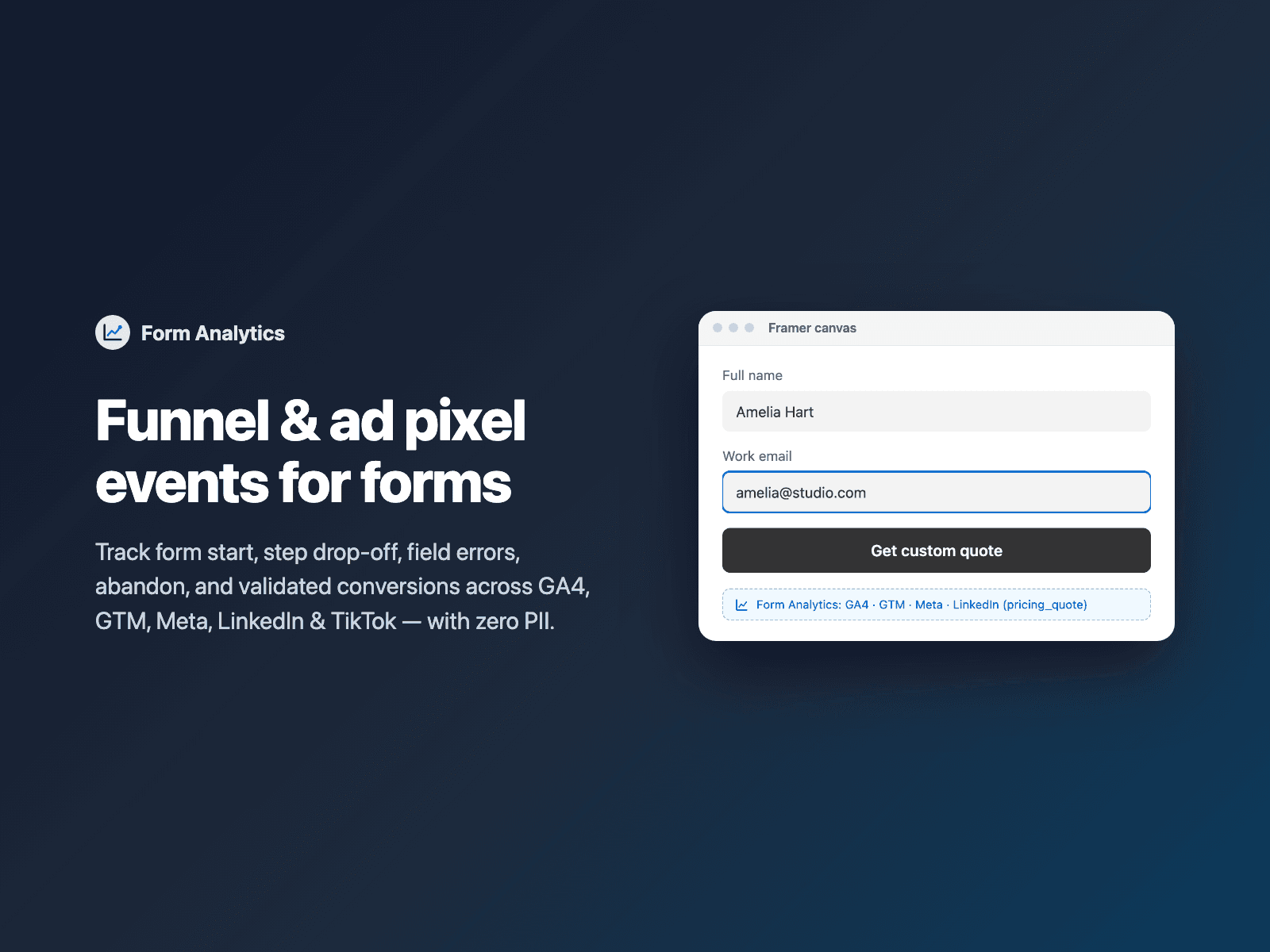
What your form receives
Invisible by default. Turn on Attach timing metrics to include form_duration_sec and form_error_count as hidden fields in each submission.
{
  "Name": "Amelia Hart",
  "Work email": "amelia@stripe.com",
  "form_duration_sec": "28",
  "form_error_count": "0"
}
How it works
No code, right inside Framer
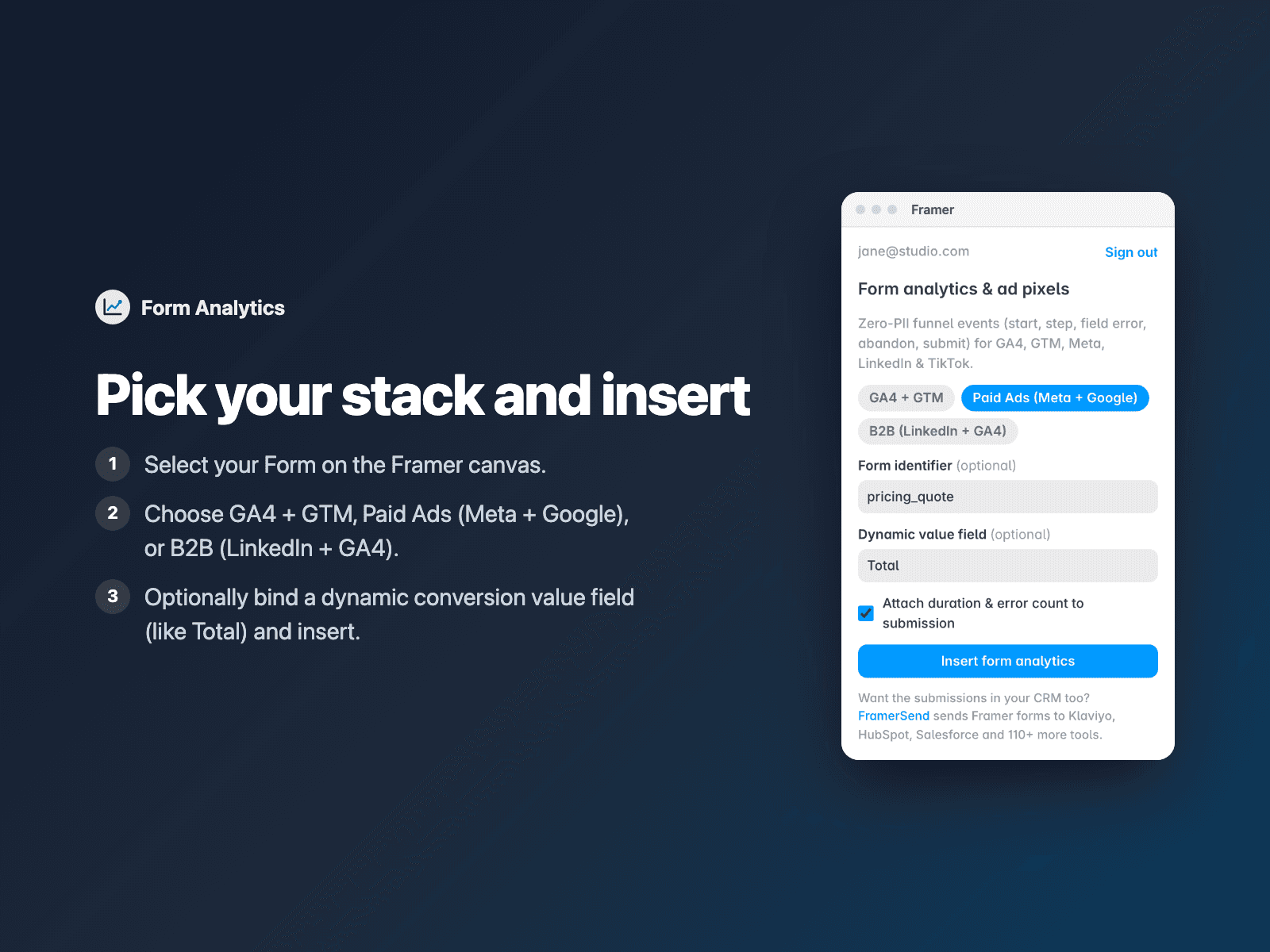
Select your form
Select your Form on the Framer canvas.
Pick your analytics destinations
Open Form Analytics, choose GA4 + GTM, Paid Ads or B2B LinkedIn, and optionally link your Calculator total field.
Insert
Click Insert form analytics. The badge shows on the canvas and takes zero space on your published site.
Options
- Funnel events: form_start, form_step_view, form_step_complete, form_field_error, form_abandon and form_submit
- Dispatches to GTM dataLayer, GA4 / Google Ads gtag, Meta Pixel fbq, LinkedIn lintrk and TikTok ttq
- Dynamic conversion value & currency read from Calculator or hidden price fields
- Strict zero-PII design: never sends typed emails, names or phone numbers to analytics
- Works natively with FramerSend Multi-Step Form progress steps
- Optional hidden form_duration_sec and form_error_count submission fields
Written into your project as a code component. No external scripts, no network requests on your site.
Frequently asked questions
Does Form Analytics send personal data to GA4 or Meta?
Never. Form Analytics strictly excludes field values such as emails, names, phone numbers and messages. Only anonymous funnel metadata (form ID, step number, field name on validation error, duration and optional numeric conversion value) is dispatched.
Do I still install my GA4, GTM or Meta Pixel tag in Framer Site Settings?
Yes. Add your standard GTM, GA4, Meta, LinkedIn or TikTok base snippet in Framer's Site Settings once; Form Analytics detects those globals automatically and pushes structured events to whichever ones are present.
Does it fire false conversions when a required field fails validation?
No. form_submit and ad pixel conversion events only fire when native browser and FramerSend field validation succeeds; failed attempts fire form_field_error instead so you can spot high-friction inputs.
Does it slow down my site?
The field is a code component written into your project. It loads no external scripts and makes no network requests on your site.
How much does Form Analytics cost?
Form Analytics is included in every FramerSend plan, together with the other field plugins and every connector. It is free for 14 days with no card, then from $5/month, $39/year or $89 one-time.
How do I sign in to the plugin?
With your FramerSend account. The plugin opens framersend.com/plugin/connect, you approve, and it signs in by itself.
Add Form Analytics to your Framer form
Included in every FramerSend plan with all 73 field plugins and every connector. Free for 14 days, then from $5/month.