UTM Capture for Framer forms
UTM and ad click IDs in your Framer formsSend UTM tags, ad click IDs, the referrer and the landing page with every Framer form submission.
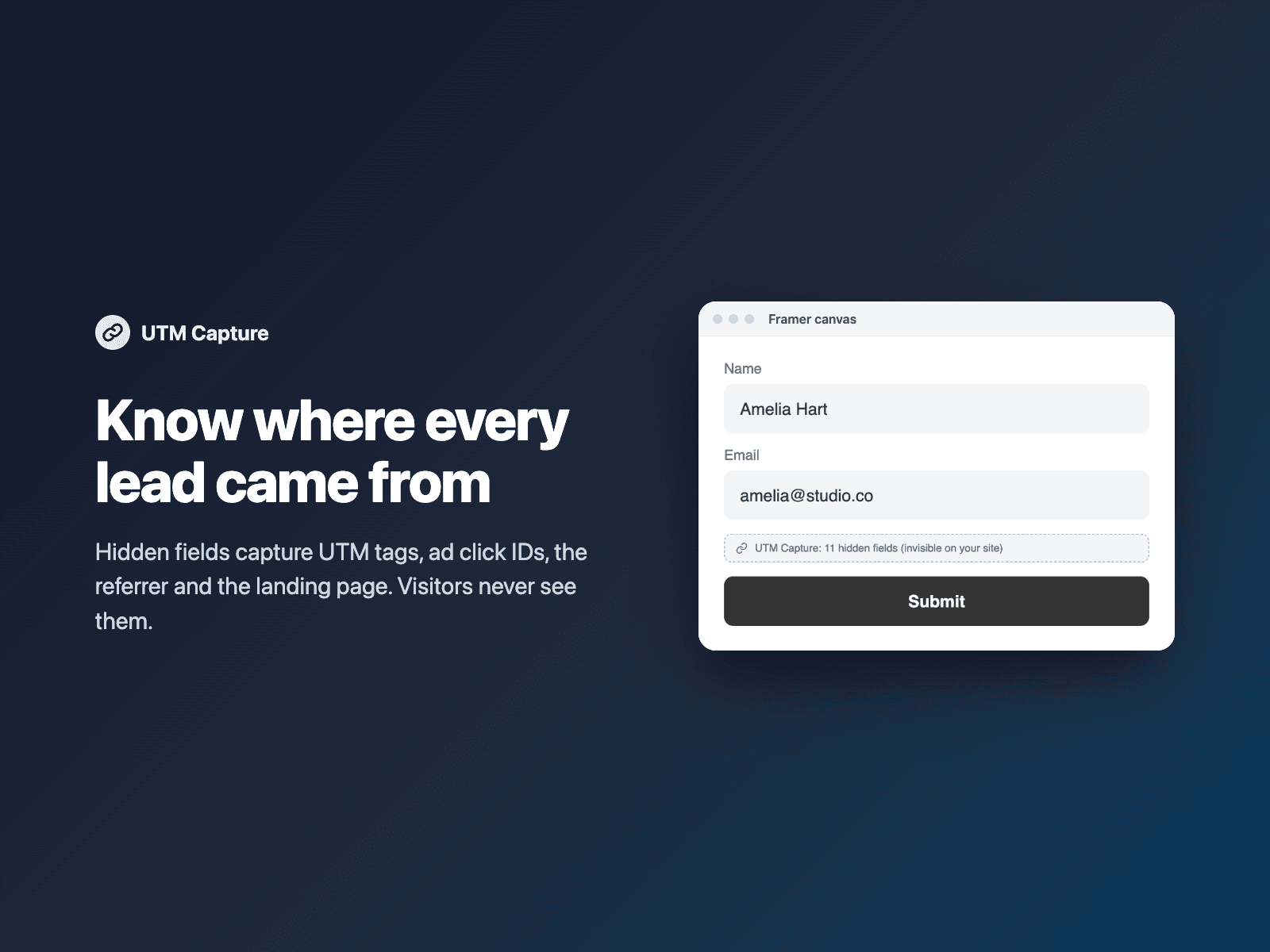
Native Framer forms only send what the visitor types. UTM Capture adds hidden fields to your form and fills them from the visitor's landing URL, so every lead shows the campaign, ad and page it came from. Visitors never see the fields.
The first page of the visit is remembered for the browser session, so the values are still there when the visitor submits your form on another page (first touch). Prefer the latest campaign? Switch to last touch.
Available right now inside FramerSend Fields (our all-in-one Marketplace plugin). Free for 14 days, no card, then from $5/month.
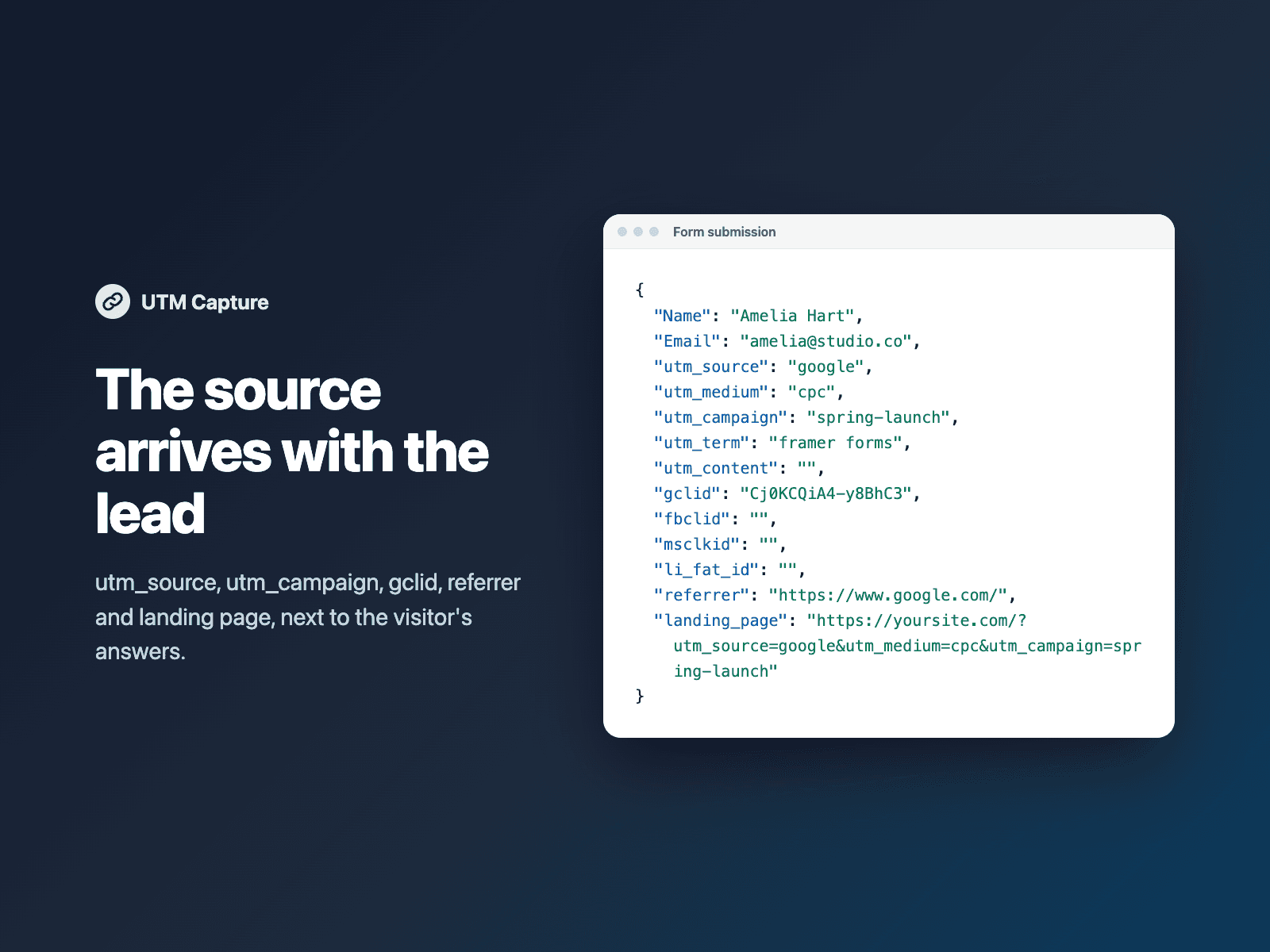
What your form receives
Hidden fields next to the visitor's answers: utm_source, utm_medium, utm_campaign, utm_term, utm_content, the ad click IDs gclid, fbclid, msclkid and li_fat_id, the referrer, the landing page URL, and any other URL parameter you name.
It is part of the native Framer form submission, so it goes wherever your form sends: email, Google Sheets, webhooks, or FramerSend connectors.
{
  "Name": "Amelia Hart",
  "Email": "amelia@studio.co",
  "utm_source": "google",
  "utm_medium": "cpc",
  "utm_campaign": "spring_launch",
  "referrer": "https://www.google.com/",
  "landing_page": "https://yoursite.com/?utm_source=google&utm_medium=cpc&utm_campaign=spring_launch"
}
How it works
No code, right inside Framer
Select your form
Select your Form on the Framer canvas.
Insert the field
Open UTM Capture and click Insert UTM capture. It is added at the end of the form.
Set it up
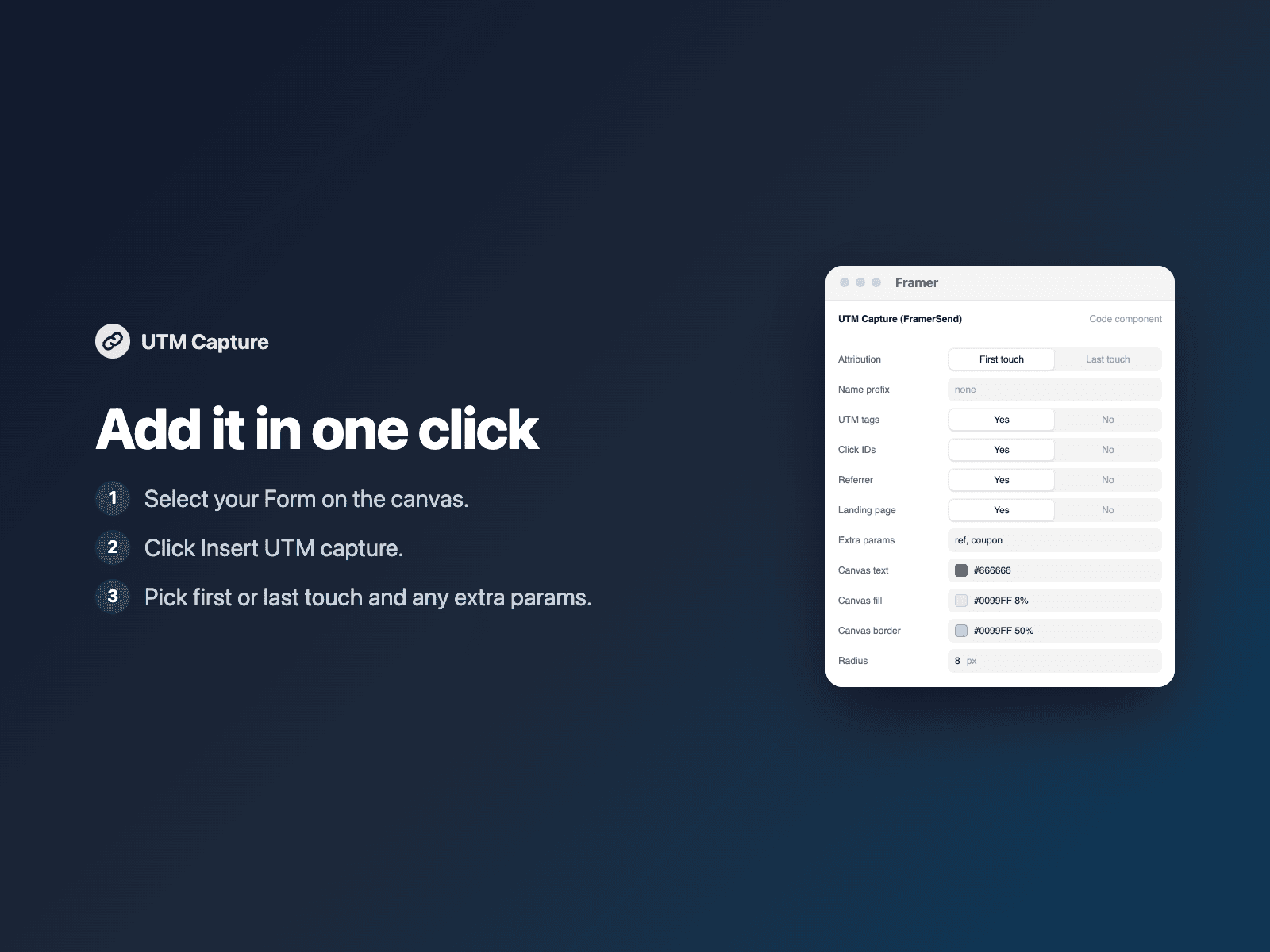
In the right panel, choose first or last touch, an optional field name prefix and any extra parameters.
Options
- First touch or last touch
- A field name prefix
- UTM tags, click IDs, referrer and landing page, each on or off
- Any other URL parameter you name, like ref or coupon
Written into your project as a code component. No external scripts, no network requests on your site.
Frequently asked questions
What does it capture?
utm_source, utm_medium, utm_campaign, utm_term, utm_content, gclid (Google Ads), fbclid (Meta), msclkid (Microsoft Ads), li_fat_id (LinkedIn), the referrer, the landing page URL, and any other URL parameter you name.
What if the visitor submits on another page?
The first page of the visit is remembered for the browser session, so the values are still sent (first touch). Switch to last touch to keep the latest tagged URL instead.
Do visitors see the fields?
No. On the canvas you see a small labelled placeholder; your published site shows nothing.
Does it slow down my site?
The field is a code component written into your project. It loads no external scripts and makes no network requests on your site.
How much does UTM Capture cost?
UTM Capture is included in every FramerSend plan, together with the other field plugins and every connector. It is free for 14 days with no card, then from $5/month, $39/year or $89 one-time.
How do I sign in to the plugin?
With your FramerSend account. The plugin opens framersend.com/plugin/connect, you approve, and it signs in by itself.
Add UTM Capture to your Framer form
Included in every FramerSend plan with all 73 field plugins and every connector. Free for 14 days, then from $5/month.