How to Add a QR Code and Barcode Scanner to a Native Framer Form
Let visitors scan a QR code or barcode into a native Framer form field, or scan from a photo, and send the decoded text with the form.

Dong Trinh
Lead Architect at FramerSend
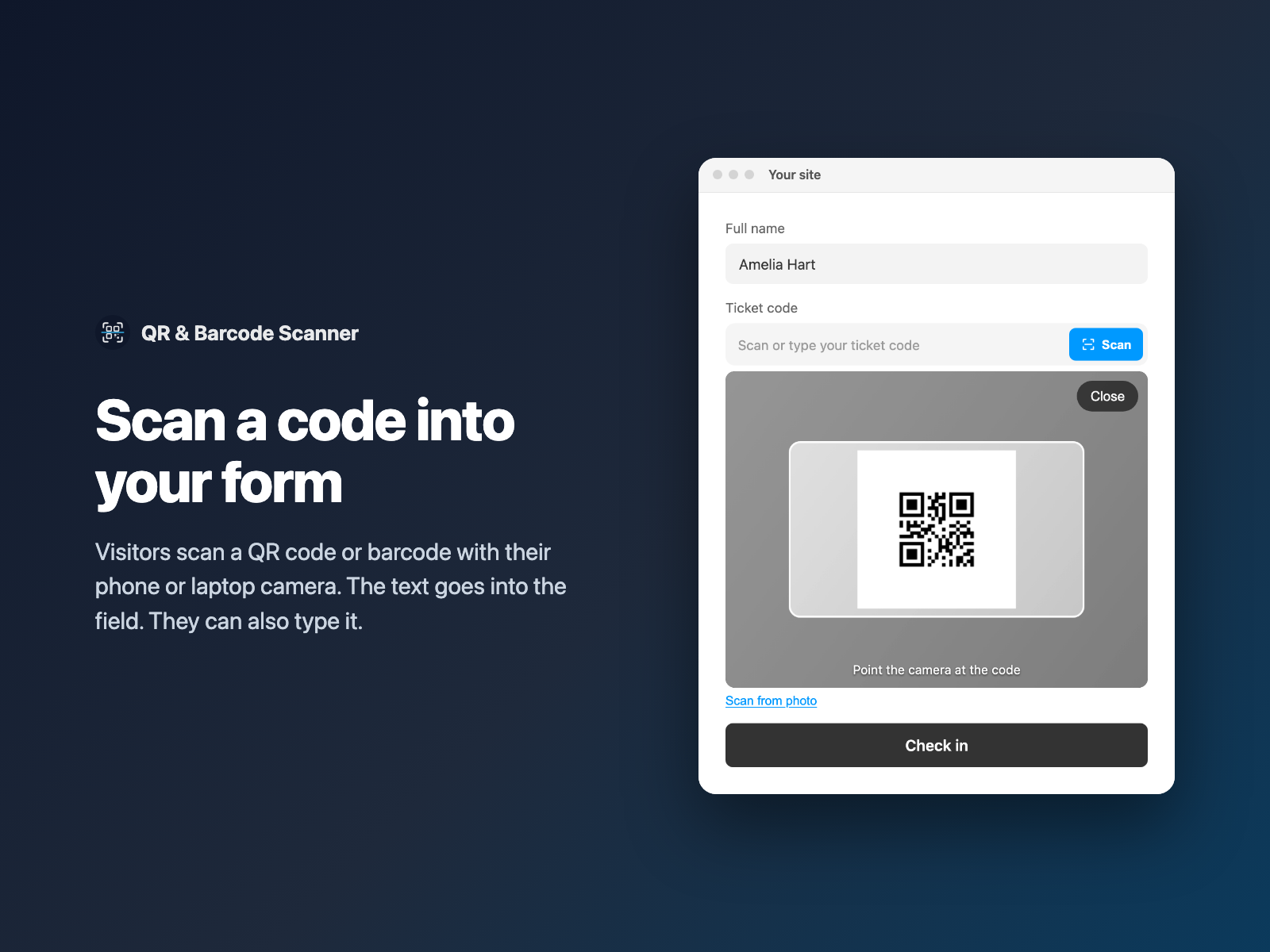
Ticket codes, serial numbers, asset tags, membership cards and product barcodes are long and easy to mistype. A visitor with a phone can scan them in a second.
QR & Barcode Scanner adds a scan field to your native Framer form. The decoded text goes into the field. Visitors can also type the code or scan it from a photo.
Why scan a code instead of typing it
Typing a code like TKT-482913 or a 13-digit barcode is slow, and one wrong digit means a rejected form. Scanning helps with:
- Booking and ticket forms. A visitor scans the code on a ticket to claim it or check in.
- Warranty and product registration. The barcode on the box fills in the product number.
- Equipment check-in and returns. An asset tag scan identifies the item.
- Membership and loyalty cards. The card code goes in without typing.
A text input vs QR & Barcode Scanner
| A plain text input | QR & Barcode Scanner |
|---|---|
| The visitor types every character. | The visitor scans, then the code fills the field. |
| Typos reach your inbox. | The decoded text is exact. |
| One code per field. | Fill, fill and lock, or add several codes to a list. |
| No way to know the code type. | Optional hidden field with the code type, such as QR Code. |
You can still require a certain format. Add a pattern the code must match, with your own error text. To lock down other values, see IBAN & VAT validation.
How QR & Barcode Scanner reads a code
- Formats. QR is always on. Pick from EAN-13, EAN-8, UPC-A, UPC-E, Code 128, Code 39 and ITF.
- After a scan. Fill the field, fill and lock it, or add the code to a list.
- Camera or photo. Visitors can scan with the camera, use Scan from photo (useful on desktop or when the camera is blocked), or type the code.
- Display. Show the camera inline or full screen, and vibrate on a read.
- Rules. Require a field, set a pattern the code must match and write all the messages yourself.
Only the decoded text is sent with the form. Camera frames and photos are read in the browser.
Add a scanner field in three steps
- Select your native Form on the Framer canvas and open QR & Barcode Scanner.
- Turn off the barcodes you do not need and choose what happens after a scan.
- Click Insert field. It is added above the submit button. Style it in Framer's right-hand panel and publish.
QR & Barcode Scanner is coming in FramerSend Fields 1.4.0. Camera access needs an https page, which every published Framer site has.
What loads on the page
Nothing loads with the page. Where the browser has a built-in barcode reader, such as Chrome on Mac and Android, the field uses it. On iPhone, Firefox and Windows Chrome there is no such reader, so the open-source ZXing decoder (about 335 KB) loads from jsDelivr, but only when the visitor presses Scan. Your page stays light for everyone who does not scan.
What we tested
On real Chrome for Mac, Scan from photo read a QR code as TKT-482913 and an EAN-13 barcode as 4006381333931, using the browser's built-in reader.
We did not test the live camera on a real phone, so test it on your own device before you rely on it. The automated checks passed: 84 of 84 harness checks and 21 of 21 plugin-panel checks.
Try QR & Barcode Scanner in FramerSend Fields 1.4.0. Every FramerSend plan includes it, from $5/month after a 14-day free trial with no card. If you also want photos, read camera capture and photo upload in Framer forms.
Frequently asked questions
How do I add a QR code scanner to a Framer form?
Select your native Framer form, open QR & Barcode Scanner, turn off the barcode types you do not need and click Insert field. The scanned text goes into the field and is sent with the form.
Which codes can it read?
QR, EAN-13, EAN-8, UPC-A, UPC-E, Code 128, Code 39 and ITF. QR is always on, and you pick which barcodes to read.
Does it work on iPhone?
Safari on iPhone has no built-in barcode reader, so the field loads the open-source ZXing decoder (about 335 KB) from jsDelivr when the visitor presses Scan. We tested Scan from photo on a real Mac; we have not tested the live camera on a real phone.
What if the camera is blocked or on a desktop?
Visitors can use Scan from photo, or type the code. A pattern and your own error text can reject codes in the wrong format.
Can visitors scan several codes?
Yes. Choose Add to list. Each scan is added with a remove button and the form gets the codes joined by commas.
What does it cost?
QR & Barcode Scanner is included in every FramerSend plan, from $5/month, after a 14-day free trial with no card. It is coming in FramerSend Fields 1.4.0.
Connect Framer to 100+ CRMs in 60 seconds
14-day free trial, no card needed. Copy your Submit URL and paste straight into Framer.
Related Articles
How to Fill a Framer Form Dropdown from a CMS Collection
Build a dropdown, radio list, buttons or checkboxes in a native Framer form from CMS items such as services or locations, and refresh the options when the CMS changes.
How to Validate an IBAN or VAT Number in a Native Framer Form
Check IBAN check digits and EU VAT numbers as visitors type in a native Framer form, block the submit while the value is wrong and send a clean value.
How to A/B Test a Form in Framer and See Which Variant Won
Run an A/B split test on a native Framer form by tagging layers [A] and [B]. Visitors keep their variant, and each submission says which one they saw.