QR & Barcode Scanner for Framer forms
Scan QR & barcodes in Framer formsAdd a field to your native Framer form that scans a QR code or barcode with the visitor's phone or laptop camera. The decoded text goes into the field. Visitors can also type it, or scan from a photo.
It reads QR, EAN-13, EAN-8, UPC-A, UPC-E, Code 128, Code 39 and ITF. Use it for ticket and booking codes, product and serial numbers, asset tags, membership cards and equipment check-in.
Available right now inside FramerSend Fields (our all-in-one Marketplace plugin). Free forever with a free FramerSend account, no card. Connectors from $5/month.
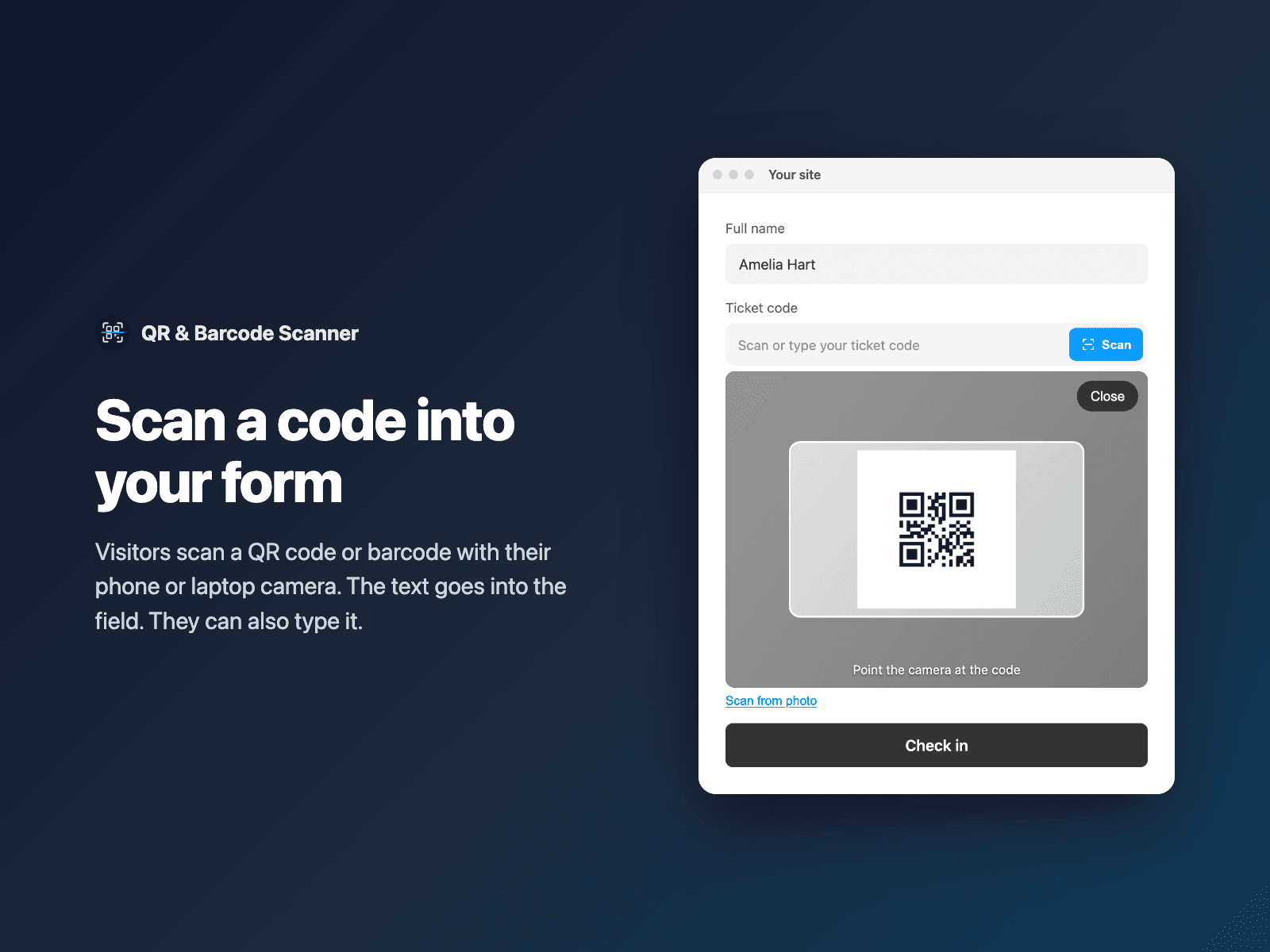
What your form receives
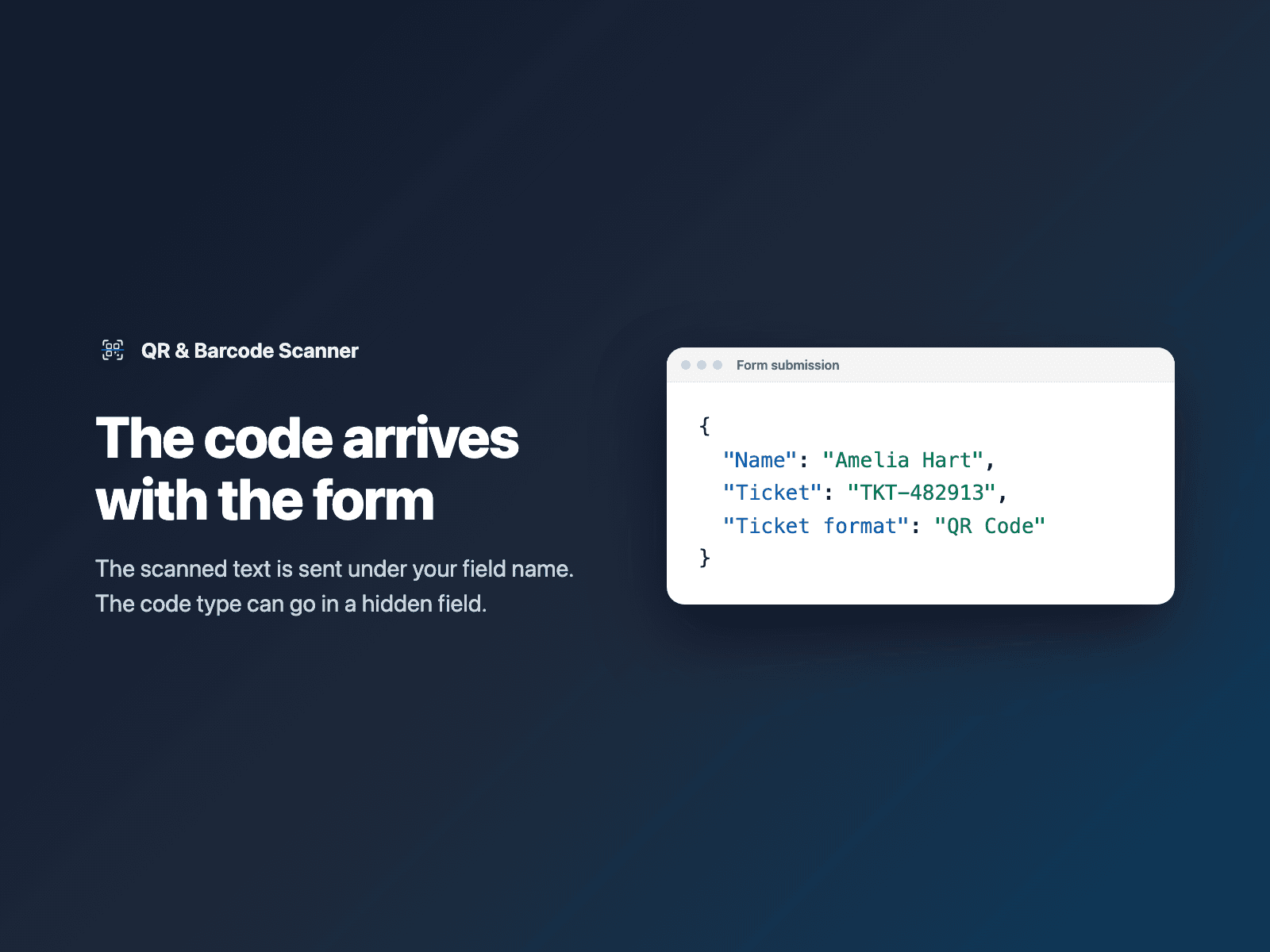
The scanned or typed code under the field name you choose. In list mode, several codes joined by commas. An optional hidden field sends the code type.
It is part of the native Framer form submission, so it goes wherever your form sends: email, Google Sheets, webhooks, or FramerSend connectors.
{
  "Name": "Amelia Hart",
  "Ticket": "TKT-482913",
  "Ticket format": "QR Code"
}
How it works
No code, right inside Framer
Select your form
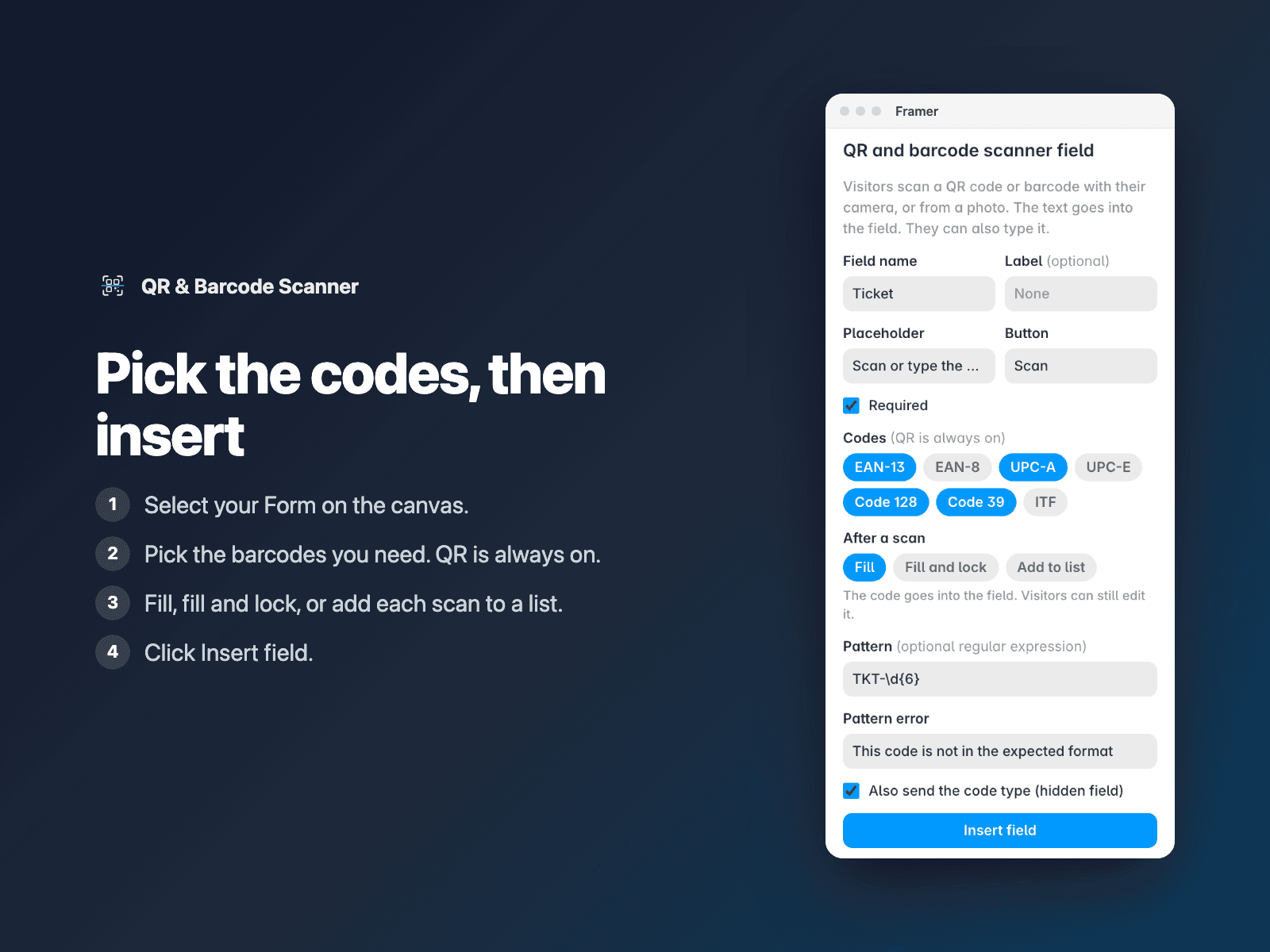
Select your Form on the Framer canvas.
Pick the codes
Open QR & Barcode Scanner, turn off the barcodes you do not need, and choose what happens after a scan.
Insert
Click Insert field. It is added above the submit button. Style it in the right panel and publish.
Options
- QR always on; pick which barcodes to read
- After a scan: fill, fill and lock, or add to a list
- Scan from a photo, for desktop and blocked cameras
- A pattern the code must match, with your own error text
- Hidden field with the code type
- Required, button text, placeholder and all messages
- Inline or full-screen camera, vibrate on a read
- Fonts, colors, radius and padding
The field is a code component written into your project. Nothing loads with the page. Where the browser has no built-in barcode reader (for example on iPhone), the open-source ZXing decoder loads from cdn.jsdelivr.net when a visitor first presses Scan, pinned to one version and checked against fixed hashes. Camera images stay in the browser.
Frequently asked questions
Which phones and browsers does it work on?
Any browser with camera access on an https page, including Safari on iPhone. Chrome on Android and Mac use their built-in barcode reader. Other browsers load the ZXing decoder (about 340 KB) the first time a visitor presses Scan.
What if the visitor blocks the camera?
The field says the camera is blocked. Visitors can still scan from a photo or type the code.
Can visitors scan several codes?
Yes. Choose Add to list. Each scan is added with a remove button, and the form gets the codes joined by commas.
Are camera images uploaded?
No. Frames and photos are read in the browser. Only the decoded text is sent, with the form.
How much does QR & Barcode Scanner cost?
QR & Barcode Scanner is free forever with a free FramerSend account, together with the other field plugins. No card needed. Plans add the connectors (CRMs, Sheets, Zapier and 100+ more): free for 14 days, then from $5/month, $39/year or $69 one-time.
How do I sign in to the plugin?
With your FramerSend account. The plugin opens framersend.com/plugin/connect, you approve, and it signs in by itself.
Add QR & Barcode Scanner to your Framer form
Free forever with a free FramerSend account, no card. Connectors from $5/month.