How to Track Framer Form Conversions & Step Drop-Off in GA4, GTM & Meta Pixel
Track form_start, multi-step drop-offs, field errors and dynamic conversion values in GA4, GTM, Google Ads, Meta and LinkedIn — with strict zero-PII safety.

Dong Trinh
Lead Architect at FramerSend
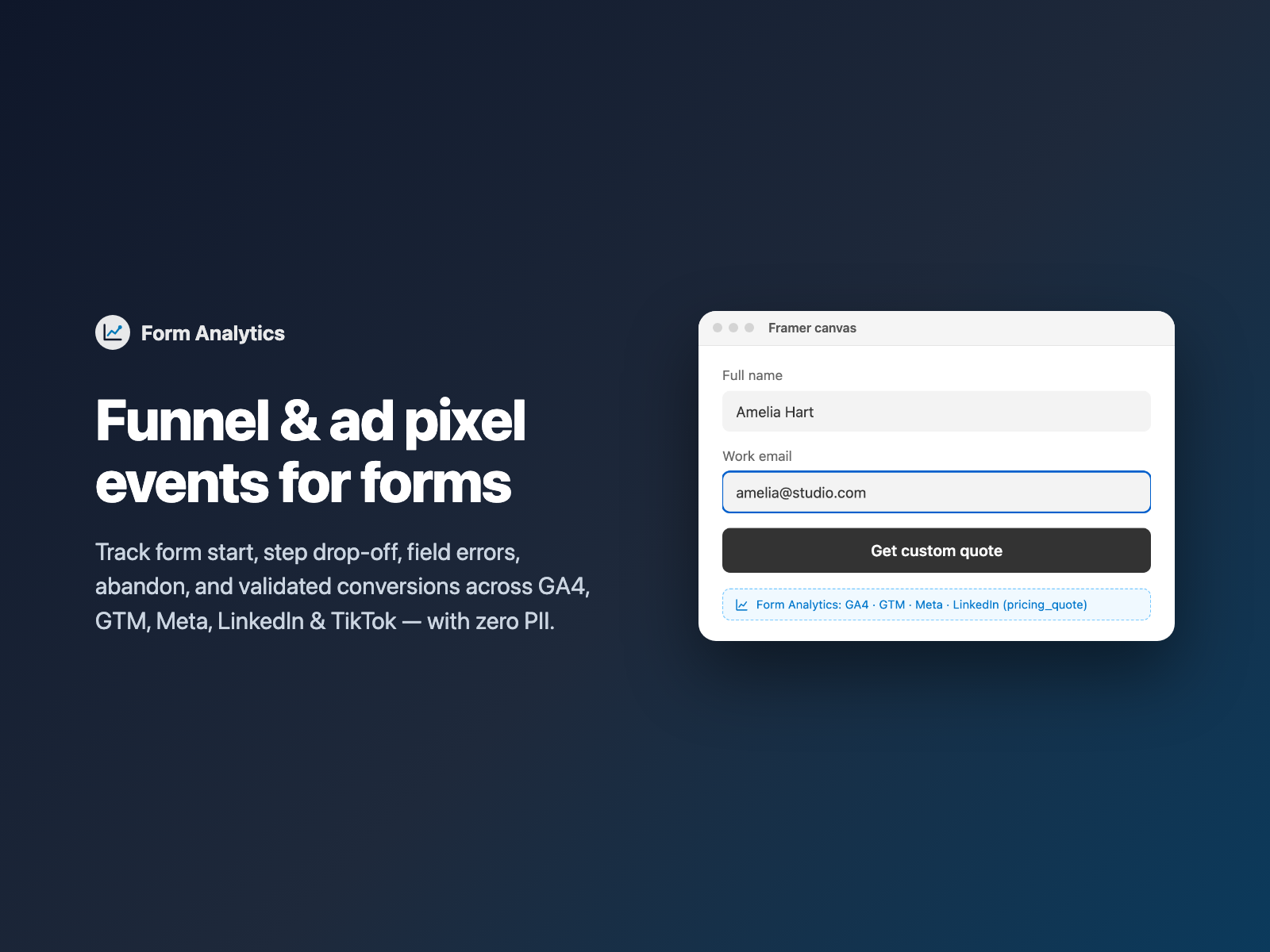
Running paid search or paid social traffic to a Framer landing page without clean form telemetry means bidding blind. If your Google Ads or Meta Pixel fires on a raw button click, invalid submit attempts inflate your reported leads; if you rely on a separate /thank-you URL redirect, you lose inline confirmation UX and still have zero visibility into which step or input made 60% of visitors abandon.
Form Analytics adds full-funnel event tracking and accurate ad pixel conversions directly inside native Framer forms — with strict zero-PII safety out of the box.
Why button-click listeners overcount ad conversions
Because Framer renders single-page React transitions rather than classic full-page POST reloads, GTM's built-in Form Submission trigger often misses native Framer forms — tempting marketers to track clicks on the type="submit" button instead. That shortcut creates three expensive distortions:
- False conversions on validation errors. Every time a visitor clicks Submit with a typo in their email or a missing required checkbox, a click trigger fires a
Leadevent — training Google Ads and Meta Advantage+ to optimize for bounces. - Zero multi-step funnel visibility. You see 400 page views and 18 submissions, with no idea whether prospects dropped at Step 1 (Contact), Step 2 (Company size) or a strict validation rule.
- Accidental GDPR & ad-account PII leaks. Custom DOM scraping scripts in GTM frequently grab raw input values, risking Google Analytics terms violations when an email address slips into event parameters.
Fragile GTM DOM triggers vs native Form Analytics
| DIY GTM click / CSS selector rules | Form Analytics inside a native Framer form |
|---|---|
| Fires on raw button clicks even when required inputs or Work Email rules fail validation. | Fires form_submit and pixel conversions only when form.checkValidity() passes; dispatches form_field_error when blocked. |
| Breaks silently whenever a designer renames a button label or restyles Framer layout classes. | Lives inside the <form> lifecycle itself — immune to visual restyling or copy edits. |
| Tracks only the final click with static hardcoded conversion values. | Tracks form_start, form_step_view, form_step_complete, form_field_error, form_abandon and dynamic Calculator quote values. |
How Form Analytics dispatches zero-PII funnel events
Form Analytics is an invisible code component (visible as a neat badge on the Framer canvas, 0 px on your live site, zero external scripts) that hooks directly into your form's DOM events:
- 6 structured funnel events —
form_start(first interaction),form_step_view&form_step_complete(synced automatically with Multi-Step Form),form_field_error(identifies the exact fieldnameand browser validity reason without recording what the user typed),form_abandon(dispatched onpagehide/ hidden visibility if started but unsubmitted), andform_submit. - 5 native destinations — pushes cleanly to GTM (
window.dataLayer), GA4 & Google Ads (window.gtag, including optionaladsSendToconversion labels), Meta Pixel (window.fbq("track", "Lead")), LinkedIn Insight Tag (window.lintrk) and TikTok Pixel (window.ttq). - Strict zero-PII architecture — typed strings (emails, names, phone numbers, textareas) are never read or transmitted to analytics globals, keeping your funnel GDPR-friendly and ad-policy compliant.
- Optional timing fields in CRM — enable Attach timing metrics to include
form_duration_secandform_error_countas hidden fields inside your Framer submission payload.
Track GA4, GTM and ad pixels in three steps
- Make sure your base GTM, GA4, Meta Pixel, LinkedIn or TikTok tag is pasted once in Framer Site Settings → Custom Code.
- Select your native Form on the Framer canvas, open FramerSend Fields, pick Form Analytics, choose a GA4 + GTM, Paid Ads or B2B LinkedIn preset, and click Insert form analytics.
- Optionally set Form ID (for example
demo_request), paste a Google AdsAW-.../...label or LinkedInconversion_id, and verify live events in GTM Preview or GA4 DebugView.
Pass dynamic Calculator values and UTM attribution to ad platforms
For agencies and SaaS teams running value-based bidding (tROAS or Max Conversion Value), not every lead is worth the same dollar amount:
- Dynamic quote conversion values: point Value field at your Calculator total (for example
Total). Form Analytics strips currency symbols ($1,250.00→1250) and passes numericvalue+currencystraight intogtag,dataLayer,fbqandttq. - End-to-end CRM attribution: pair Form Analytics with UTM Capture and Conditional Fields so ad platforms optimize on real qualified funnel value while HubSpot or Salesforce receives exact
utm_source,utm_campaign,gclidandform_duration_secon every deal.
What we tested
We verified 13 automated Playwright harness checks and 6 plugin-panel checks: form_start firing once on first focus/input, multi-step form_step_view and form_step_complete transitions, form_field_error blocking false form_submit conversions when required inputs fail validation, currency-formatted Calculator value extraction ($595/mo → 595), simultaneous dispatch across dataLayer, gtag, fbq, lintrk and ttq, strict zero-PII payload inspection (confirming typed emails and names never appear in any event object), hidden form_duration_sec/form_error_count fields, and 0 px live layout footprint.
Get Form Analytics inside FramerSend Fields along with all 72 Framer form fields and 110+ connectors — free for 14 days with no card, then from $5/month.
Frequently asked questions
How do I track native Framer form submissions in GA4 and Google Tag Manager?
Drop Form Analytics inside your native Framer form. As long as your standard GA4 (gtag) or GTM (dataLayer) base snippet is installed in Framer Site Settings, Form Analytics automatically pushes structured form_start, step progress, validation error and form_submit events.
Does Form Analytics send personal data (PII) like emails or names to Google or Meta?
Never. Form Analytics enforces a strict zero-PII policy: typed values such as emails, names, phone numbers and messages are never read into analytics payloads. Only anonymous metadata (form ID, step index, offending field name on error, completion time and optional numeric conversion value) is sent.
Will clicking Submit on an empty or invalid form fire a false ad conversion?
No. Unlike GTM button-click triggers, Form Analytics checks HTML5 checkValidity() before dispatching form_submit or ad pixel Lead events. Failed submit attempts fire form_field_error instead so your Google Ads and Meta Pixel conversion counts stay accurate.
Which ad pixels and analytics tools are supported?
Form Analytics supports Google Tag Manager (window.dataLayer), Google Analytics 4 and Google Ads (window.gtag), Meta Pixel (window.fbq), LinkedIn Insight Tag (window.lintrk) and TikTok Pixel (window.ttq) simultaneously.
Can I see which step of a Multi-Step Form causes visitors to drop off?
Yes. When paired with FramerSend Multi-Step Form, Form Analytics fires form_step_view and form_step_complete with step numbers and names, plus form_abandon on tab hide or exit if the visitor started the form without submitting.
Where do I install Form Analytics for Framer?
Open FramerSend Fields on the Framer Marketplace (74 fields in one plugin) and select Form Analytics. It renders a compact status badge on the canvas, takes zero pixels on your live page, and is included in every FramerSend plan from $5/month.
Connect Framer to 100+ CRMs in 60 seconds
14-day free trial, no card needed. Copy your Submit URL and paste straight into Framer.
Related Articles
How to Connect Framer Forms to Any CRM in 2026 (No Code & No Zapier)
A complete step-by-step tutorial on routing native Framer form submissions directly into Klaviyo, HubSpot, Mailchimp, or Salesforce in under 60 seconds.
Framer Form Not Sending? 9 Fixes for Submissions That Never Arrive
Framer form not sending or submissions not arriving? Work through 9 fixes: publishing, Send To settings, validation, spam filters, webhooks and field names.
How to Show Personalized Quiz Results and Outcome Cards in Native Framer Forms
Turn Quiz Score totals, Calculator quotes and dropdown answers into tailored result cards with their own badge, headline and CTA — inside native Framer forms.