Date Range for Framer forms
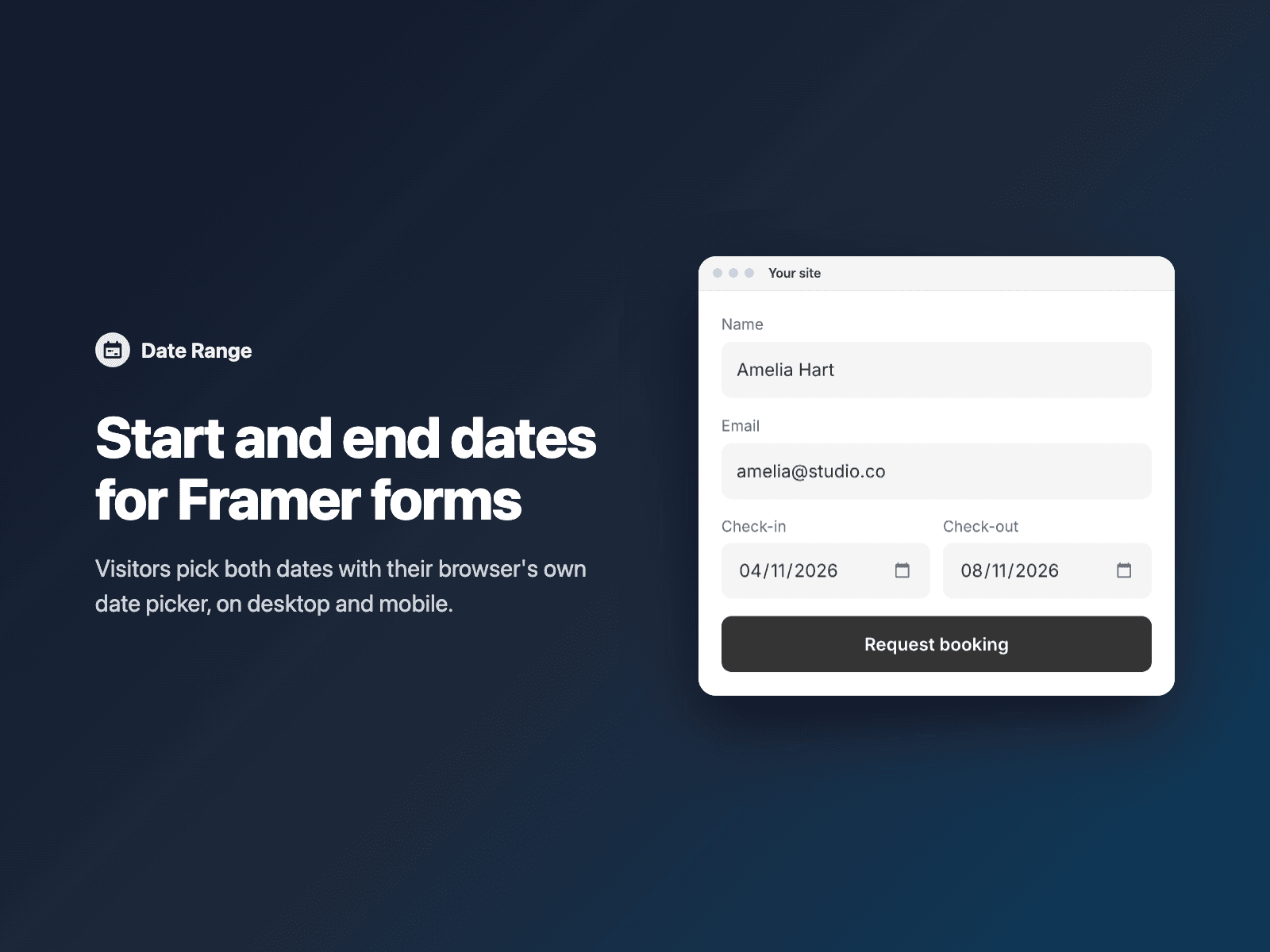
Start and end dates for formsAdd a start date and an end date to your native Framer form, for bookings, rentals, stays and events.
Visitors pick both dates with their browser's own date picker, on desktop and mobile. The end date can never be before the start date.
Included in every FramerSend plan. Free for 14 days, no card, then from $5/month.
What your form receives
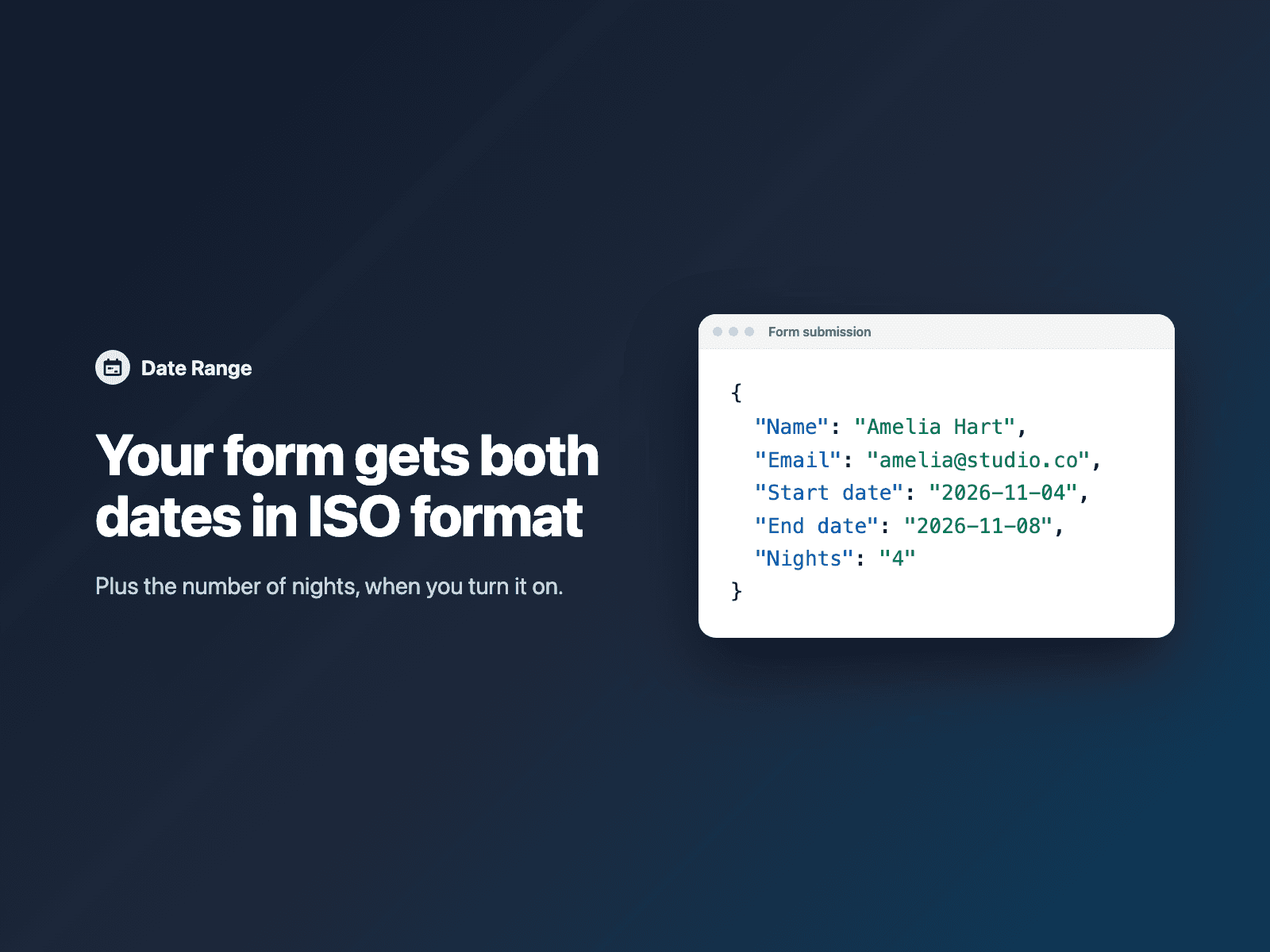
Each date in ISO format under the field names you choose. Turn on time to collect a date and time, and turn on number of nights to receive a third field with the count.
It is part of the native Framer form submission, so it goes wherever your form sends: email, Google Sheets, webhooks, or FramerSend connectors.
{
  "Name": "Amelia Hart",
  "Email": "amelia@studio.co",
  "Start date": "2026-11-04",
  "End date": "2026-11-08",
  "Nights": "4"
}
How it works
No code, right inside Framer
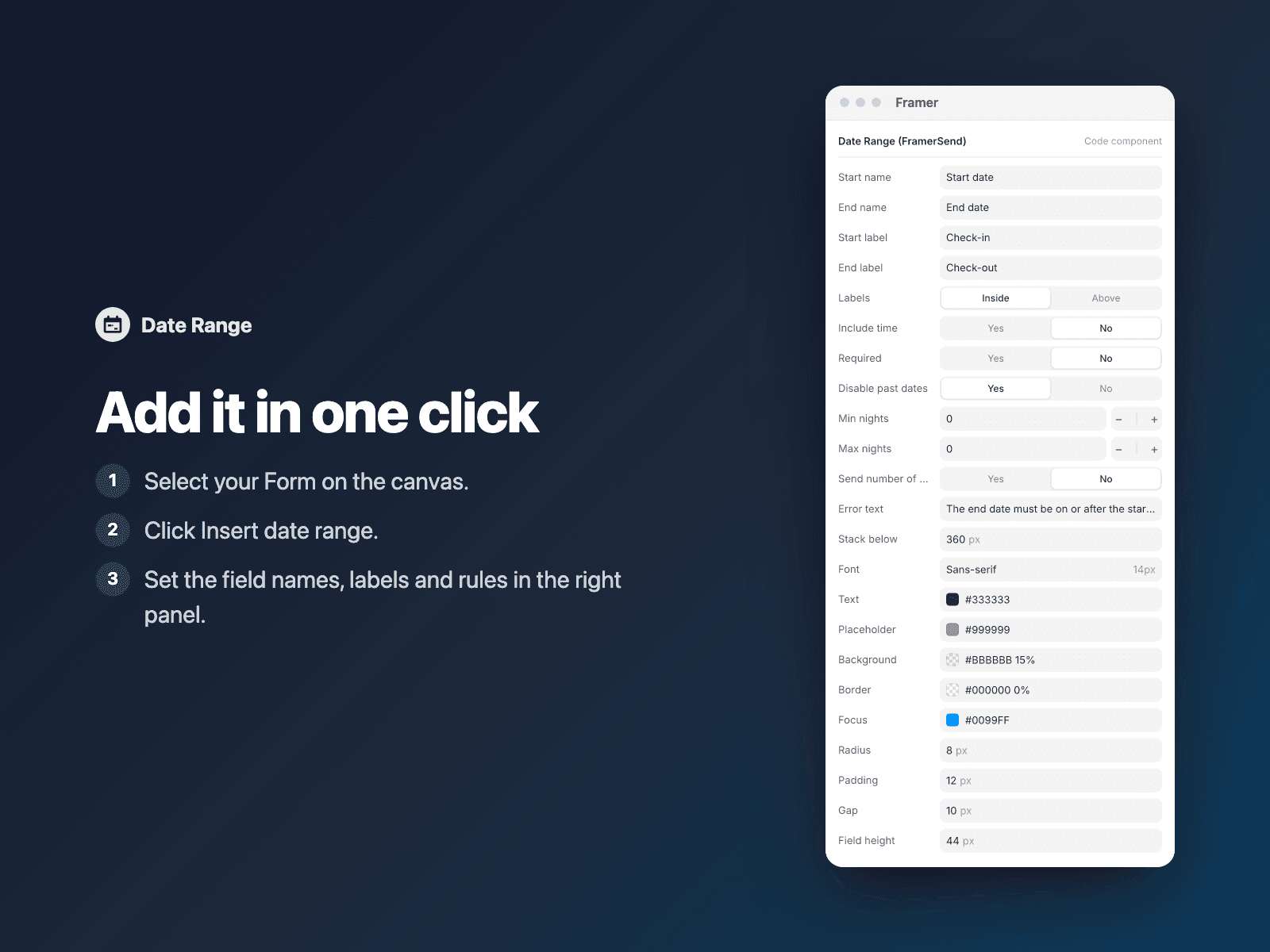
Select your form
Select your Form on the Framer canvas.
Insert the field
Open Date Range and click Insert date range. It is added above the submit button at full width.
Set it up
In the right panel, set the field names, labels and rules.
Options
- Required
- Disable past dates
- Minimum and maximum nights
- Date only, or date and time
- Number of nights as a third field
- Labels inside or above the fields, and your own error text
- Stacking on narrow layouts
- Font, colors, radius, padding and gap
Written into your project as a code component. No external scripts, no network requests on your site.
Frequently asked questions
What format are the dates in?
ISO format, for example 2026-11-04 and 2026-11-08. With time turned on, you receive 2026-11-04T15:00.
Can I get the number of nights?
Yes. Turn on number of nights to receive a third field with the count. You can also set a minimum and maximum number of nights.
Which date picker do visitors see?
Their browser's own date picker, on desktop and mobile. The end date can never be before the start date.
Does it slow down my site?
The field is a code component written into your project. It loads no external scripts and makes no network requests on your site.
How much does Date Range cost?
Date Range is included in every FramerSend plan, together with the other field plugins and every connector. It is free for 14 days with no card, then from $5/month, $39/year or $89 one-time.
How do I sign in to the plugin?
With your FramerSend account. The plugin opens framersend.com/plugin/connect, you approve, and it signs in by itself.
Add Date Range to your Framer form
Included in every FramerSend plan with all 9 field plugins and every connector. Free for 14 days, then from $5/month.