Signature for Framer forms
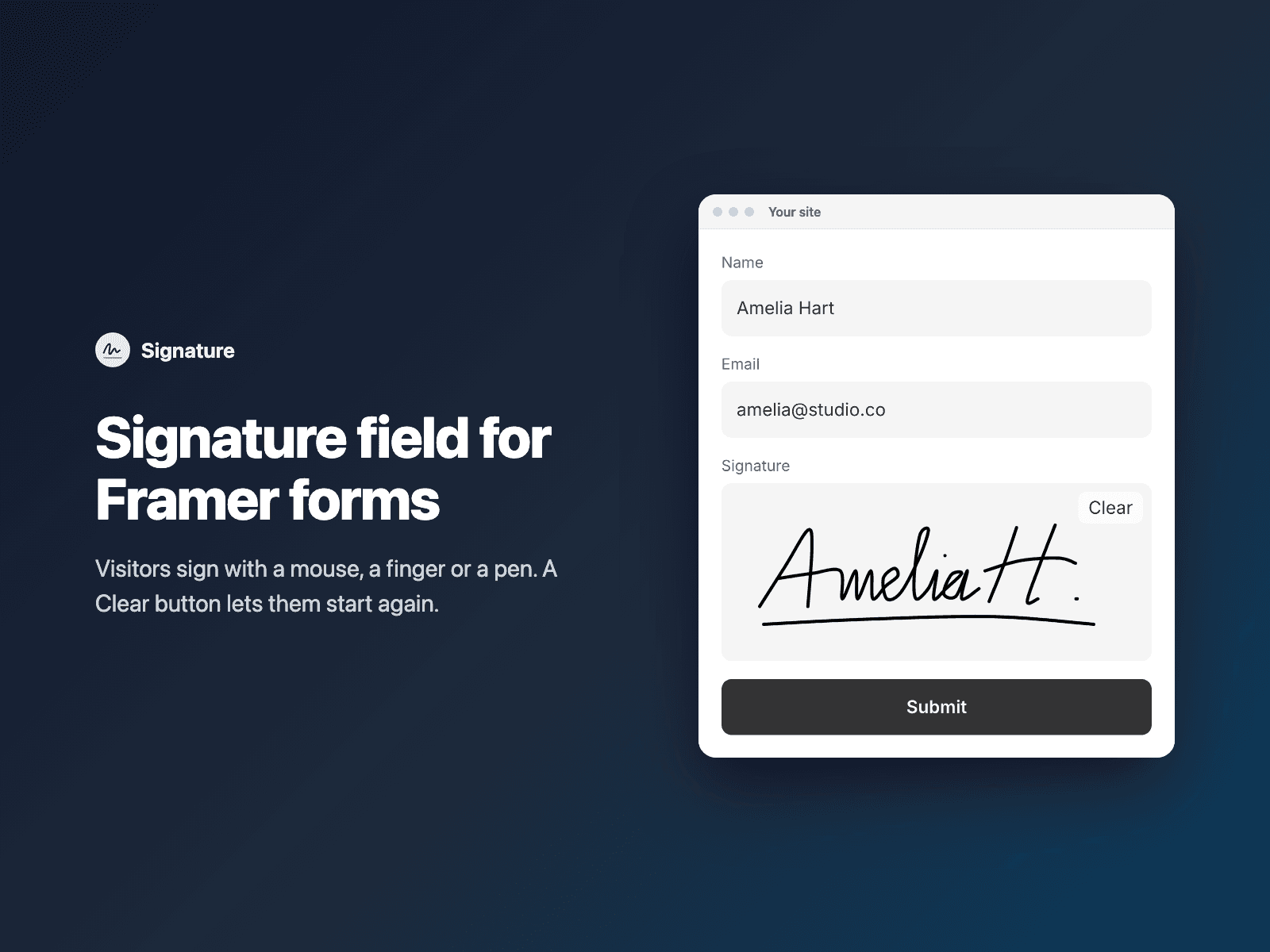
Signature field for Framer formsAdd a signature field to your native Framer form.
Visitors sign with a mouse, a finger or a pen. A Clear button lets them start again. When they finish a stroke, the signature is saved as a PNG image, trimmed to the ink and at most 600px wide.
Included in every FramerSend plan. Free for 14 days, no card, then from $5/month.
What your form receives
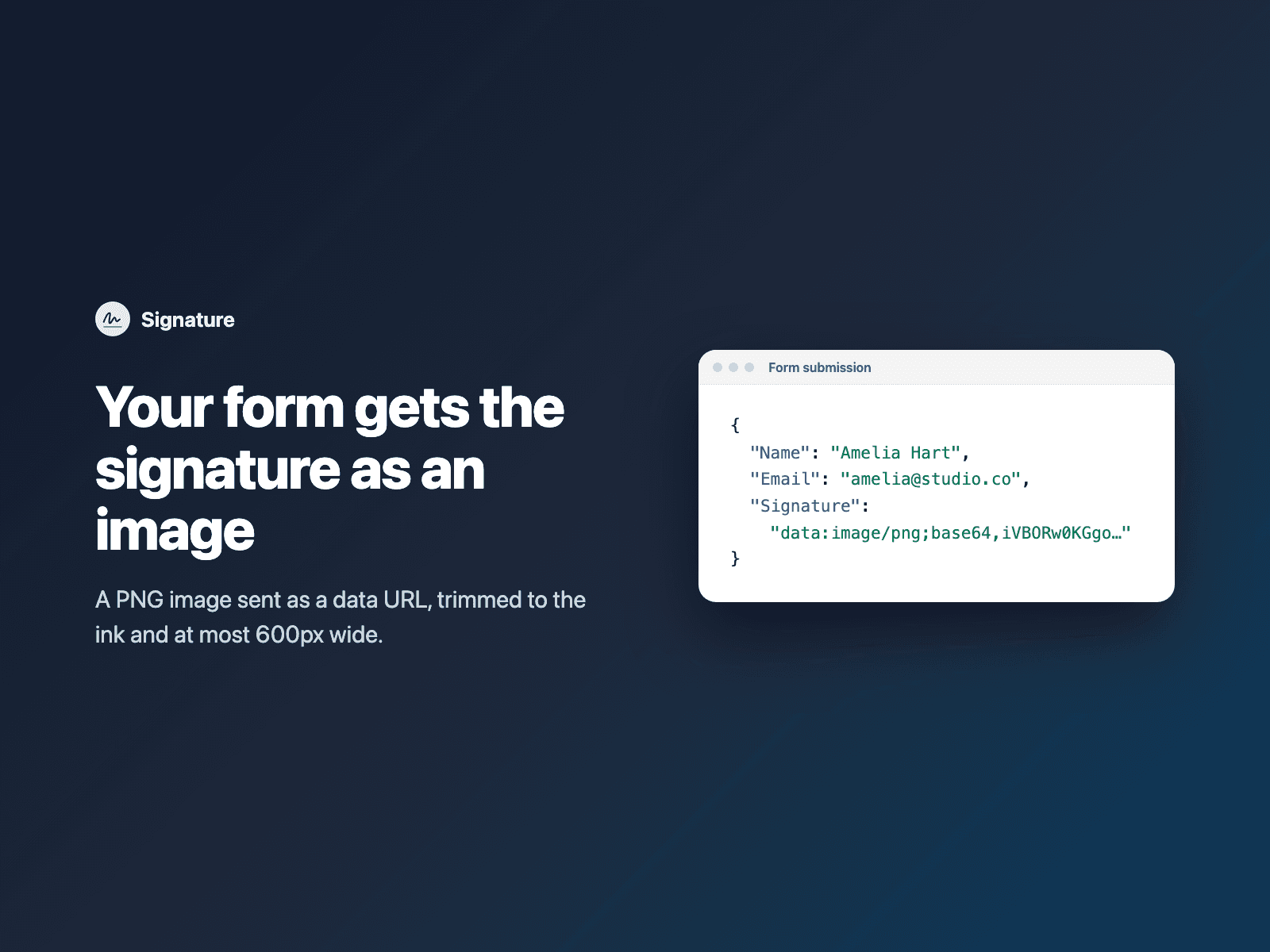
The signature as a PNG data URL (text that starts with data:image/png;base64), under the field name you choose.
It is part of the native Framer form submission, so it goes wherever your form sends: email, Google Sheets, webhooks, or FramerSend connectors.
{
  "Name": "Amelia Hart",
  "Email": "amelia@studio.co",
  "Signature": "data:image/png;base64,iVBORw0KGgoAAAANSUhEUg..."
}
How it works
No code, right inside Framer
Select your form
Select your Form on the Framer canvas.
Insert the field
Open Signature and click Insert signature field. It is added above the submit button at full width.
Set it up
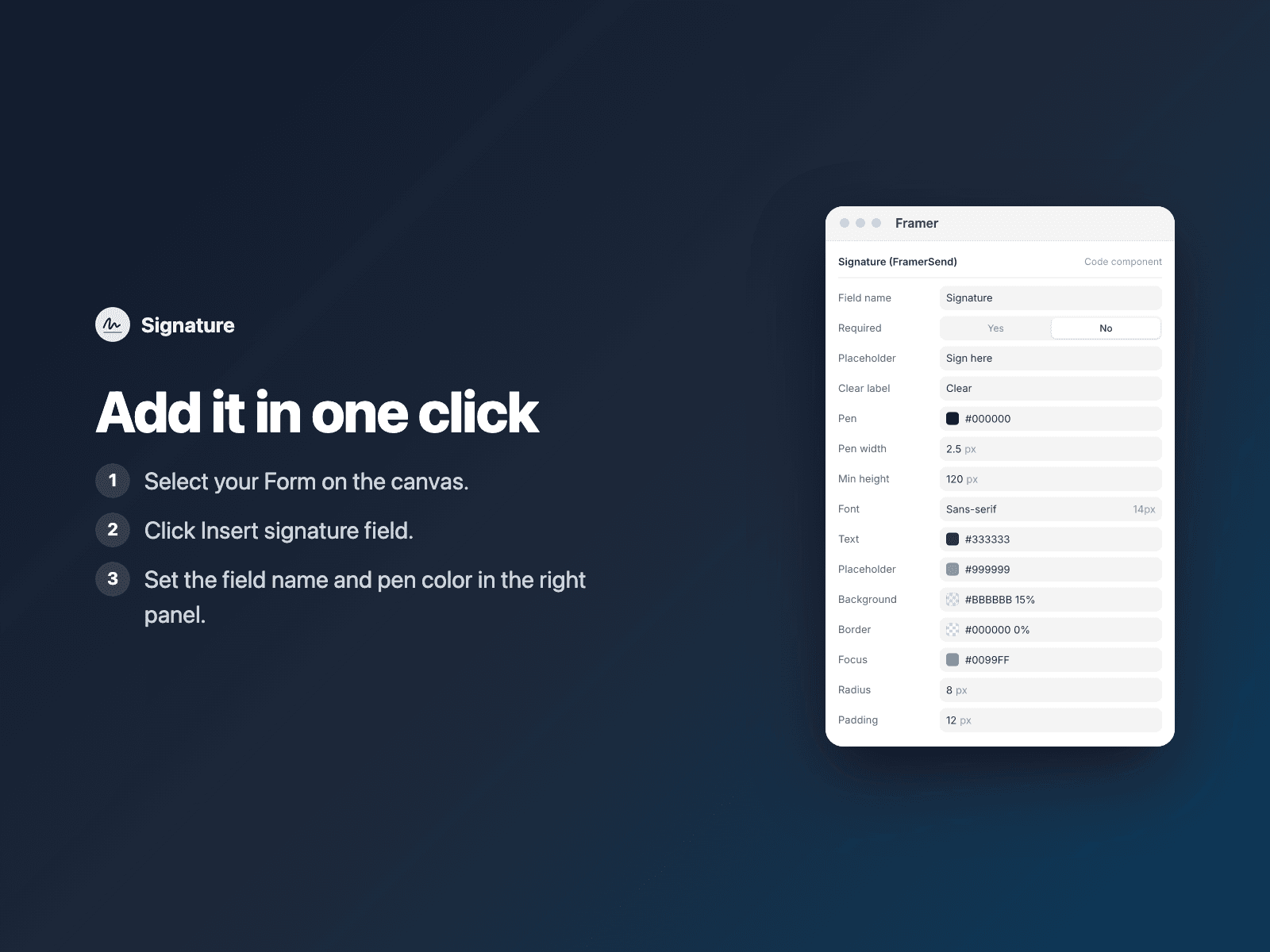
In the right panel, set the field name and pen color.
Options
- Required, with your own error text
- Placeholder text and Clear button label
- Pen color and width
- Minimum height
- Font, colors, radius and padding
Written into your project as a code component. No external scripts, no network requests on your site.
Frequently asked questions
What does my form receive?
A PNG image of the signature as a data URL, text that starts with data:image/png;base64. It is trimmed to the ink and at most 600px wide.
Which form destinations work best?
The image is sent as text, so it suits destinations that accept long values, such as webhooks and FramerSend. Some destinations, for example Google Sheets cells or email notifications, may cut long text or show it as raw text instead of an image.
Can visitors sign on a phone?
Yes. Visitors can sign with a mouse, a finger or a pen, and a Clear button lets them start again.
Does it slow down my site?
The field is a code component written into your project. It loads no external scripts and makes no network requests on your site.
How much does Signature cost?
Signature is included in every FramerSend plan, together with the other field plugins and every connector. It is free for 14 days with no card, then from $5/month, $39/year or $89 one-time.
How do I sign in to the plugin?
With your FramerSend account. The plugin opens framersend.com/plugin/connect, you approve, and it signs in by itself.
Add Signature to your Framer form
Included in every FramerSend plan with all 9 field plugins and every connector. Free for 14 days, then from $5/month.