Address Autocomplete for Framer forms
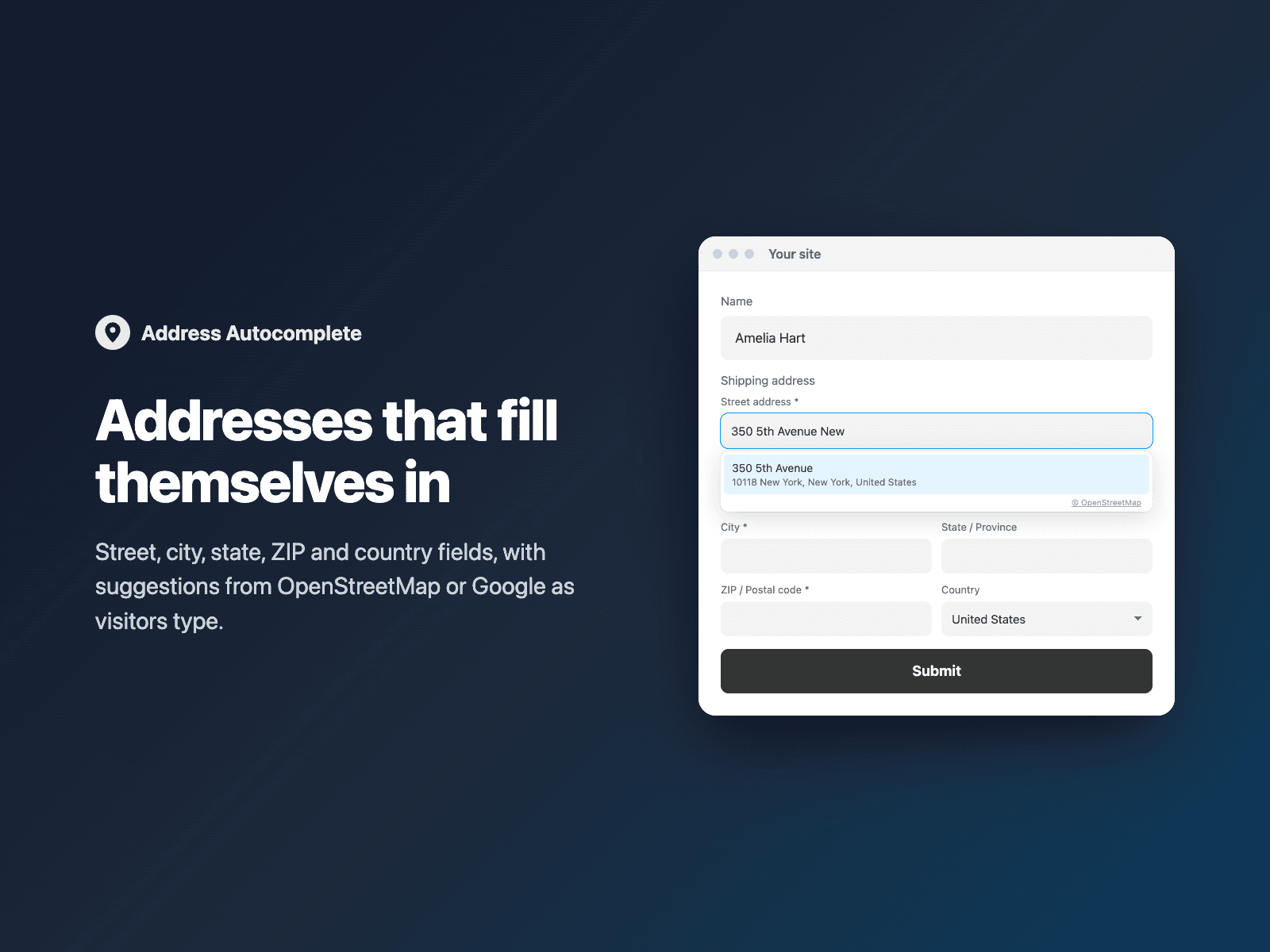
Address fields for Framer formsAdd a complete address to your native Framer form: street, apartment or suite, city, state or province, ZIP or postal code, and a country list. Each part is sent as its own field, so shipping tools, Google Sheets and CRMs get clean columns.
Autocomplete is optional. Keep plain address fields (the default), turn on free suggestions from OpenStreetMap through Photon (photon.komoot.io), or use Google Places with your own API key. Picking a suggestion fills the street, city, state, ZIP and country, and visitors can still edit every field.
Available right now inside FramerSend Fields (our all-in-one Marketplace plugin). Free for 14 days, no card, then from $5/month.
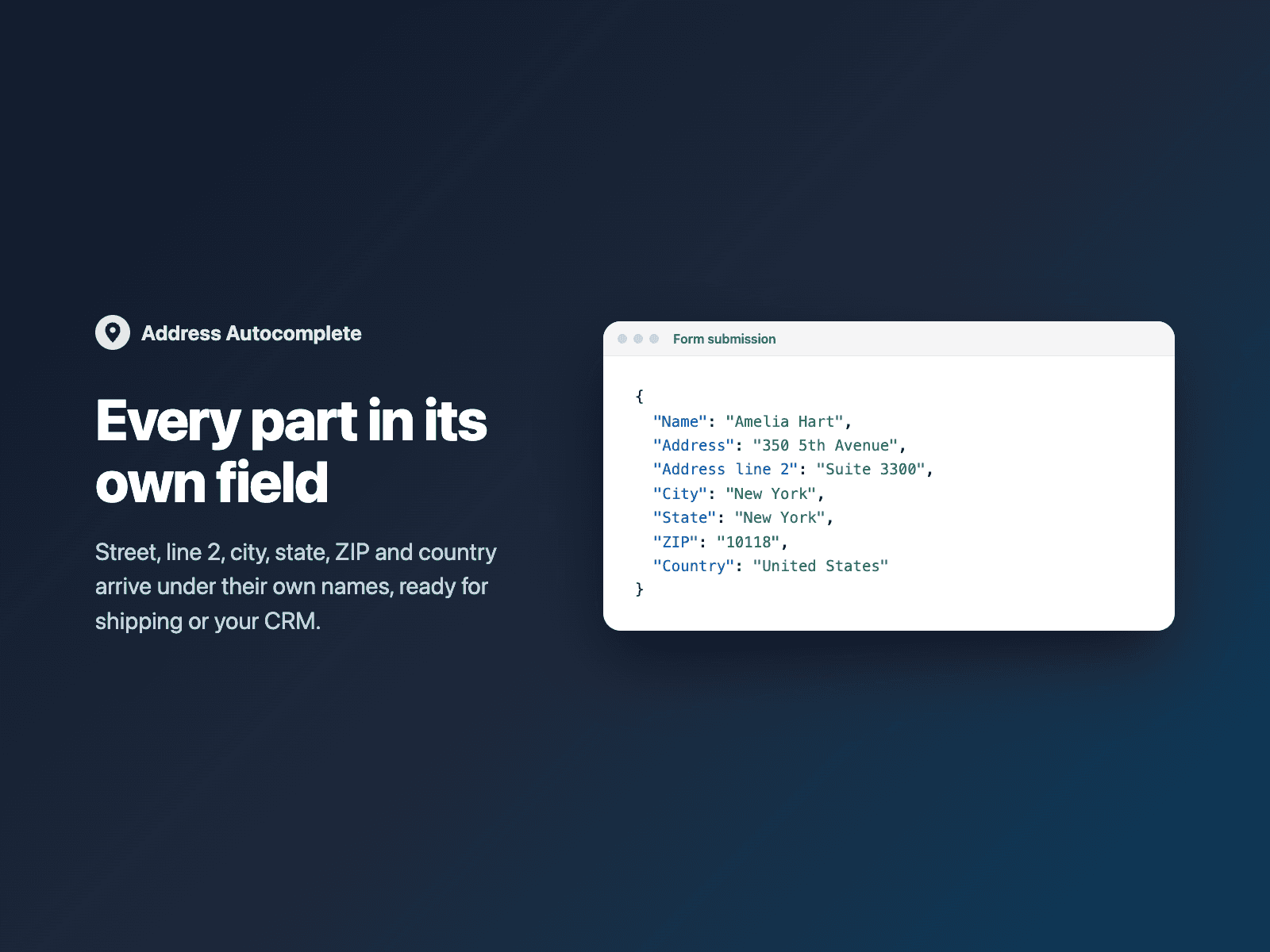
What your form receives
Each part of the address as its own field. Rename any of them in the panel, and send the country as a name or a code.
It is part of the native Framer form submission, so it goes wherever your form sends: email, Google Sheets, webhooks, or FramerSend connectors.
{
  "Name": "Amelia Hart",
  "Address": "350 5th Avenue",
  "City": "New York",
  "State": "New York",
  "ZIP": "10118",
  "Country": "United States"
}
How it works
No code, right inside Framer
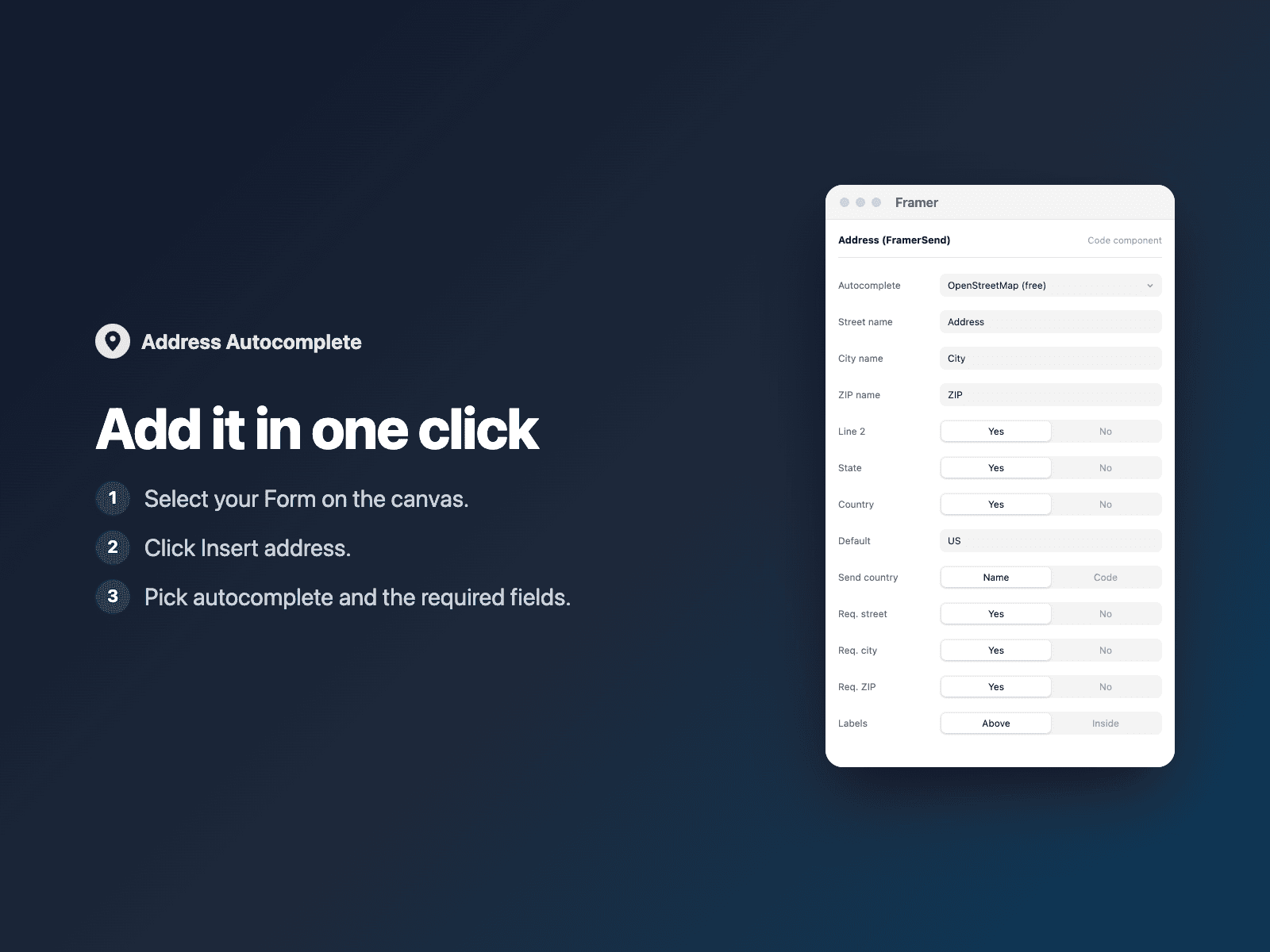
Select your form
Select your Form on the Framer canvas.
Insert the field
Open Address Autocomplete and click Insert address. It is added above the submit button at full width.
Set it up
In the right panel, pick autocomplete and the required fields.
Options
- Autocomplete: none, OpenStreetMap (free, no key) or Google (your key)
- A field name for each part
- Show or hide line 2, state and country
- Default country, and limit the list and suggestions to some countries
- Country as a name or a code
- Which fields are required, with your own error text
- Labels above or inside the fields
- Column width, field size, radius, gap, colors and fonts
Written into your project as a code component. With autocomplete off it loads no external scripts and makes no network requests on your site.
Frequently asked questions
Where do the suggestions come from?
From the provider you pick. OpenStreetMap uses Photon (photon.komoot.io), a free geocoder: the typed street is sent to that service, at most once every 300 ms after 3 characters, and results show "© OpenStreetMap". Google uses Google Places with your own API key (Places API (New)); Google bills its usage to your Google Cloud account.
Does it make network requests on my site?
Only when autocomplete is on. With None (the default) it loads no external scripts and makes no requests, and the browser's own address autofill keeps working. With Google, the Maps JavaScript API is loaded only when a visitor starts typing.
Is it keyboard accessible?
Yes. Every field has a label. Arrow keys move through the suggestions, Enter picks one without submitting the form, and Escape closes the list.
How much does Address Autocomplete cost?
Address Autocomplete is included in every FramerSend plan, together with the other field plugins and every connector. It is free for 14 days with no card, then from $5/month, $39/year or $89 one-time.
How do I sign in to the plugin?
With your FramerSend account. The plugin opens framersend.com/plugin/connect, you approve, and it signs in by itself.
Add Address Autocomplete to your Framer form
Included in every FramerSend plan with all 73 field plugins and every connector. Free for 14 days, then from $5/month.