How to Require a Work Email in a Framer Form (Block Gmail & Temp Mail)
Stop personal Gmail, Yahoo, Outlook and burner temp-mail signups on your native Framer form, with allowlists, competitor blocks and CRM company-domain routing.

Dong Trinh
Lead Architect at FramerSend
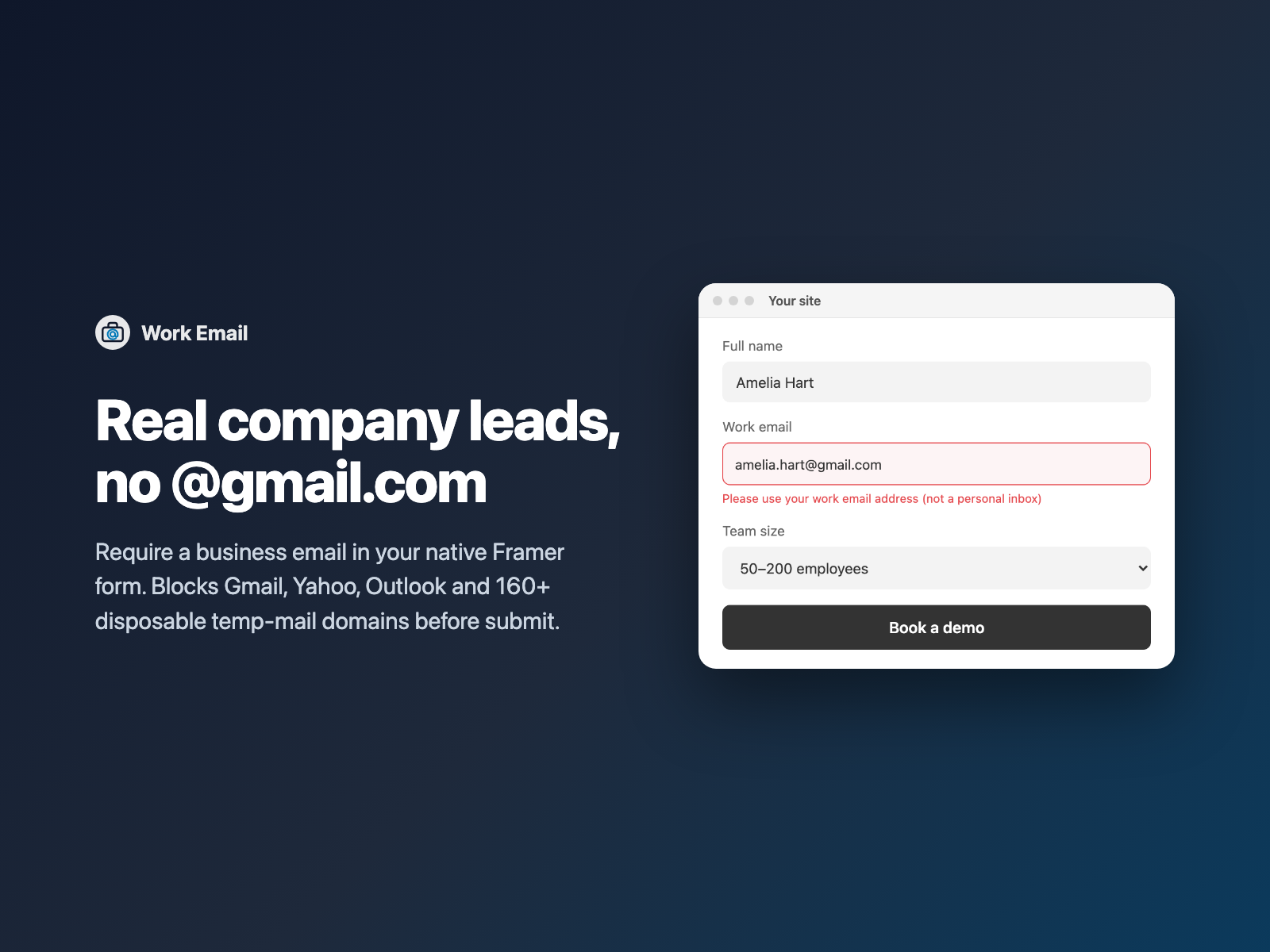
Demo request forms, enterprise pricing inquiries, gated whitepapers and partner portals share the same headache: half the entries arrive as test@gmail.com, asdf@yahoo.com or ten-minute burner addresses. Sales reps waste time chasing dead inboxes, enrichment tools draw a blank, and automated sequences bounce.
Work Email drops a business-email input directly into your native Framer form. Visitors typing a personal or disposable address see a clear, polite prompt to use their company email before the form can be sent — while your form still submits natively to Framer, HubSpot, Salesforce or any other FramerSend connector.
Why B2B Framer forms block personal and temp mail
Asking for a work address on high-intent B2B forms improves three things at once:
- Cleaner CRM routing. Tools like HubSpot, Pipedrive, Attio and Salesforce match contacts to company records automatically when the email domain is
stripe.cominstead oficloud.com. - Higher demo show rates. Prospects who book with their real company inbox receive calendar invites on the calendar they actually check during work hours.
- Zero burner downloads. Gated benchmarks, ROI calculators and sandbox trials stop leaking to 10-minute disposable inbox services.
Why an HTML regex pattern breaks in real life
A common workaround is pasting a pattern regex onto a text input to reject gmail.com, yahoo.com and hotmail.com. In production, that approach falls short fast:
| Workaround | What goes wrong |
|---|---|
Short regex (gmail, yahoo, hotmail) | Misses regional domains (yahoo.co.uk, gmx.de, qq.com, naver.com, mail.ru), icloud.com, proton.me, Apple Hide My Email (privaterelay.appleid.com) and 160+ burner services. |
| Browser default tooltip | Shows a generic "Please match the requested format" browser bubble instead of telling the visitor to enter their work address. |
No VIP or .edu exceptions | Blocks university researchers (.edu), public-sector buyers (.gov) or a founder you invited who happens to write from Gmail. |
| Subdomain bypass | user@mail.mailinator.com slips past an exact-match check unless parent domains are checked too. |
How Work Email validates addresses offline
Work Email is a self-contained Framer code component written into your project:
- 140+ free personal webmail domains built in — Gmail, Googlemail, Yahoo (all regional TLDs), Outlook, Hotmail, Live, MSN, iCloud/Me/Mac, AOL, Proton, Zoho personal, GMX, Web.de, Yandex, Mail.ru, QQ, 163, Naver, Daum and ISP webmail domains.
- 160+ disposable and privacy-relay domains built in — Mailinator, Guerrilla Mail, Temp-Mail, 10MinuteMail, Yopmail, Sharklasers, Trashmail, Maildrop, SimpleLogin, AnonAddy, Duck.com, Firefox Relay and Apple Private Relay.
- Subdomain-aware matching — blocking
competitor.comormailinator.comautomatically catchessales.competitor.comandsub.mailinator.com. - Zero network calls — every check runs locally in under a millisecond. Visitor addresses are never sent to an external validation server.
If you want typo suggestions on public consumer forms instead of blocking Gmail, pair Email Typo Fix on newsletter forms and keep Work Email on demo and sales forms.
Set it up in three steps
- Open FramerSend Fields on the Framer canvas, select your Form, and pick Work Email.
- Choose a preset (B2B SaaS / Demo blocks free + disposable mail; Gated Content blocks disposable mail only; Strict Enterprise adds competitor domain blocking) and click Insert Work Email.
- Style fonts, borders, focus rings and error colors right in Framer's properties panel, then publish.
Allowlists, competitor blocks and CRM domain routing
Real B2B pipelines always have edge cases, so every rule is editable in the right panel without touching code:
- Allowlist exceptions: allow specific domains (
partner.org), TLD suffixes (.edu,.gov,.ac.uk) or exact email addresses (advisor@gmail.com) even when personal webmail is blocked. - Custom blocked domains: paste competitor domains (
rival.io,competitor.com) so rival reps cannot book demos or download pricing sheets. - Allowlist-only mode: flip Mode from Block listed providers to Allowlist only for internal employee forms, deal-registration portals or invite-only partner pages.
- Hidden company domain field: enable Send company domain to submit a second hidden field (default
company_domain, e.g.linear.app) so HubSpot, Salesforce or Slack notifications show the company immediately.
What we tested
Our automated Playwright harness runs 38 end-to-end checks on Work Email inside a real HTML form: blocking personal and burner domains, subdomain matching, .edu suffix and exact-email exceptions, Allowlist-only mode, lowercase normalization on blur, native checkValidity() / reportValidity() form gating, Framer form reset recovery, and the hidden company_domain input.
Work Email is available today inside FramerSend Fields and on its field overview page. Every plan includes all 72 Framer form fields and 110+ CRM connectors, starting at $5/month after a 14-day free trial.
Frequently asked questions
Can a native Framer form block @gmail.com and @yahoo.com?
Not out of the box. Framer's standard email input accepts any syntactically valid address. Work Email replaces the email field inside your native Framer form and blocks 140+ free webmail providers and 160+ disposable temp-mail domains before submission.
Does Work Email send visitor email addresses to a third-party verification API?
No. Validation runs 100% offline inside the visitor's browser with zero external scripts and zero network requests, keeping your page fast and GDPR-friendly.
What if a real buyer uses a .edu, .gov, or specific partner @gmail.com address?
Add exceptions in the right panel: full domains (partner.org), TLD suffixes (.edu, .gov), or individual VIP addresses (founder@gmail.com) pass right through even when free webmail blocking is turned on.
Can I restrict a form so only employees or approved partners can submit it?
Yes. Switch Mode to Allowlist only and list the approved domains (for example acme.com, partner.co.uk). Every other domain is rejected with your custom message.
How can my CRM route leads by company without asking for a separate Company field?
Turn on Send company domain in the Work Email component settings. It writes the extracted domain (such as stripe.com) into a hidden input like company_domain alongside the email address.
Where do I install Work Email?
Open FramerSend Fields on the Framer Marketplace, search Work Email, and click Insert. It is included in every FramerSend plan, starting at $5/month after a 14-day free trial with no card.
Connect Framer to 100+ CRMs in 60 seconds
14-day free trial, no card needed. Copy your Submit URL and paste straight into Framer.
Related Articles
How to Connect Framer Forms to Any CRM in 2026 (No Code & No Zapier)
A complete step-by-step tutorial on routing native Framer form submissions directly into Klaviyo, HubSpot, Mailchimp, or Salesforce in under 60 seconds.
Framer Form Not Sending? 9 Fixes for Submissions That Never Arrive
Framer form not sending or submissions not arriving? Work through 9 fixes: publishing, Send To settings, validation, spam filters, webhooks and field names.
How to Show Personalized Quiz Results and Outcome Cards in Native Framer Forms
Turn Quiz Score totals, Calculator quotes and dropdown answers into tailored result cards with their own badge, headline and CTA — inside native Framer forms.