Voice Recording for Framer forms
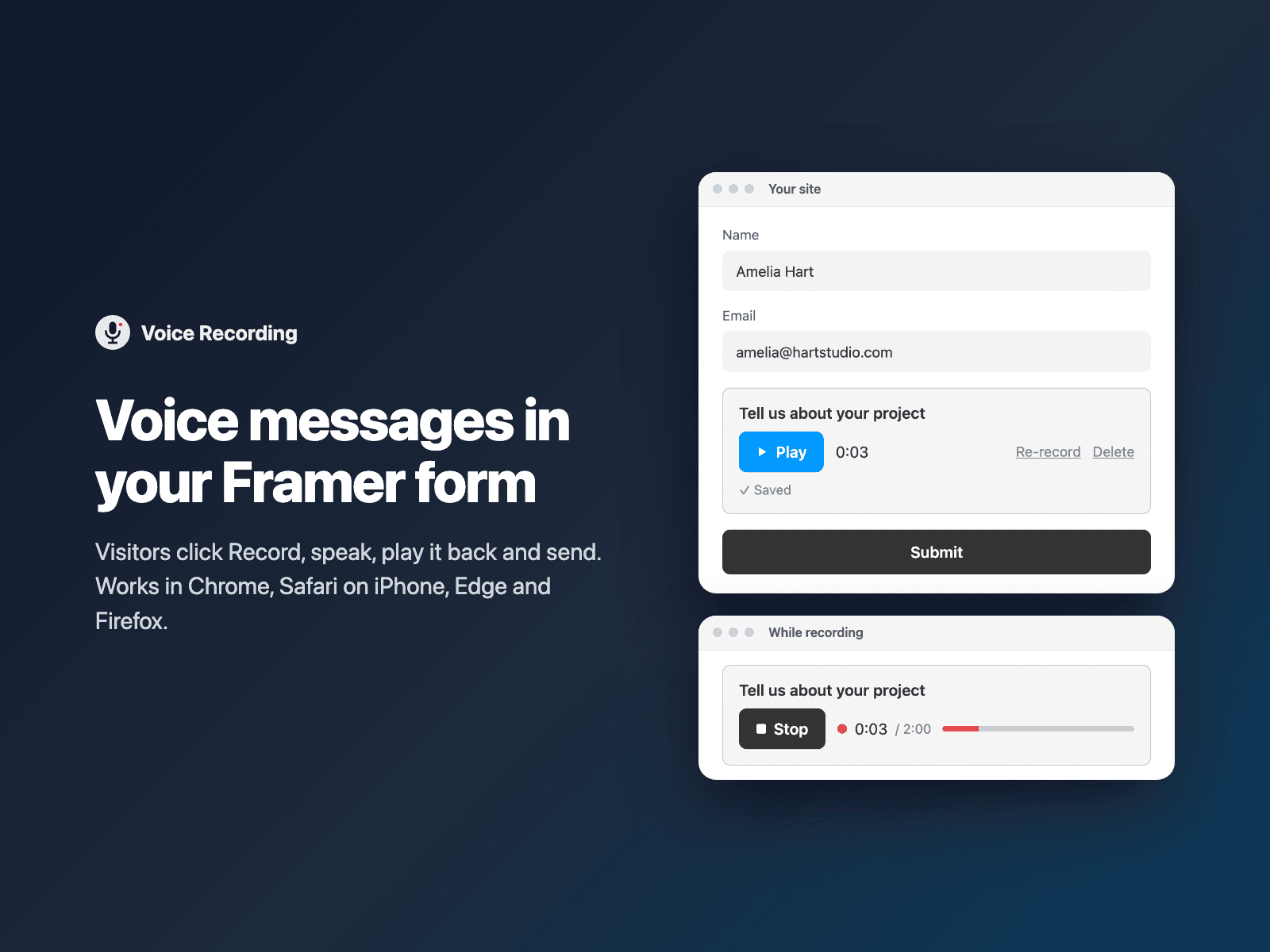
Voice messages in native Framer formsLet visitors record a voice message right in your native Framer form. They click Record, see the time and a level meter, then play it back, record again or delete it before sending.
The recording uploads straight from the browser and your form receives a private link to the audio. No storage to set up: recordings go to FramerSend storage (kept 90 days), or to your own AWS S3, Google Drive or Supabase Storage if you connect one.
Available right now inside FramerSend Fields (our all-in-one Marketplace plugin). Free for 14 days, no card, then from $5/month.
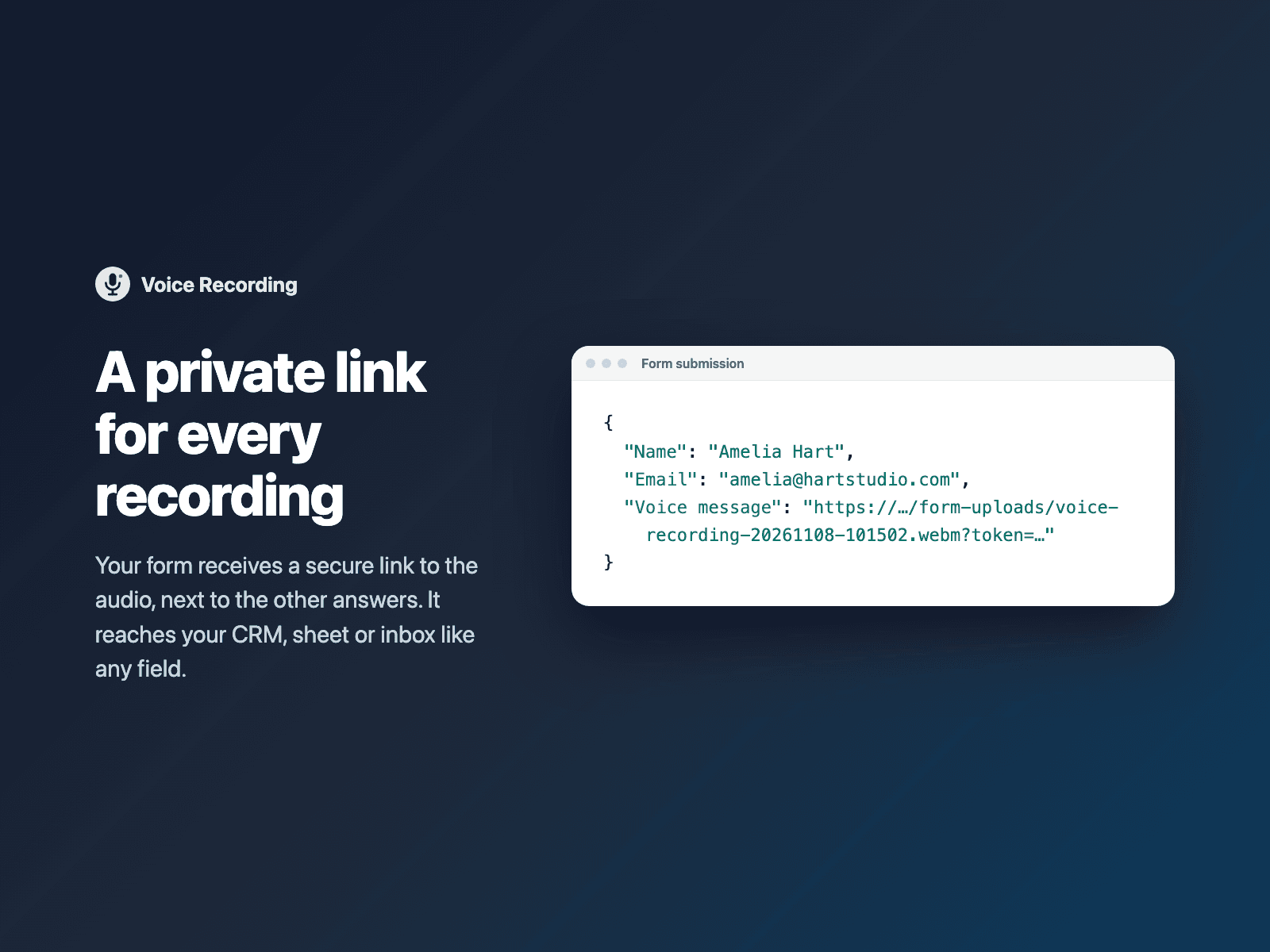
What your form receives
A private link to the recording, which reaches your CRM, sheet or email like any other field.
It is part of the native Framer form submission, so it goes wherever your form sends: email, Google Sheets, webhooks, or FramerSend connectors.
{
  "Name": "Amelia Hart",
  "Email": "amelia@studio.co",
  "Voice message": "https://…/form-uploads/voice-recording-20261108-101502.webm?token=…"
}
How it works
No code, right inside Framer
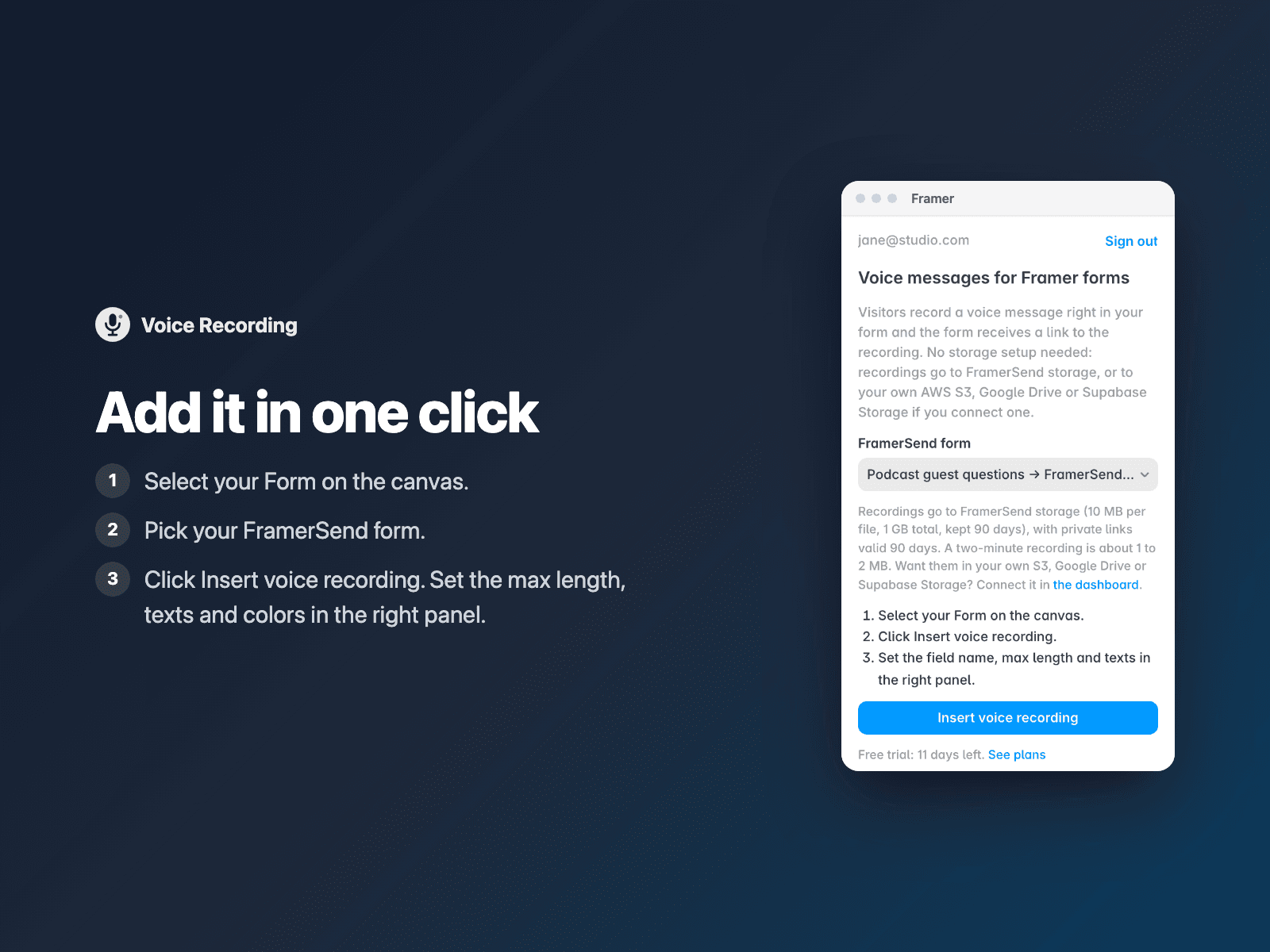
Select your form
Select your Form on the Framer canvas.
Pick your FramerSend form
Open Voice Recording and choose the FramerSend form the recordings belong to.
Insert
Click Insert voice recording and publish your site.
Options
- Record, stop, play back, re-record and delete
- Max length (2 minutes by default, stops by itself)
- Required, with the form held while recording or uploading
- Chrome, Edge, Firefox (WebM) and Safari on iPhone and Mac (M4A)
- Optional: upload an existing audio file instead
- Button texts, messages, colors and font
The field is a code component written into your project. It loads no external scripts; it only talks to framersend.com to sign each upload and to the storage URL it signs. The microphone is used only after the visitor clicks Record.
Frequently asked questions
Which browsers work?
Chrome, Edge and Firefox record WebM audio; Safari on iPhone, iPad and Mac records M4A audio. If the microphone is blocked or missing, the visitor sees a clear message.
Do I need my own storage?
No. Recordings go to FramerSend storage, kept 90 days with private links. Connect AWS S3, Google Drive or Supabase Storage if you want them in your own account.
Can the form be sent while recording?
No. The form waits until the recording is stopped and uploaded. When the field is required, the form asks for a recording first.
Is it included in my plan?
Yes, Voice Recording is included in every FramerSend plan.
How much does Voice Recording cost?
Voice Recording is included in every FramerSend plan, together with the other field plugins and every connector. It is free for 14 days with no card, then from $5/month, $39/year or $89 one-time.
How do I sign in to the plugin?
With your FramerSend account. The plugin opens framersend.com/plugin/connect, you approve, and it signs in by itself.
Add Voice Recording to your Framer form
Included in every FramerSend plan with all 73 field plugins and every connector. Free for 14 days, then from $5/month.