Terms Box for Framer forms
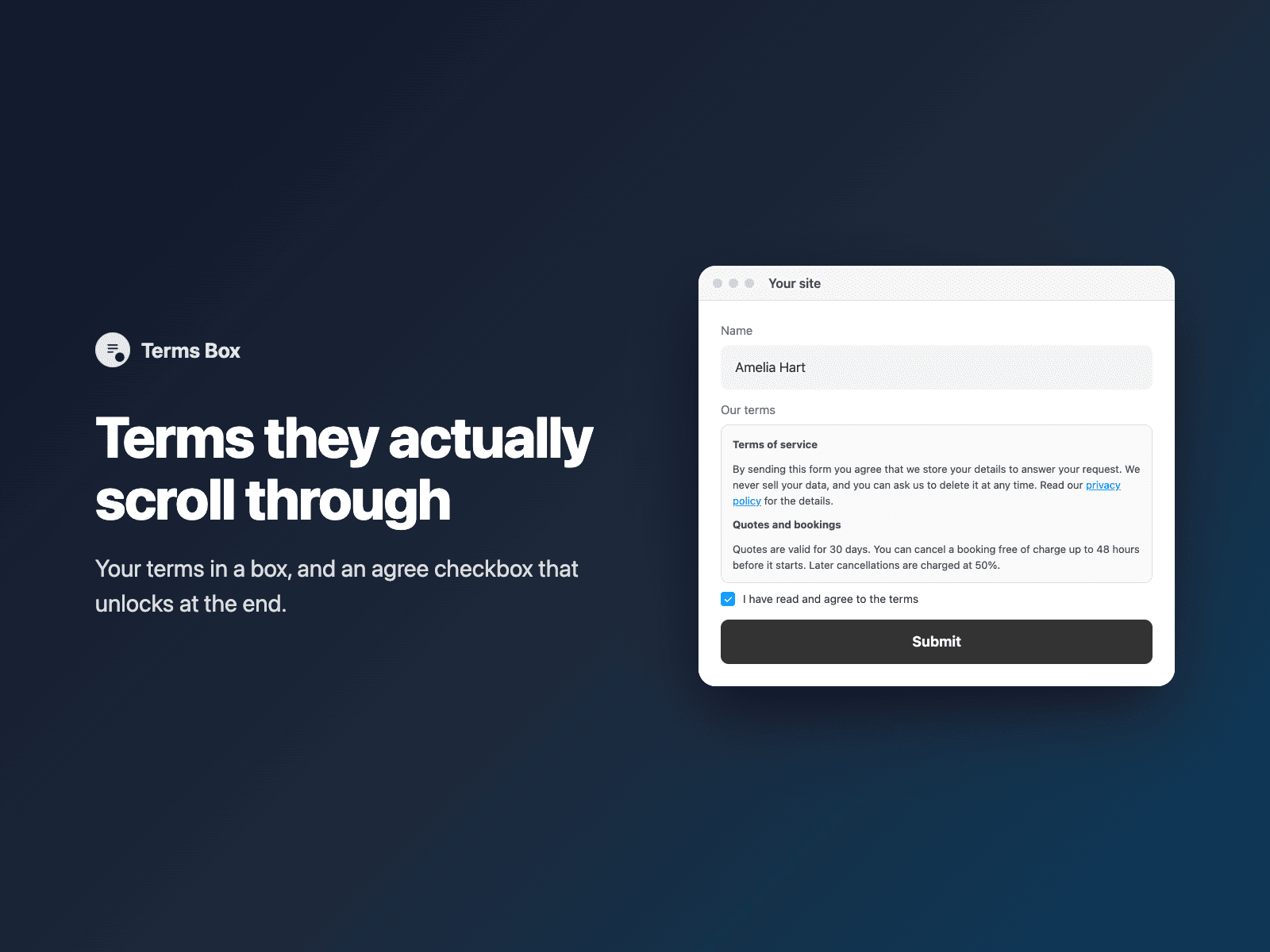
Scroll-to-agree terms for formsShow your terms in a scrollable box inside your native Framer form, with an "I have read and agree" checkbox below it.
Optionally keep the checkbox locked until visitors scroll to the end. Bold text, paragraphs and links are supported.
Available right now inside FramerSend Fields (our all-in-one Marketplace plugin). Free for 14 days, no card, then from $5/month.
What your form receives
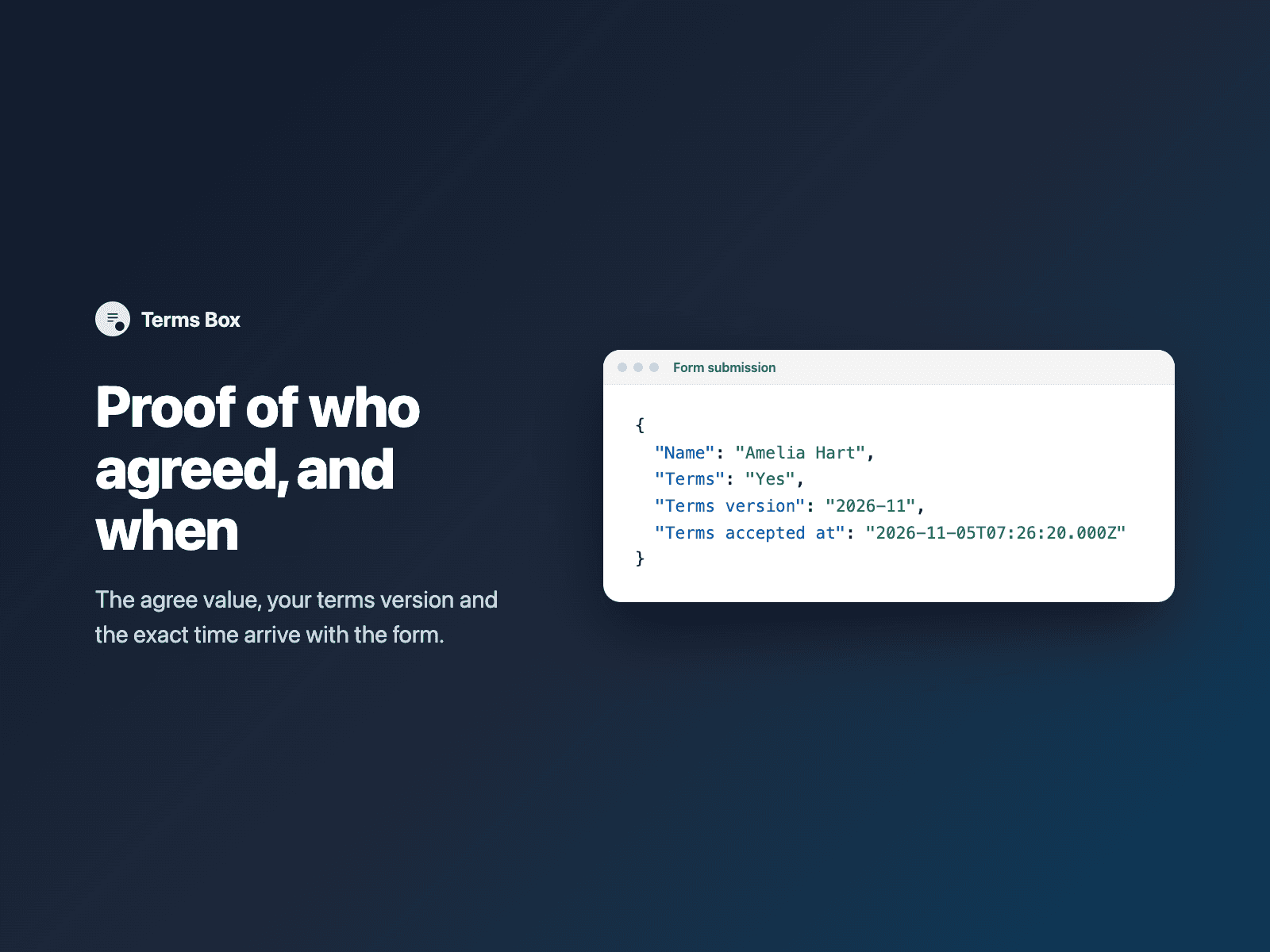
The agreement, plus the terms version and the moment it was accepted, so you have a record.
It is part of the native Framer form submission, so it goes wherever your form sends: email, Google Sheets, webhooks, or FramerSend connectors.
{
  "Name": "Amelia Hart",
  "Email": "amelia@studio.co",
  "Terms": "Yes",
  "Terms version": "2026-11",
  "Terms accepted at": "2026-11-05T10:03:24.117Z"
}
How it works
No code, right inside Framer
Select your form
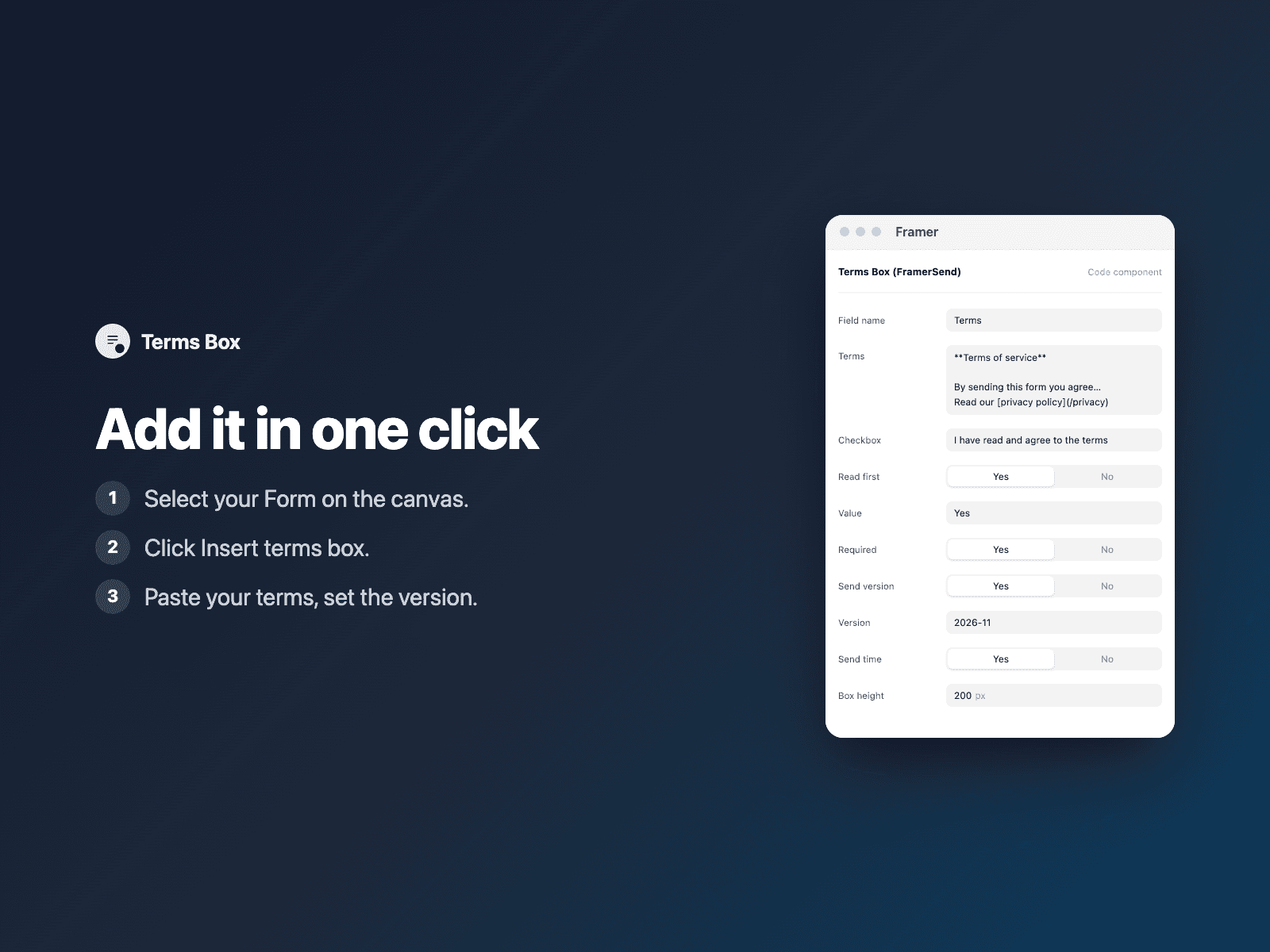
Select your Form on the Framer canvas.
Insert the field
Open Terms Box and click Insert terms box. It is added above the submit button at full width.
Set it up
In the right panel, paste your terms and set the version.
Options
- Terms text with **bold**, paragraphs and links
- Read first: unlock after scrolling to the end
- Checkbox label and value
- Terms version and accepted-at time
- Required, with your own error text
- Box height, colors and fonts
Written into your project as a code component. No external scripts, no network requests on your site.
Frequently asked questions
Can I make visitors scroll first?
Yes. With Read first on, the checkbox unlocks only when the visitor reaches the end of the terms. Short terms that fit unlock right away.
What is recorded?
"Yes", the terms version you set and the time of acceptance in ISO format, all in the same submission.
Does it slow down my site?
The field is a code component written into your project. It loads no external scripts and makes no network requests on your site.
How much does Terms Box cost?
Terms Box is included in every FramerSend plan, together with the other field plugins and every connector. It is free for 14 days with no card, then from $5/month, $39/year or $89 one-time.
How do I sign in to the plugin?
With your FramerSend account. The plugin opens framersend.com/plugin/connect, you approve, and it signs in by itself.
Add Terms Box to your Framer form
Included in every FramerSend plan with all 73 field plugins and every connector. Free for 14 days, then from $5/month.