Spam Shield for Framer forms
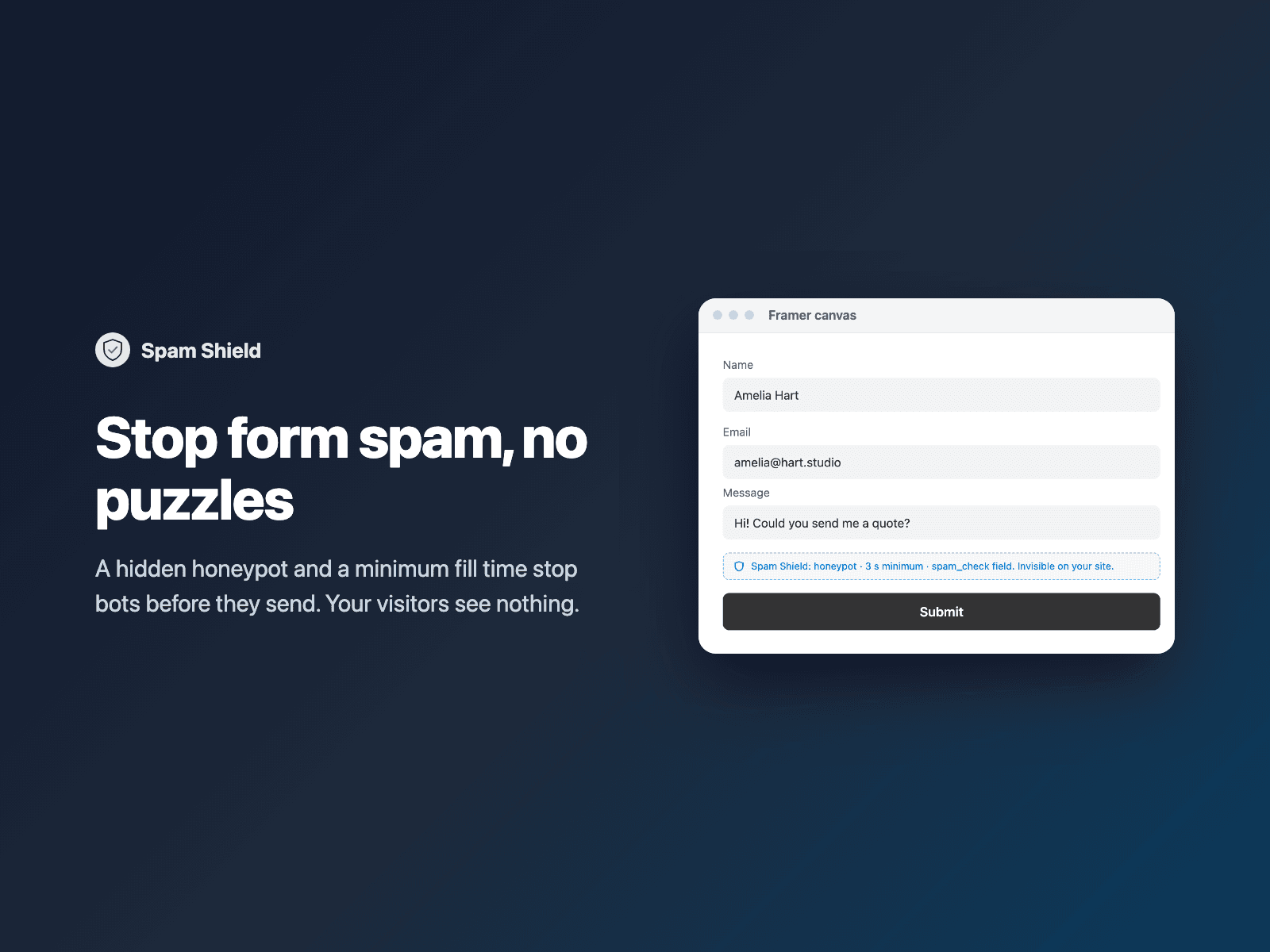
Stop spam in Framer formsStop spam bots from sending your native Framer forms, without making visitors solve puzzles.
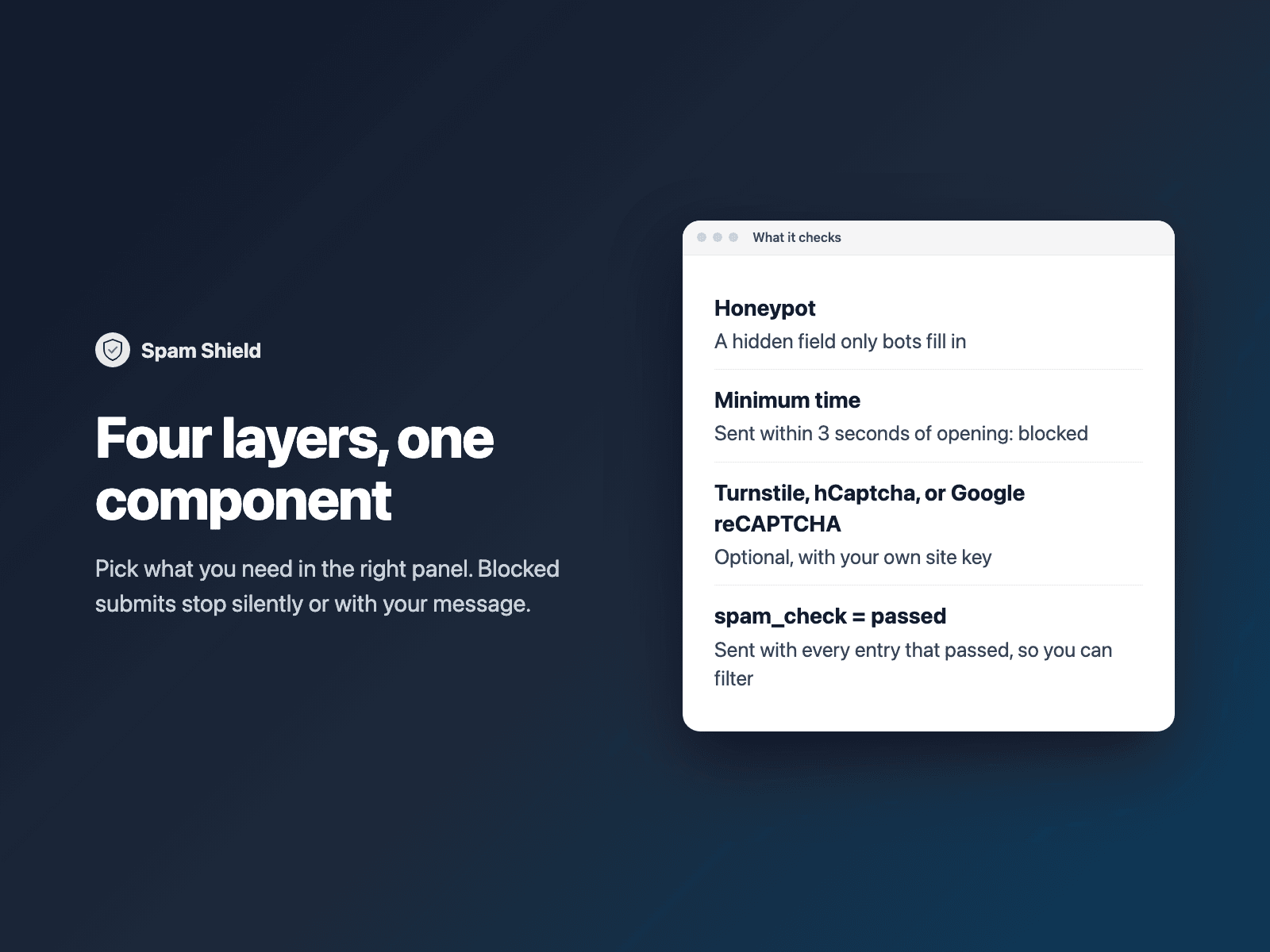
Spam Shield is invisible on your site. It adds a honeypot, a hidden field that people never see and bots fill in, and a minimum fill time: a form sent faster than a person could (3 seconds by default) is stopped. Want more? Pick a captcha — Cloudflare Turnstile, hCaptcha, or Google reCAPTCHA — add your own site key, and Spam Shield shows the check above the submit button (or runs an invisible hCaptcha or Google reCAPTCHA when the form is sent).
Available right now inside FramerSend Fields (our all-in-one Marketplace plugin). Free for 14 days, no card, then from $5/month.
What your form receives
Every entry that passed the checks arrives with spam_check: passed, so you can filter or route on it. With a captcha on, the token is sent as cf-turnstile-response (Turnstile), h-captcha-response (hCaptcha), or g-recaptcha-response (Google reCAPTCHA). With FramerSend, add the captcha's secret key in the form's settings and every token is also checked on the server.
It is part of the native Framer form submission, so it goes wherever your form sends: email, Google Sheets, webhooks, or FramerSend connectors.
{
  "Name": "Amelia Hart",
  "Email": "amelia@studio.co",
  "Message": "Hi, we'd like a quote for a new site.",
  "spam_check": "passed"
}
How it works
No code, right inside Framer
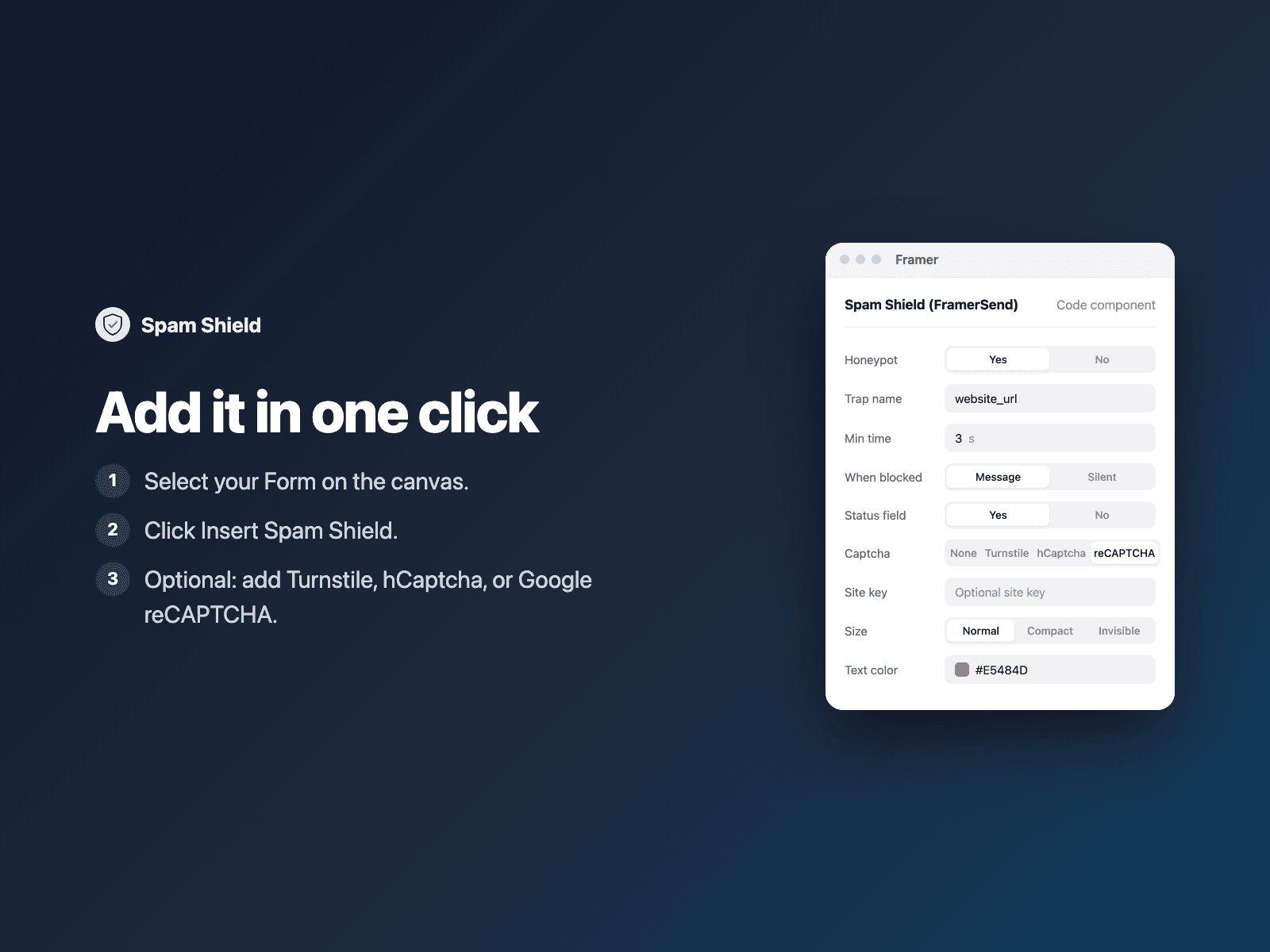
Select your form
Select your Form on the Framer canvas.
Insert Spam Shield
Open Spam Shield and click Insert Spam Shield. It is added above the submit button.
Optional: add a captcha
In the right panel, pick Turnstile, hCaptcha, or Google reCAPTCHA and add its site key.
Options
- Honeypot on or off, and its field name
- Minimum fill time (0 to turn it off)
- Stop blocked submits silently, or with your own message
- The spam_check field on or off, and its name
- Captcha: none, Cloudflare Turnstile, hCaptcha, or Google reCAPTCHA
- Turnstile site key, theme and size
- hCaptcha site key, theme (auto, light, dark) and size (normal, compact, invisible)
- Google reCAPTCHA v2 site key, theme (auto, light, dark) and size (normal, compact, invisible)
- Alignment, font and text color
Written into your project as a code component. Without a captcha it loads no external scripts and makes no network requests. Only the chosen captcha's official script is loaded when a site key is set: challenges.cloudflare.com (Turnstile), js.hcaptcha.com (hCaptcha), or www.google.com/recaptcha (Google reCAPTCHA).
Frequently asked questions
Do visitors have to solve a puzzle?
No. The honeypot and the minimum fill time are invisible. Only if you turn on a captcha (Cloudflare Turnstile, hCaptcha, or Google reCAPTCHA) with your site key do visitors see its check above the submit button. Invisible hCaptcha and Invisible reCAPTCHA show a challenge only when needed.
Does FramerSend check the captcha token?
Yes. Add the captcha's secret key (Turnstile, hCaptcha, or Google reCAPTCHA) in the form's settings in FramerSend and every token is also checked on the server with that provider, so bots that skip the browser are dropped too. Other destinations get the token as cf-turnstile-response, h-captcha-response, or g-recaptcha-response and can check it with your secret key.
Can I use Google reCAPTCHA or hCaptcha instead of Turnstile?
Yes. Set Captcha to Google reCAPTCHA or hCaptcha in the right panel and add your site key. Both support theme (auto, light, dark) and size (normal checkbox, compact, or invisible check on submit).
Does it load external scripts?
Without a captcha it loads no external scripts and makes no network requests. With a captcha key set, only the chosen provider's script is loaded.
How much does Spam Shield cost?
Spam Shield is included in every FramerSend plan, together with the other field plugins and every connector. It is free for 14 days with no card, then from $5/month, $39/year or $89 one-time.
How do I sign in to the plugin?
With your FramerSend account. The plugin opens framersend.com/plugin/connect, you approve, and it signs in by itself.
Add Spam Shield to your Framer form
Included in every FramerSend plan with all 73 field plugins and every connector. Free for 14 days, then from $5/month.