Camera Capture for Framer forms
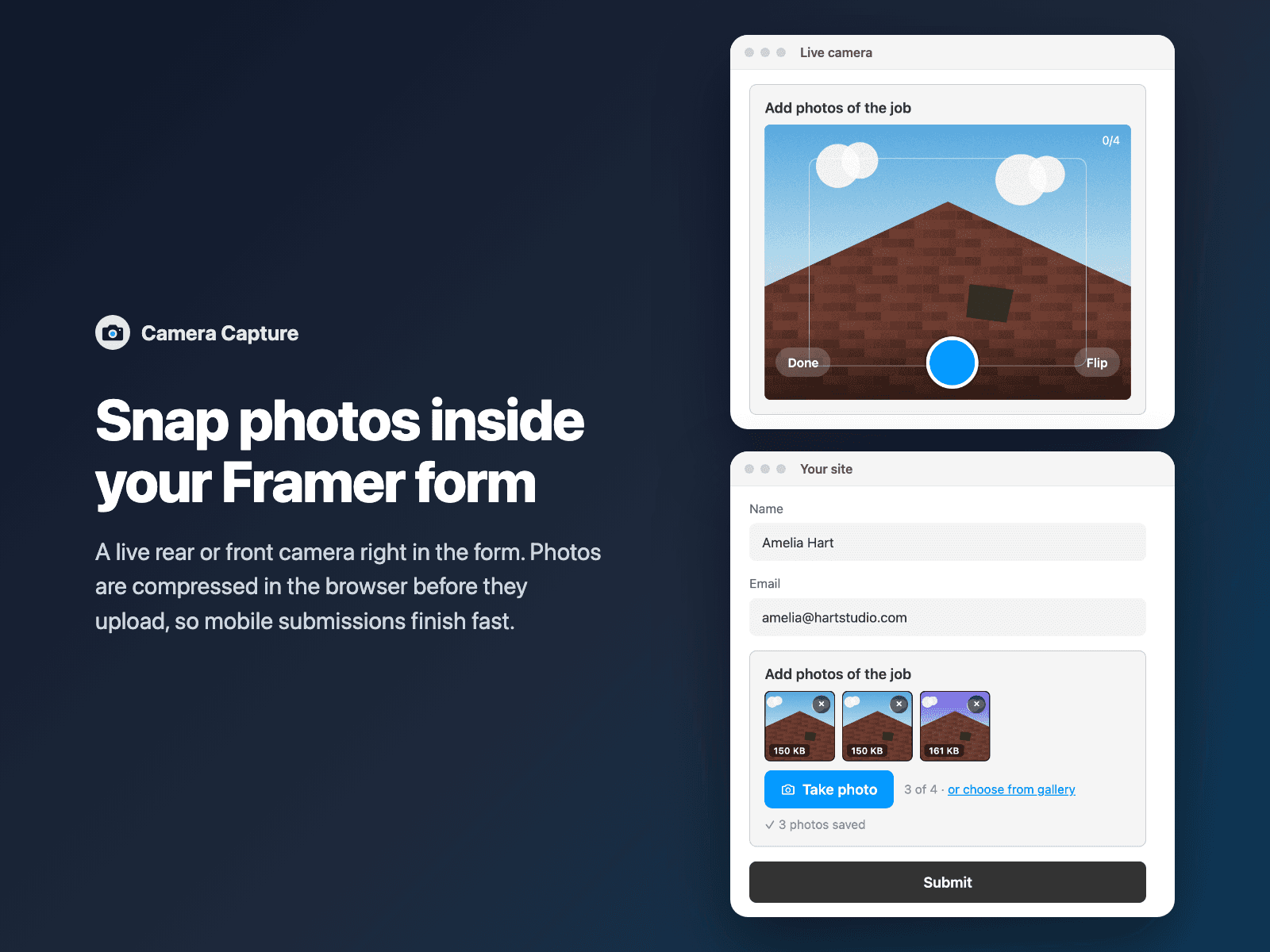
Snap & auto-compress photos in Framer formsLet visitors snap 1 to 6 photos right inside your native Framer form using a live rear or front camera viewfinder (with instant mobile camera fallback) — ideal for field-service quotes, property inspections, damage claims and ID check-ins.
Automatically resizes and compresses multi-megabyte phone photos down to lightweight JPEGs or WebPs directly in the browser before uploading straight to FramerSend storage, AWS S3, Google Drive or Supabase Storage.
Available right now inside FramerSend Fields (our all-in-one Marketplace plugin). Free for 14 days, no card, then from $5/month.
What your form receives
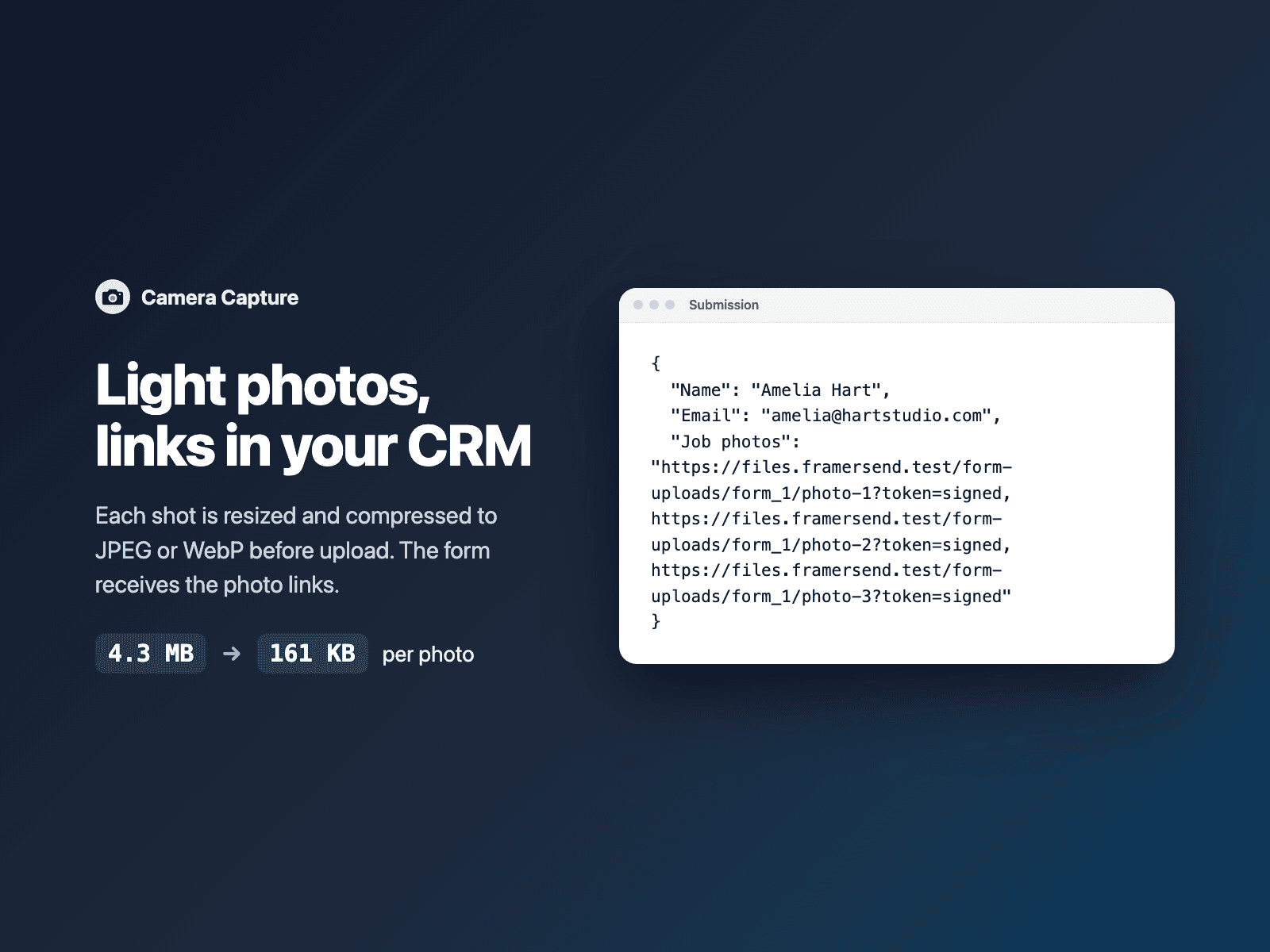
Direct link(s) to the compressed photo(s), comma-separated, under the field name you choose.
It is part of the native Framer form submission, so it goes wherever your form sends: email, Google Sheets, webhooks, or FramerSend connectors.
{
  "Name": "Amelia Hart",
  "Service": "Tree removal quote",
  "Photos": "https://storage.framersend.com/uploads/photo-1.jpg, https://storage.framersend.com/uploads/photo-2.jpg"
}
How it works
No code, right inside Framer
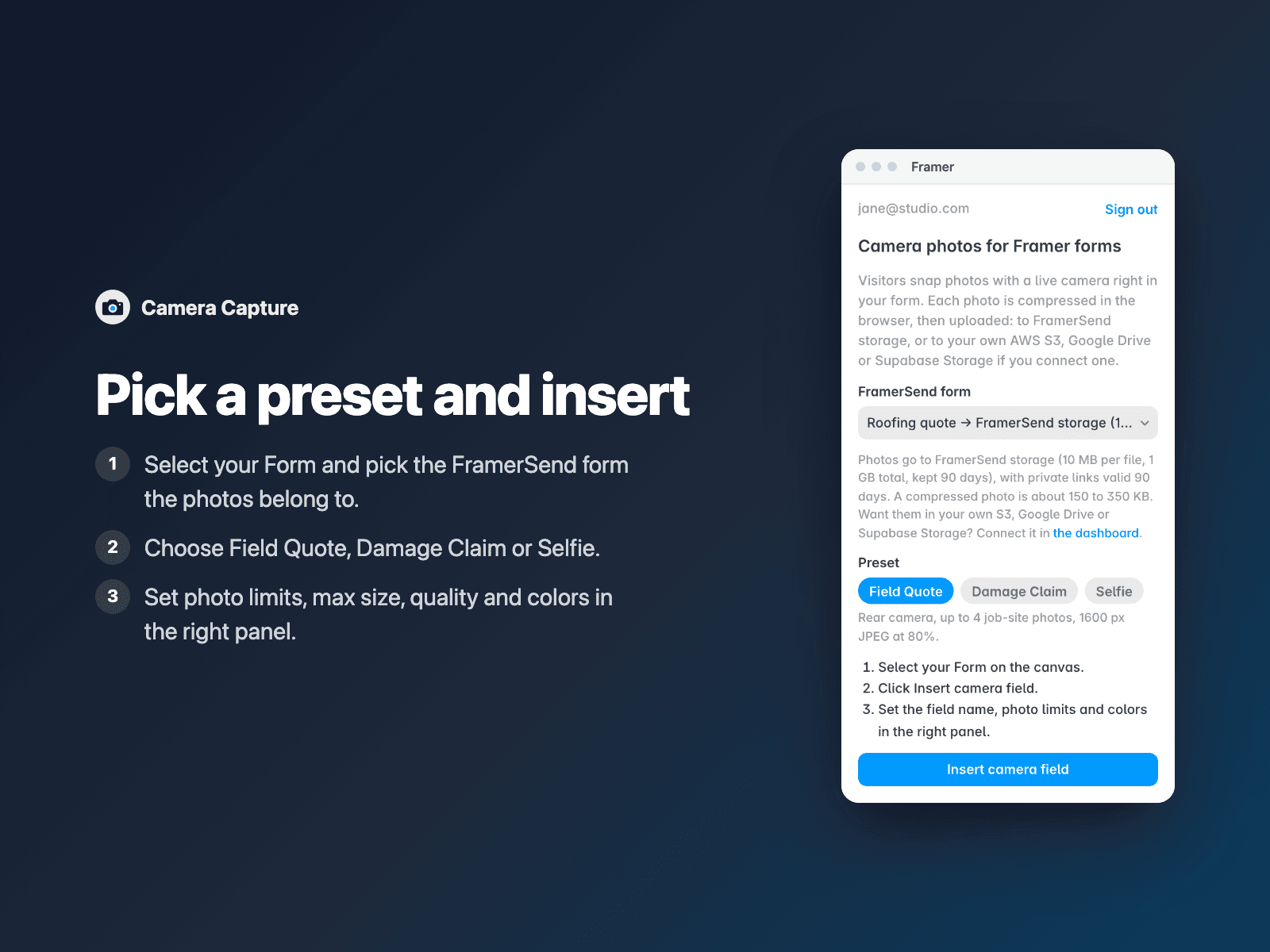
Select your form
Select your Form on the Framer canvas.
Pick your FramerSend form
Open Camera Capture, pick the FramerSend form photos belong to, and choose a Field Quote, Damage Claim or Selfie preset.
Insert
Click Insert camera field, customize colors and photo limits in the right panel, and publish.
Options
- Live rear/front camera viewfinder with one-tap Flip camera and shutter controls
- Automatic mobile camera fallback (capture) when browser camera permissions are restricted
- Client-side Canvas compression (configurable max resolution & JPEG/WebP quality) before upload
- Snap 1 to 6 photos with thumbnail previews, compressed KB badges, retry and delete
- Uploads directly to FramerSend storage (10 MB/file, 1 GB included) or your own S3, Drive or Supabase
- Required & uploading-in-progress validation that automatically respects Conditional Fields
The field is a code component written into your project with zero external scripts. Compressed photos upload directly from the visitor's browser to framersend.com and the signed storage URL for your form.
Frequently asked questions
Why compress photos in the browser before uploading?
Modern iPhone and Android cameras shoot 6 to 12 MB photos that fail on slow cellular connections. Camera Capture resizes and compresses each shot on-device to ~150–350 KB in milliseconds so mobile submissions finish fast.
Where are captured photos stored?
Photos go straight to FramerSend storage out of the box (up to 10 MB per photo, 1 GB total, kept 90 days), or directly into your own AWS S3, Google Drive or Supabase Storage bucket if connected to your form.
What if a visitor denies camera permission or opens the form inside Instagram?
Camera Capture automatically exposes a one-tap mobile photo input (accept='image/*' capture) and optional gallery picker so visitors can still attach photos from any mobile browser.
Can visitors switch between rear and front cameras?
Yes. Set the default camera to Rear (environment) for job-site and receipt photos or Front (user, mirrored viewfinder) for check-in selfies, and visitors can tap Flip anytime.
How much does Camera Capture cost?
Camera Capture is included in every FramerSend plan, together with the other field plugins and every connector. It is free for 14 days with no card, then from $5/month, $39/year or $89 one-time.
How do I sign in to the plugin?
With your FramerSend account. The plugin opens framersend.com/plugin/connect, you approve, and it signs in by itself.
Add Camera Capture to your Framer form
Included in every FramerSend plan with all 73 field plugins and every connector. Free for 14 days, then from $5/month.