How to Show or Hide Fields in a Framer Form (Conditional Logic Without Code)
Add conditional logic to native Framer forms: show or hide inputs and frames based on answers, skip hidden required validation, and keep FormData clean.

Dong Trinh
Lead Architect at FramerSend
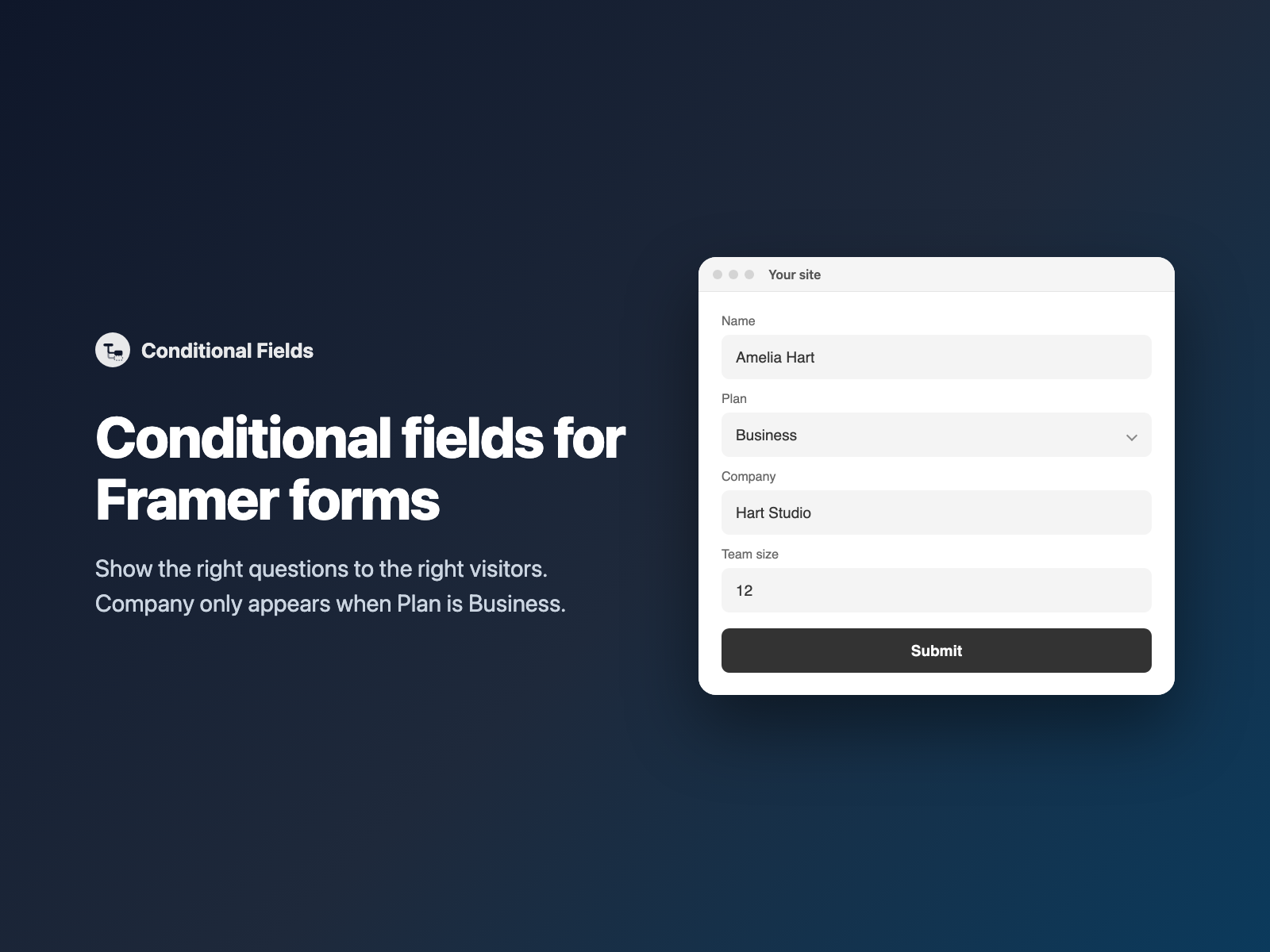
Asking every visitor every possible question kills form completion rates. An individual freelancer shouldn't have to fill out Company Name, VAT ID and Procurement Contact, while an enterprise buyer choosing the Business plan does need those exact fields.
Conditional Fields brings real show/hide logic to native Framer forms — keeping your own Framer typography, animations and layout while revealing follow-up questions only when an earlier answer calls for them.
Why shorter conditional forms convert better
Progressive disclosure solves the tug-of-war between marketing (who want higher completion rates) and sales or ops (who want richer qualification data):
- Fewer visible inputs up front. Visitors start a calm 3-field form instead of staring at a 14-field wall of optional boxes.
- Contextual follow-ups. Show a "What could we improve?" textarea only when a Star Rating or NPS Score is low, or show dietary notes only when Attending in person is checked.
- Cleaner CRM payloads. Irrelevant fields stay out of your HubSpot, Airtable or Notion records instead of arriving as stale default values.
Why hiding fields with CSS or variants breaks submission
A common Framer workaround is toggling layer opacity or switching component variants to hide an input visually. In real HTML forms, visual hiding causes three painful bugs:
| DIY workaround | What breaks on live sites |
|---|---|
opacity: 0 or display: none Override | If the hidden input has Required turned on, the browser blocks submission with an "invalid form control is not focusable" console error and the visitor sees nothing happen. |
| Switching Framer variants | Inputs that remain mounted in hidden variants still submit their default or previously typed values into FormData, polluting your CRM. |
| Fragile DOM selectors | Hardcoding nth-child selectors in custom Code Overrides breaks the moment a designer reorders fields or wraps a row in a Stack. |
How Conditional Fields works in native Framer forms
Conditional Fields is a zero-dependency code component written straight into your Framer project (zero external scripts, zero network requests):
- 8 built-in operators —
equals,does not equal,contains,does not contain,is empty,is not empty,is checkedandis not checked, withShoworHideactions and optional case matching. - Watches any input type — native text inputs, selects, radio groups, checkboxes, and custom code-component fields like Image Choice, Button Choice or Star Rating.
- True HTML form lifecycle — hidden targets receive
display: none,disabledand haverequiredsuspended while hidden. Turning on Required when shown enforces completion only when the question is actually on screen. - Designer-friendly canvas — on the Framer canvas every layer stays visible so you can style freely, while a compact rule badge shows which condition controls which fields.
Add show/hide rules in three steps
- Select your native Form on the Framer canvas and open Conditional Fields (or FramerSend Fields) → click Insert condition.
- In the right-hand properties panel, set Watch field (for example
Plan), choose the condition (equals→Business), and enter the target field names separated by commas (Company, Team size). - Toggle Required when shown if those follow-up fields must be answered when visible, then test in Preview and publish.
Chained rules, connected frames and live calculators
For richer intake flows, rules compose cleanly without writing a single line of code:
- Chained dependencies: drop one condition per rule — Rule 1 shows
Plan TierwhenAccount TypeequalsTeam, and Rule 2 showsSSO ProviderwhenPlan TierequalsEnterprise. - Connected Framer frames: instead of listing field names, connect entire Framer frames to the component's Content connector to toggle section headers, dividers, callout cards and multi-column rows together.
- Multi-Step + Calculator aware: pair Conditional Fields with Multi-Step Form to tailor Step 2 based on Step 1, or pair it with Calculator so hidden optional add-ons automatically contribute
0to the live quote total, then route high-tier leads to a custom booking page with Conditional Redirect.
What we tested
We verified all 23 automated Playwright harness checks plus live published Framer multi-step submissions: verifying that hidden required fields never block submit and never appear in FormData, restoring required when revealed, case-insensitive dropdown matching, checkbox is checked frame toggling, mutation-observed hidden inputs (such as Star Rating and Image Choice), form reset re-evaluation, and leaving Framer's aria-hidden honeypot inputs untouched.
Install Conditional Fields on the Framer Marketplace or get it alongside all 72 Framer form fields and 110+ connectors from $5/month after a 14-day free trial.
Frequently asked questions
Does Framer's native form builder include conditional show/hide logic?
Not out of the box. Every input placed inside a native Framer Form is visible to every visitor. Conditional Fields adds no-code show/hide rules directly inside your native Framer form without switching to an embedded iframe builder.
Will a hidden required field block visitors from submitting the form?
No. While a field is hidden by a rule, Conditional Fields marks it disabled and removes its required constraint so browser validation skips it cleanly. As soon as the condition matches and the field appears, its required status is restored.
Are hidden fields still sent in the form submission or CRM webhook?
No. Hidden inputs are disabled while hidden, so HTML FormData omits them completely. Your Google Sheet, Notion database or HubSpot record only receives answers for questions the visitor actually saw.
Can I show multiple fields or an entire design section at once?
Yes. List multiple field names separated by commas (for example Company, VAT Number, Team size), or connect whole Framer frames to the component to reveal headings, helper callouts and grouped inputs together.
Does Conditional Fields work inside multi-step Framer forms and calculators?
Yes. It works alongside Multi-Step Form (hiding irrelevant questions inside a step) and marks hidden wrappers with data-fs-cond-hidden so the FramerSend Calculator automatically excludes hidden add-ons from live totals.
Where do I install Conditional Fields?
Install the standalone Conditional Fields plugin on the Framer Marketplace or open FramerSend Fields to access all 74 form fields. Every FramerSend plan includes it from $5/month after a 14-day free trial with no card.
Connect Framer to 100+ CRMs in 60 seconds
14-day free trial, no card needed. Copy your Submit URL and paste straight into Framer.
Related Articles
How to Connect Framer Forms to Any CRM in 2026 (No Code & No Zapier)
A complete step-by-step tutorial on routing native Framer form submissions directly into Klaviyo, HubSpot, Mailchimp, or Salesforce in under 60 seconds.
Framer Form Not Sending? 9 Fixes for Submissions That Never Arrive
Framer form not sending or submissions not arriving? Work through 9 fixes: publishing, Send To settings, validation, spam filters, webhooks and field names.
How to Show Personalized Quiz Results and Outcome Cards in Native Framer Forms
Turn Quiz Score totals, Calculator quotes and dropdown answers into tailored result cards with their own badge, headline and CTA — inside native Framer forms.