Booking Limits for Framer forms
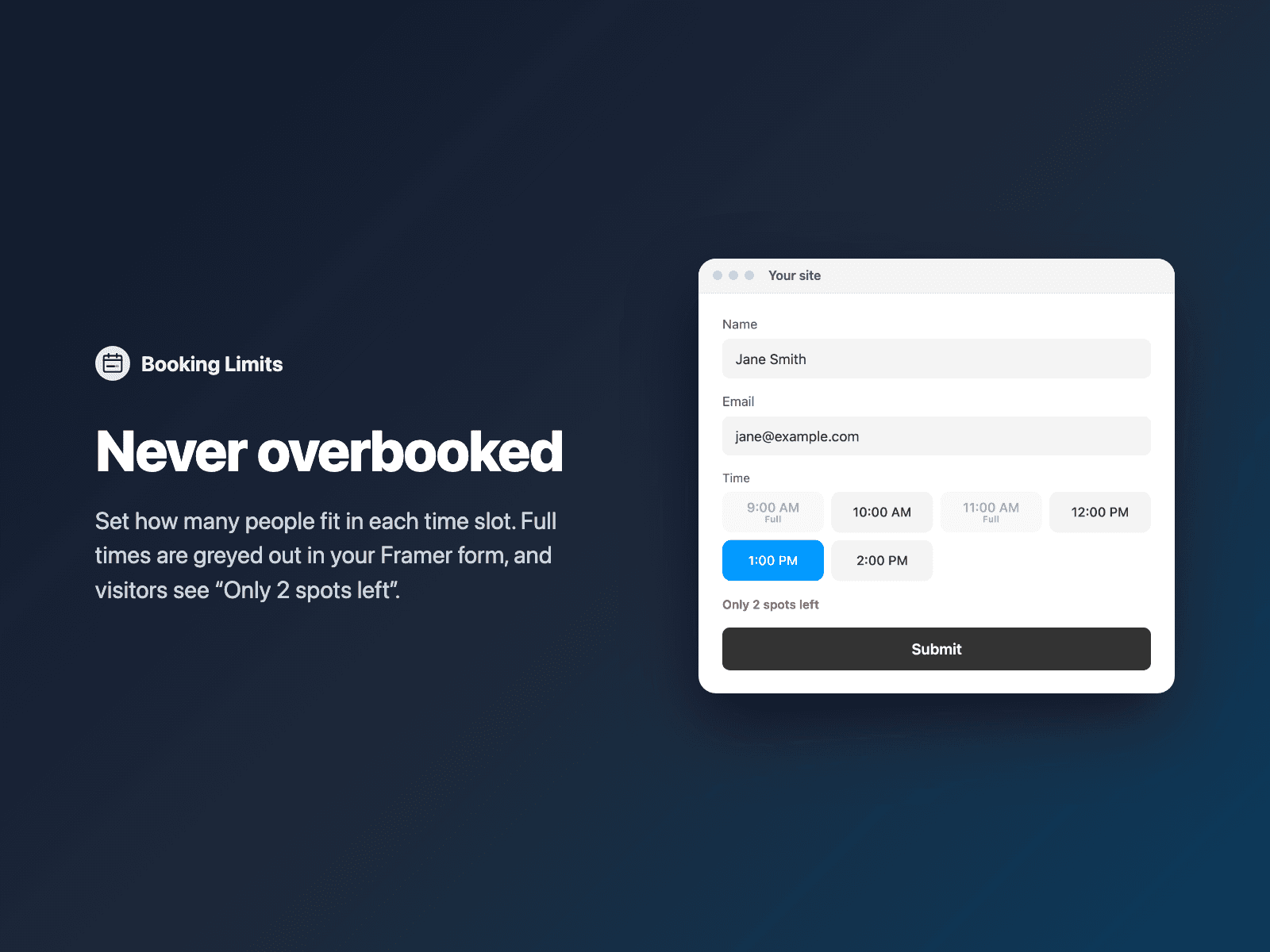
Never overbook a time slotSet how many people fit in each time slot of your native Framer form, close the form after a number of responses, or allow one booking per email.
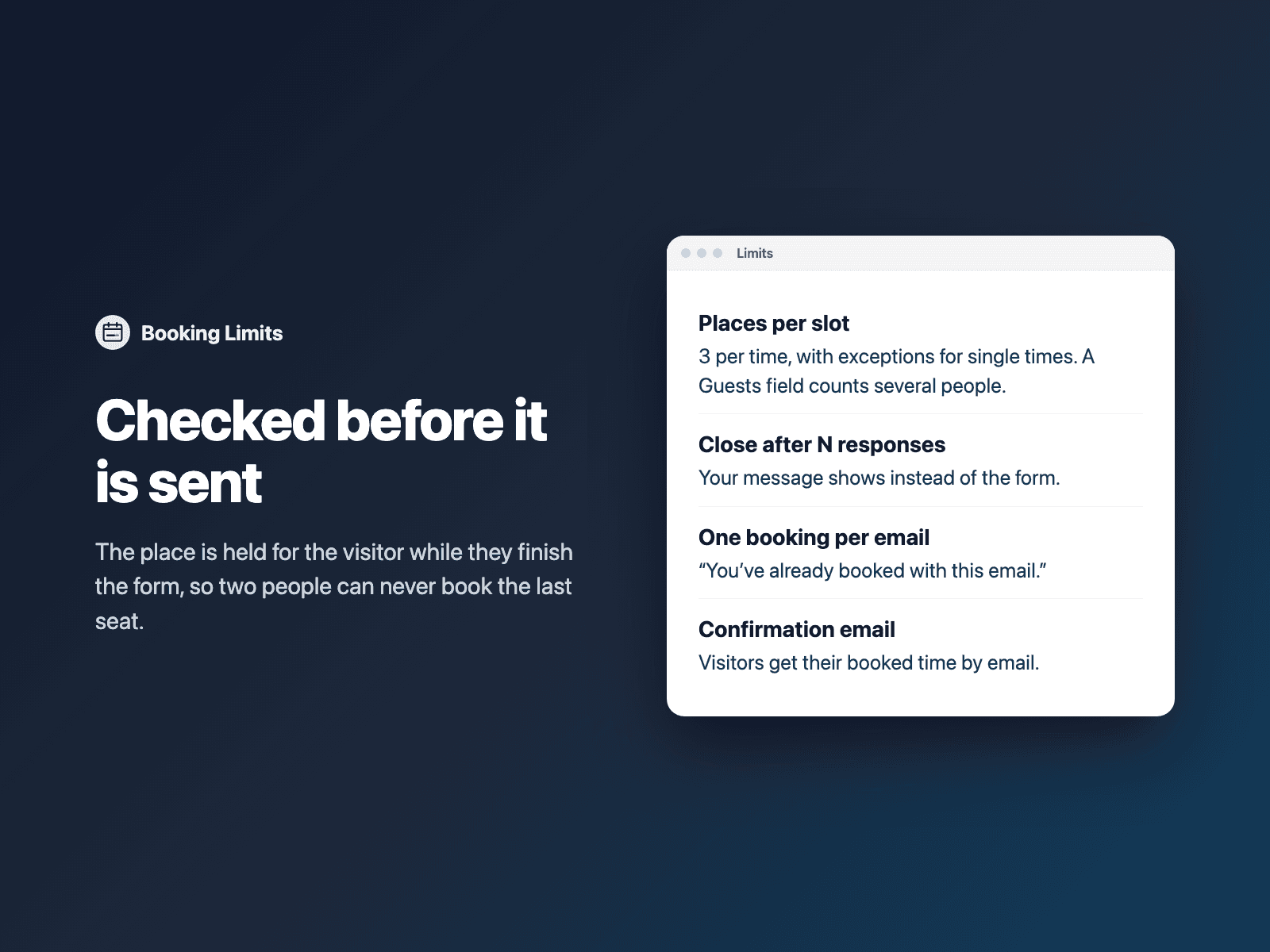
Full times are greyed out with "Full", visitors see "Only 2 spots left", and the place is held while they finish the form, so two people can never book the last seat.
Included in every FramerSend plan. Free for 14 days, no card, then from $5/month.
What your form receives
A booking reference and the limit ID with every submission; see and cancel bookings in the FramerSend dashboard.
It is part of the native Framer form submission, so it goes wherever your form sends: email, Google Sheets, webhooks, or FramerSend connectors.
{
  "Name": "Amelia Hart",
  "Email": "amelia@studio.co",
  "Date": "2026-11-20",
  "Time": "10:00",
  "Booking reference": "BKG-7KQ2-M4XD-P9TR"
}
How it works
No code, right inside Framer
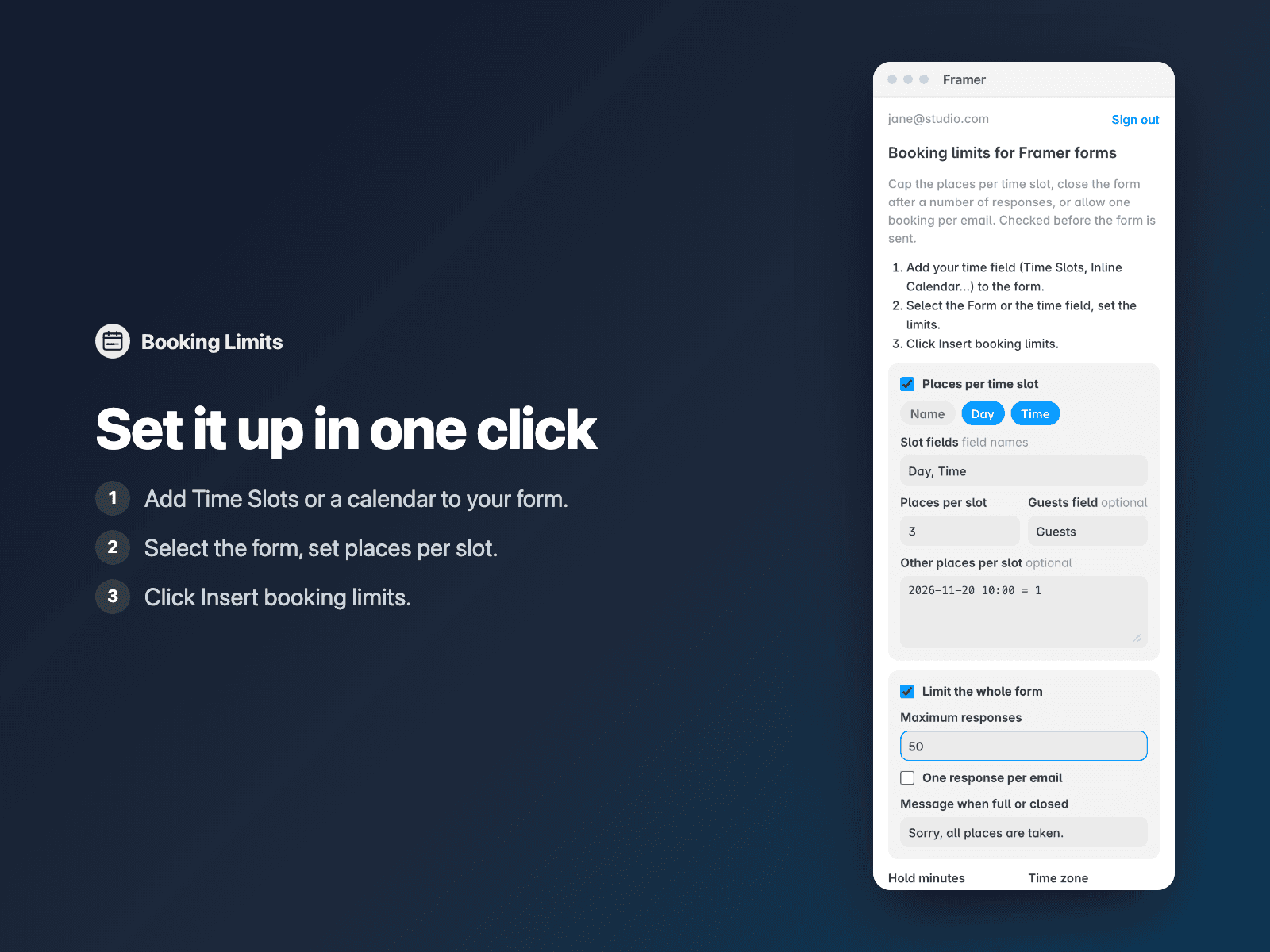
Add your time field
Add Time Slots, Inline Calendar or Time Picker to your form.
Set the limits
Select the Form, open Booking Limits and set places per slot or a maximum.
Insert
Click Insert booking limits and publish your site.
Options
- Places per time slot, with exceptions
- Guests field: 3 people take 3 places
- Maximum responses for the whole form
- One response per email
- Confirmation email to the visitor
- Your own full and closed messages
Written into your project as a code component. No external scripts, no network requests on your site.
Frequently asked questions
Can two people book the last place?
No. The place is held on FramerSend's server as soon as a visitor picks a time, and the form can't be sent without that hold. If it fills up in the meantime, they're asked to pick another time.
Can I cancel a booking?
Yes. Open Limits & bookings in your FramerSend dashboard and click Cancel; the place becomes free again at once.
Is it included in my plan?
Yes, Booking Limits is included in every FramerSend plan.
How much does Booking Limits cost?
Booking Limits is included in every FramerSend plan, together with the other field plugins and every connector. It is free for 14 days with no card, then from $5/month, $39/year or $89 one-time.
How do I sign in to the plugin?
With your FramerSend account. The plugin opens framersend.com/plugin/connect, you approve, and it signs in by itself.
Add Booking Limits to your Framer form
Included in every FramerSend plan with all 73 field plugins and every connector. Free for 14 days, then from $5/month.