Booking Calendar for Framer forms
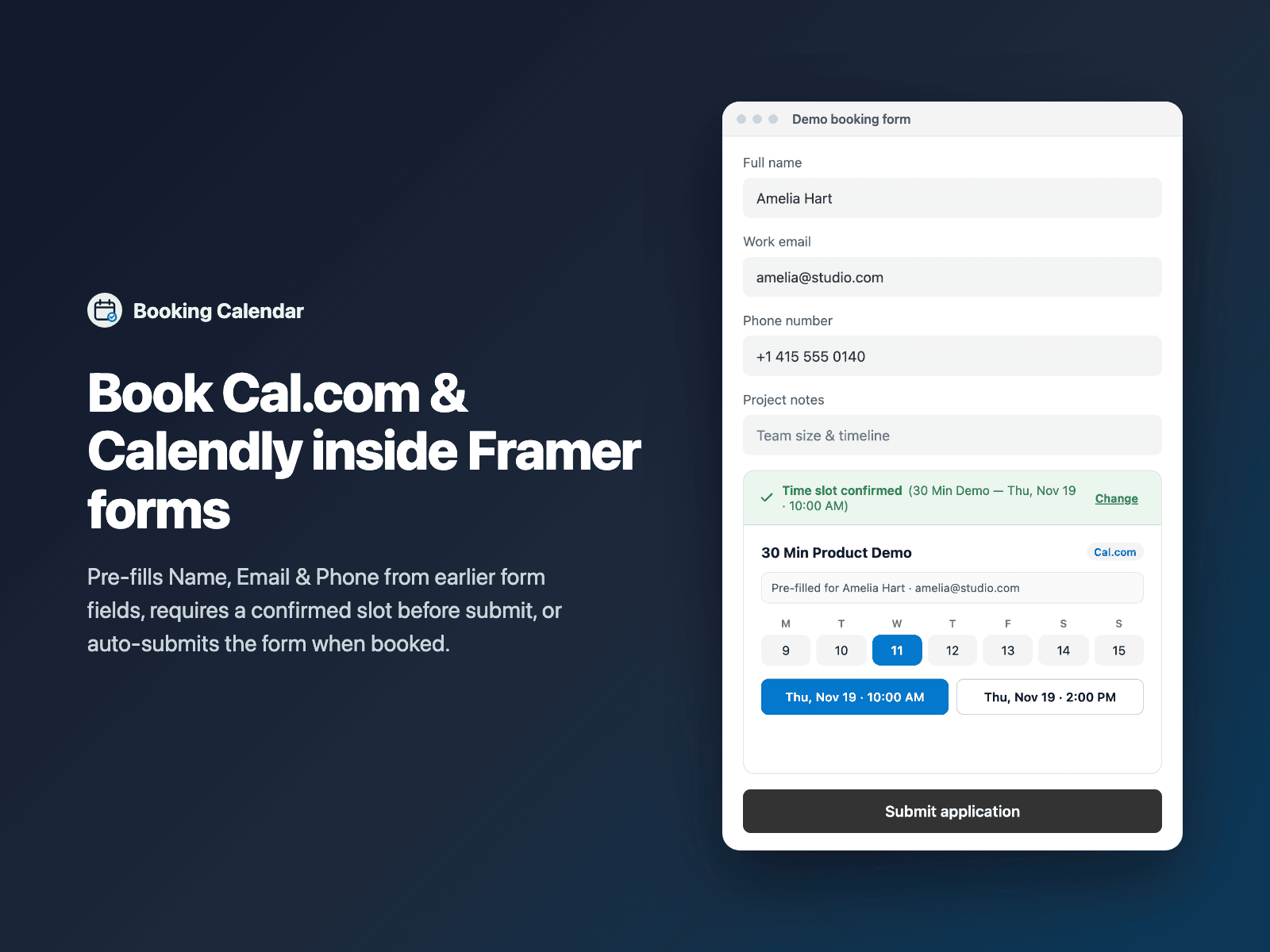
Pre-filled Cal.com & Calendly in formsEmbed an inline Cal.com or Calendly booking calendar directly inside your native Framer form — automatically pre-filled with the Name, Email, Phone and Notes the visitor just typed in earlier fields.
Listens for booking confirmation events from Cal.com and Calendly so your form records the booked slot and booking reference in hidden fields, can block submission until a meeting is booked, and can auto-submit the form the moment the visitor confirms a time.
Available right now inside FramerSend Fields (our all-in-one Marketplace plugin). Free for 14 days, no card, then from $5/month.
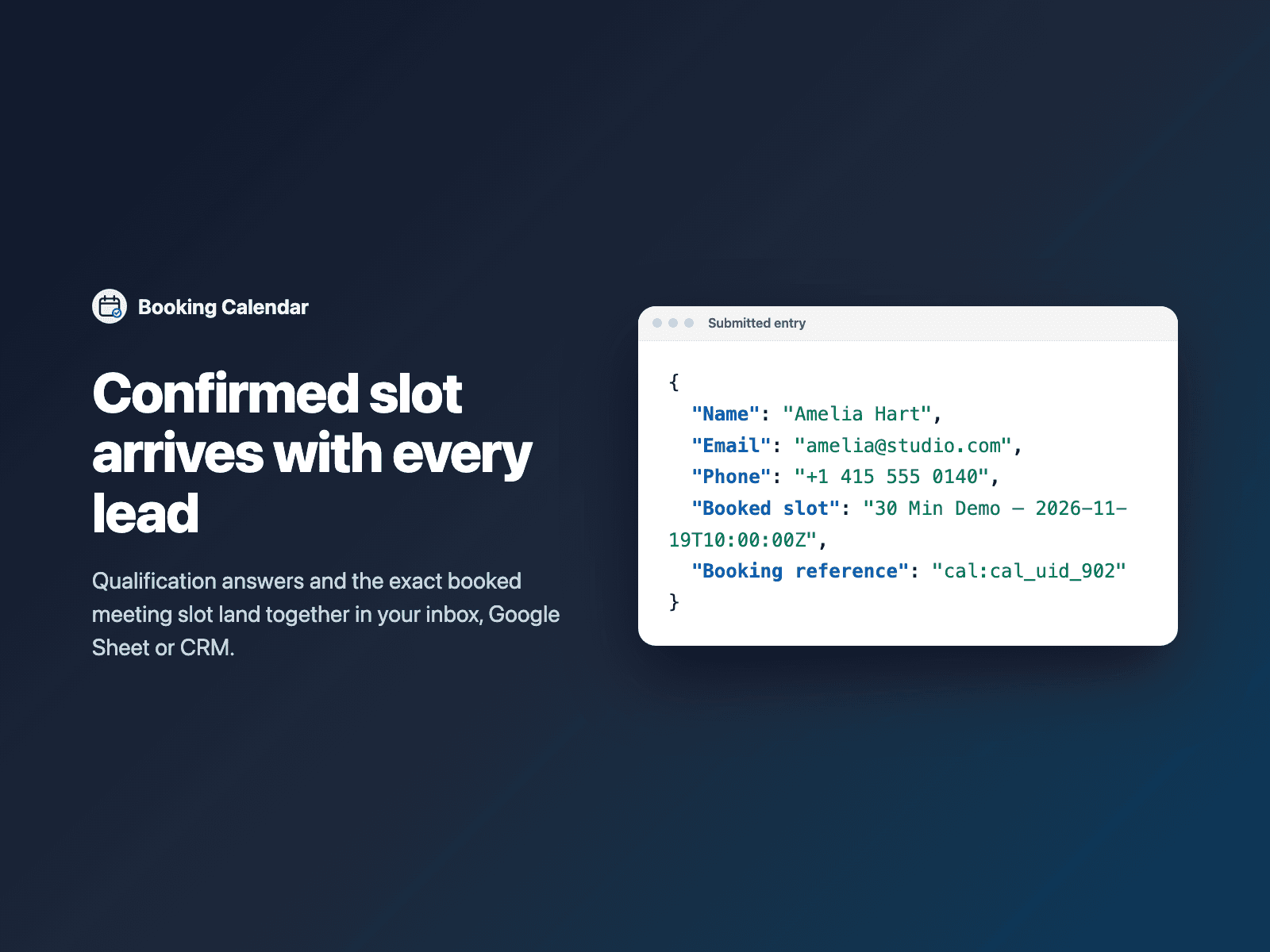
What your form receives
The confirmed meeting time under Booked slot plus an optional Booking reference field alongside all your native Framer form fields.
It is part of the native Framer form submission, so it goes wherever your form sends: email, Google Sheets, webhooks, or FramerSend connectors.
{
  "Name": "Amelia Hart",
  "Email": "amelia@stripe.com",
  "Booked slot": "Product Demo — 2026-11-18T15:00:00Z",
  "Booking reference": "https://cal.com/booking/bk_94a82f"
}
How it works
No code, right inside Framer
Select your form
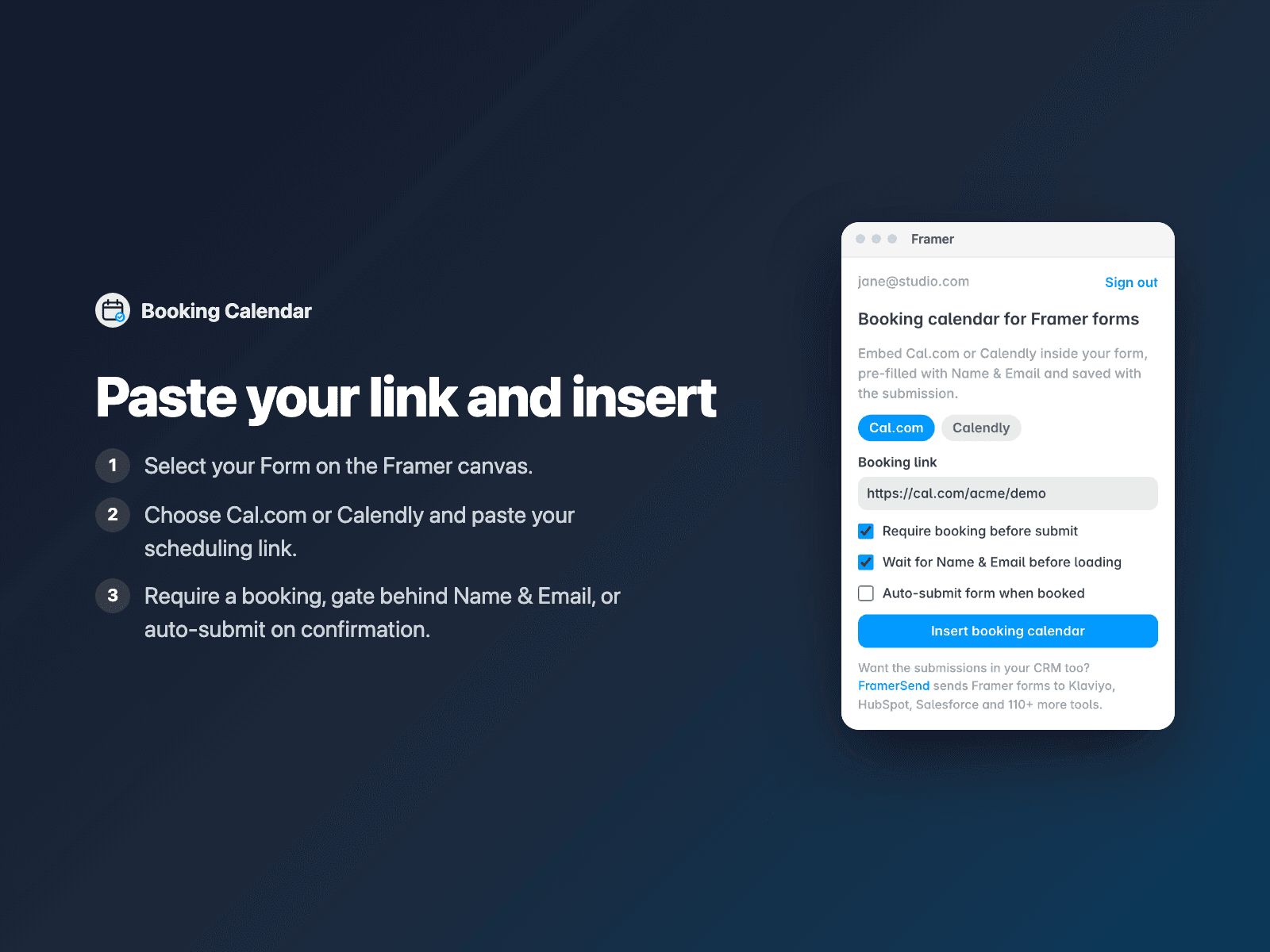
Select your Form (for example Step 2 of a qualification form) on the Framer canvas.
Paste your Cal.com or Calendly URL
Open Booking Calendar, paste your scheduling link, and choose whether booking is required.
Insert
Click Insert booking calendar and publish. Visitors qualify first and book without typing their name or email twice.
Options
- Supports both Cal.com and Calendly inline booking links (auto-detected)
- Auto-prefills Name, Email, Phone and Notes from earlier form inputs
- Optional Gate mode: wait until Name & Email are valid before loading the calendar
- Require a confirmed booking before the form can be submitted
- Optional Auto-submit form immediately when a slot is booked
- Light or dark calendar theme, height, border radius and confirmation banner
The component is written into your project and embeds the Cal.com or Calendly booking URL you configure inside an inline iframe (optionally waiting until Name and Email are filled first). No external SDK scripts are injected.
Frequently asked questions
Why won't visitors have to type their name and email twice?
Booking Calendar reads the Name, Email, Phone and Notes fields from earlier in your Framer form and passes them straight into your Cal.com or Calendly embed URL.
Can I hide the calendar for unqualified leads?
Yes. Pair Booking Calendar with Conditional Fields so only visitors matching your budget or team-size rules see the calendar — when hidden by Conditional Fields, the required booking check is automatically skipped.
How does the form know a time was booked?
Both Cal.com and Calendly send a browser postMessage event when an invitee confirms a slot. Booking Calendar captures that event, fills the hidden Booked slot field, and optionally submits the Framer form automatically.
Is anything loaded on the Framer canvas?
No. On the Framer canvas it renders a clean static preview card; the live scheduling iframe only loads on your published site.
How much does Booking Calendar cost?
Booking Calendar is included in every FramerSend plan, together with the other field plugins and every connector. It is free for 14 days with no card, then from $5/month, $39/year or $89 one-time.
How do I sign in to the plugin?
With your FramerSend account. The plugin opens framersend.com/plugin/connect, you approve, and it signs in by itself.
Add Booking Calendar to your Framer form
Included in every FramerSend plan with all 73 field plugins and every connector. Free for 14 days, then from $5/month.