CMS Choice List for Framer forms
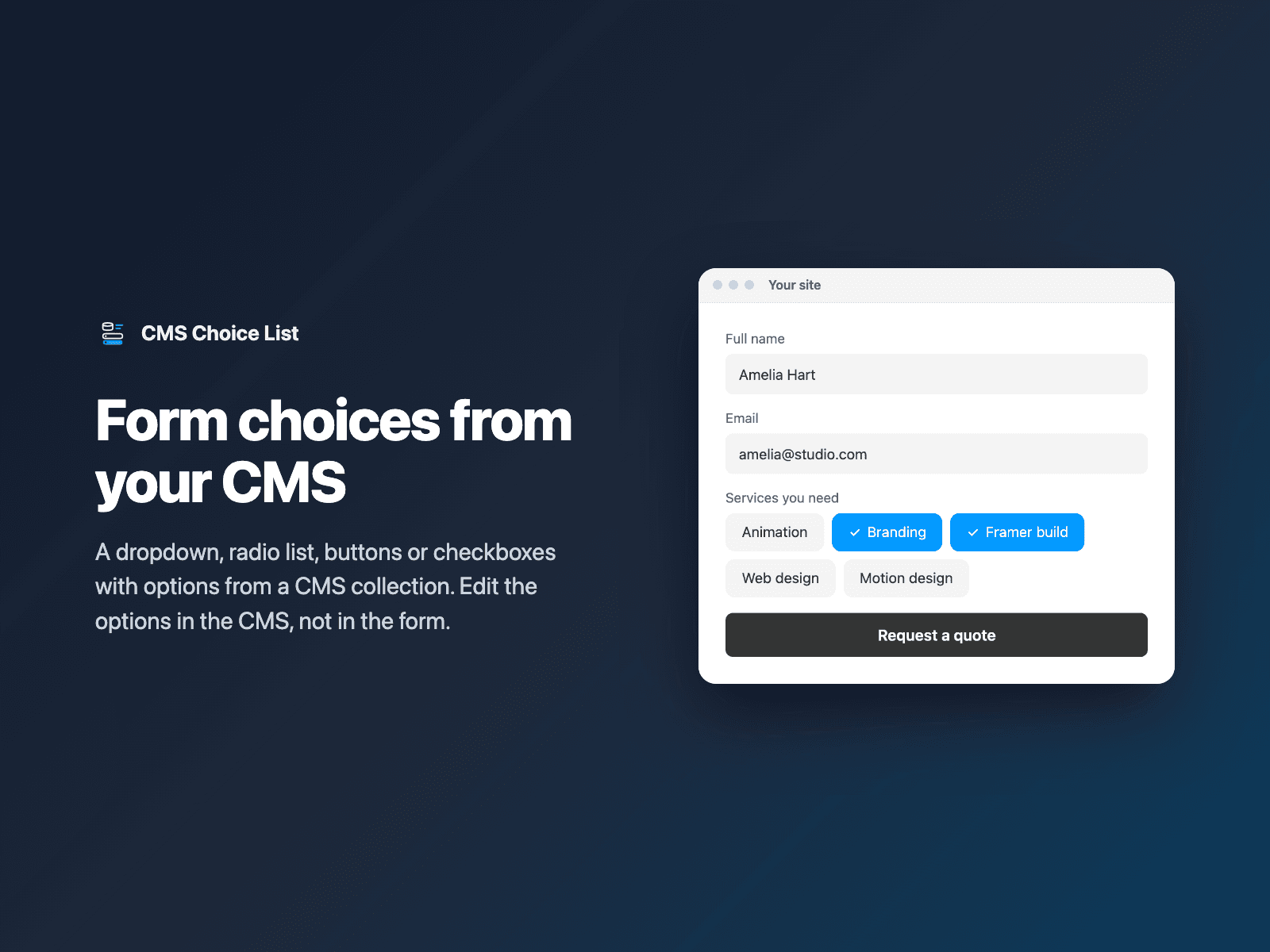
Form choices from your Framer CMSAdd a choice field to your native Framer form with options from a CMS collection: services, locations, products, events or team members. Your team edits the options in the CMS, not in the form.
Show it as a dropdown, a radio list, buttons or checkboxes. The plugin copies the CMS items into the field; after the CMS changes, click Refresh from CMS and publish your site again.
Available right now inside FramerSend Fields (our all-in-one Marketplace plugin). Free forever with a free FramerSend account, no card. Connectors from $5/month.
What your form receives
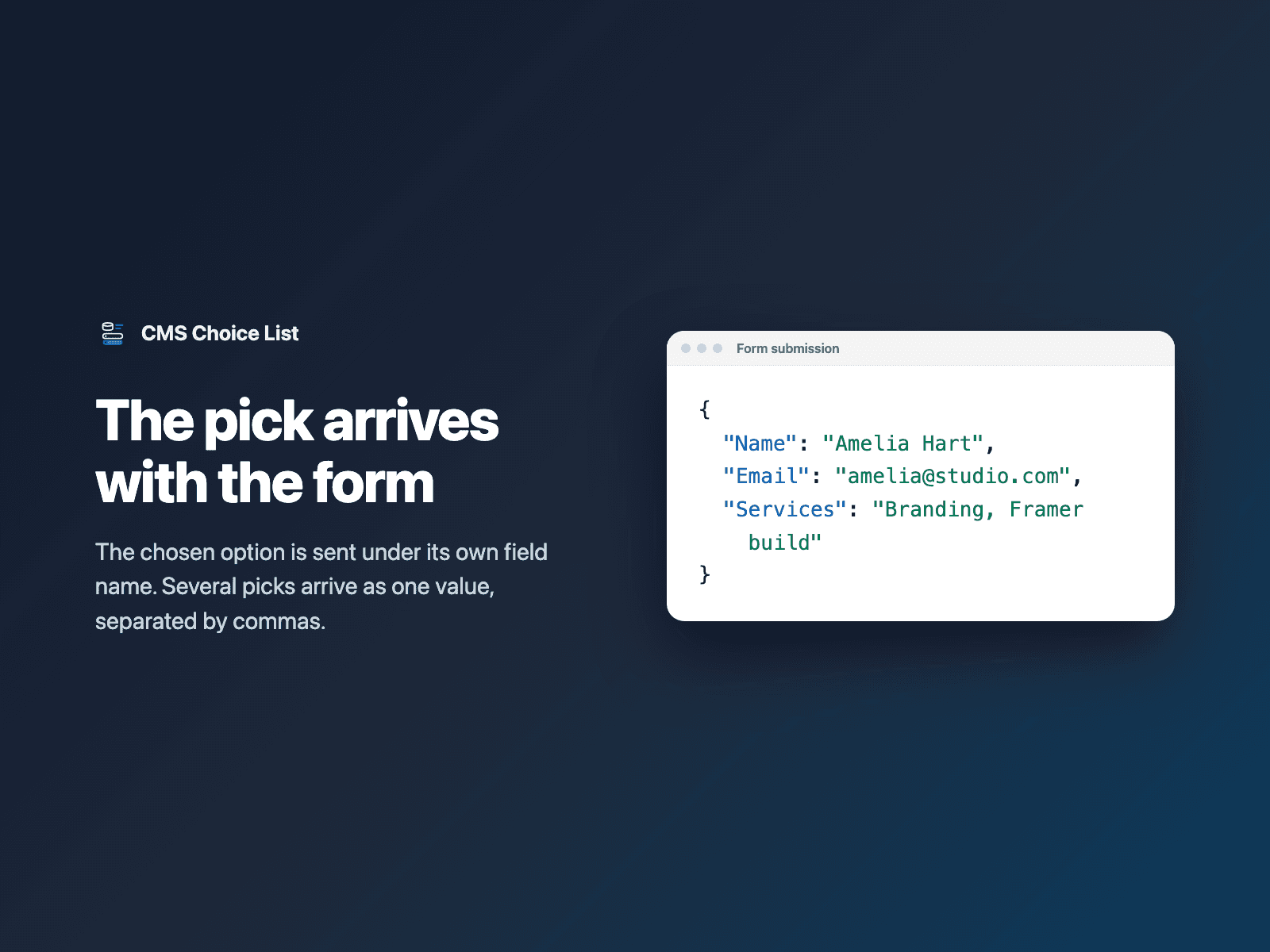
The picked value under the field name you choose: the label, the slug or another CMS field. Several picks are joined with commas.
It is part of the native Framer form submission, so it goes wherever your form sends: email, Google Sheets, webhooks, or FramerSend connectors.
{
  "Name": "Amelia Hart",
  "Email": "amelia@studio.com",
  "Services": "Branding, Framer build"
}
How it works
No code, right inside Framer
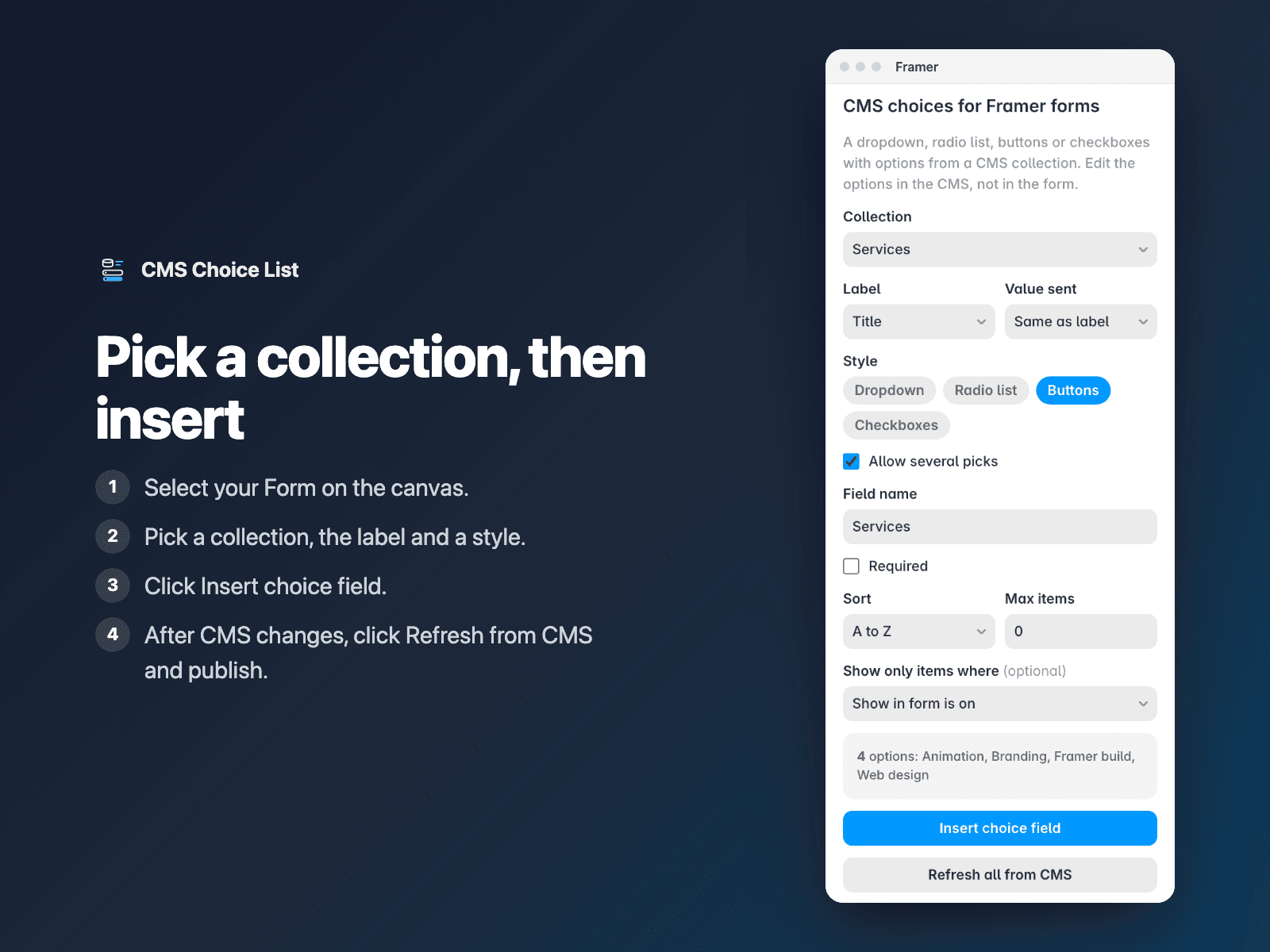
Select your form
Select your Form on the Framer canvas.
Pick a collection
Open CMS Choice List, pick a collection, the label field and a style.
Insert
Click Insert choice field. It is added above the submit button. After CMS changes, click Refresh from CMS and publish.
Options
- Any CMS collection in the project
- Label and value from any text field or the slug
- Dropdown, radio list, buttons or checkboxes
- Sort by CMS order or A to Z, and a max number of items
- Show only items where a toggle field is on, such as "Show in form"
- Required, with your own error text
- Refresh one field or every field from the CMS
Written into your project as a code component. No external scripts, no network requests on your site.
Frequently asked questions
Do CMS changes show up in the form by themselves?
No. Framer code components cannot read the CMS on the live site, so the plugin copies the items into the field. After you change the collection, select the field, click Refresh from CMS (or Refresh all from CMS) and publish your site again.
Can I hide some items from the form?
Yes. Add a toggle field such as "Show in form" to the collection and pick it as the filter. Draft items are always left out.
What does the form receive?
The value you chose for each item: the same text as the label, the slug, or another field such as an email or a price. Several picks arrive as one value separated by commas.
Does it slow down my site?
The field is a code component written into your project. It loads no external scripts and makes no network requests on your site.
How much does CMS Choice List cost?
CMS Choice List is free forever with a free FramerSend account, together with the other field plugins. No card needed. Plans add the connectors (CRMs, Sheets, Zapier and 100+ more): free for 14 days, then from $5/month, $39/year or $69 one-time.
How do I sign in to the plugin?
With your FramerSend account. The plugin opens framersend.com/plugin/connect, you approve, and it signs in by itself.
Add CMS Choice List to your Framer form
Free forever with a free FramerSend account, no card. Connectors from $5/month.